Quick Summary
- An assessment checks seven areas: ownership, standard, content process, development, vendors, training and records.
- Score each area from 0 to 3 and add them up. A low score tells you where to look, and it is no verdict.
- Assess first, audit second. The assessment shows which pages and processes deserve a deep test.
- The assessment organizes your work and does not replace advice from your counsel.
Many organizations start with a scan and end up with a hundred findings and no plan. A readiness assessment works the other way around. It asks whether you have the people, the process and the records to fix problems and keep them fixed, and it points at the places where a deeper audit will pay off.
In my ADA compliance consulting work, I run a version of the check below in the first week. It is a compliance aid. Whether your organization meets legal requirements is a question for your counsel.
How the Scoring Works
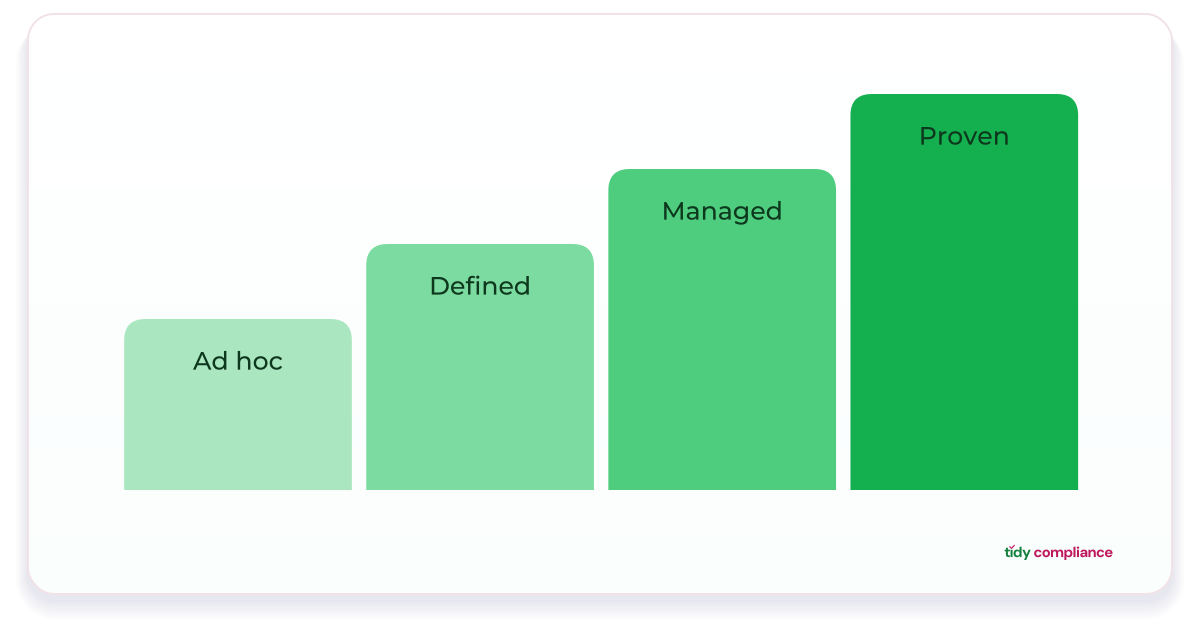
You rate seven areas from 0 to 3. A 0 means nothing exists. A 1 means someone does it informally. A 2 means it is written and mostly followed. A 3 means it is written, followed and tested, with records. The total runs from 0 to 21.
| Area | What to ask | Proof of a 3 |
|---|---|---|
| 1. Ownership | Who is responsible for accessibility? | Named owner, budget and a leadership report |
| 2. Standard | Which standard and level do you aim for? | Written policy naming the WCAG version and level |
| 3. Content process | Do editors check accessibility before publishing? | Publishing checklist and spot checks |
| 4. Development | Do designers and developers test accessibility? | Design and code criteria, automated checks in the build |
| 5. Vendors | Do you check third-party tools? | Vendor list with conformance reports and contract terms |
| 6. Training | Do people know their part? | Role-based training with completion records |
| 7. Records and feedback | Can you show what you tested and fixed? | Test log, issue tracker, public statement and feedback channel |
Area 1: Ownership
Accessibility fails when everybody agrees it matters and nobody owns it. Look for a person with a name, time in their week and a line in the budget. Check whether leadership gets a short report at least once a year.
A small team can give the role to the web manager or the operations lead. What matters is that the person can ask developers and editors for changes, and that a backup exists.
Area 2: The Standard You Follow
Without a named standard, nobody can say whether a page passes. Most organizations choose a version and level of the Web Content Accessibility Guidelines. Your counsel, your contracts or the agency that applies to you may name one. Write it into a short policy, and review it when the standard changes.
Check the check. If the policy says one version and your scanner tests another, the scores will mislead you.
Area 3: Content Process
Most new barriers come from content, not code: images without alt text, headings chosen for size, PDFs with no structure, videos without captions. A one-page publishing checklist solves much of it. Test the habit by sampling the last ten pages or posts and checking them against the list.
- Editors know how to write alt text and headings
- Videos are captioned before they go live
- PDFs are checked before upload, or replaced by web pages
Area 4: Design and Development
Ask designers whether color palettes pass contrast checks and whether focus styles are designed. Ask developers whether components use semantic HTML, whether keyboard use is tested and whether automated checks run before release. Teams that test early fix problems for a fraction of the effort that later repair takes.
If you use a page builder or a theme, ask who tested its components. Many accessibility issues come from a theme that every page inherits.
Area 5: Vendors and Third Parties
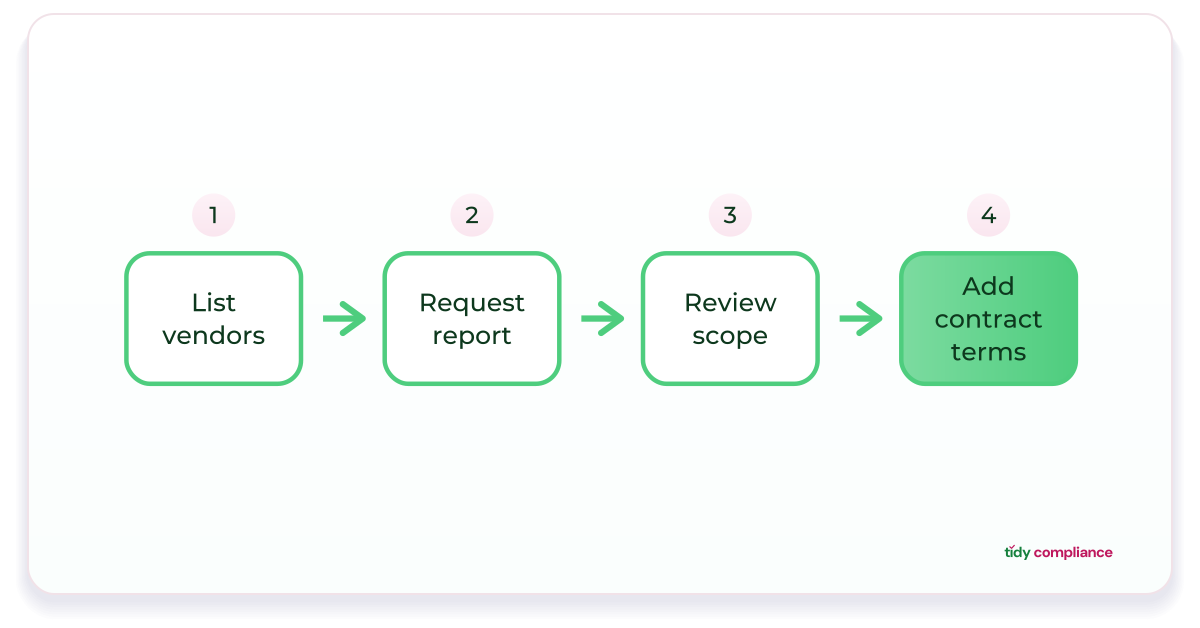
List every tool that appears on your pages: booking, chat, payments, maps, video and forms. Ask each vendor for a conformance report or accessibility statement. Rate yourself higher if you have those and if your contracts include a duty to maintain accessibility.
Vendors are where assessments find surprises. A booking widget that fails with a keyboard can block your main revenue path, and you do not control its code. Record the risk and ask for a fix date.
Area 6: Training
People need to know what to do on a normal day. Editors need alt text and headings. Designers need contrast and focus states. Developers need semantic markup and keyboard patterns. Customer support needs to know where to send an accessibility request. Short, role-based sessions beat a long annual deck, and completion records show who learned what.
Area 7: Records and Feedback
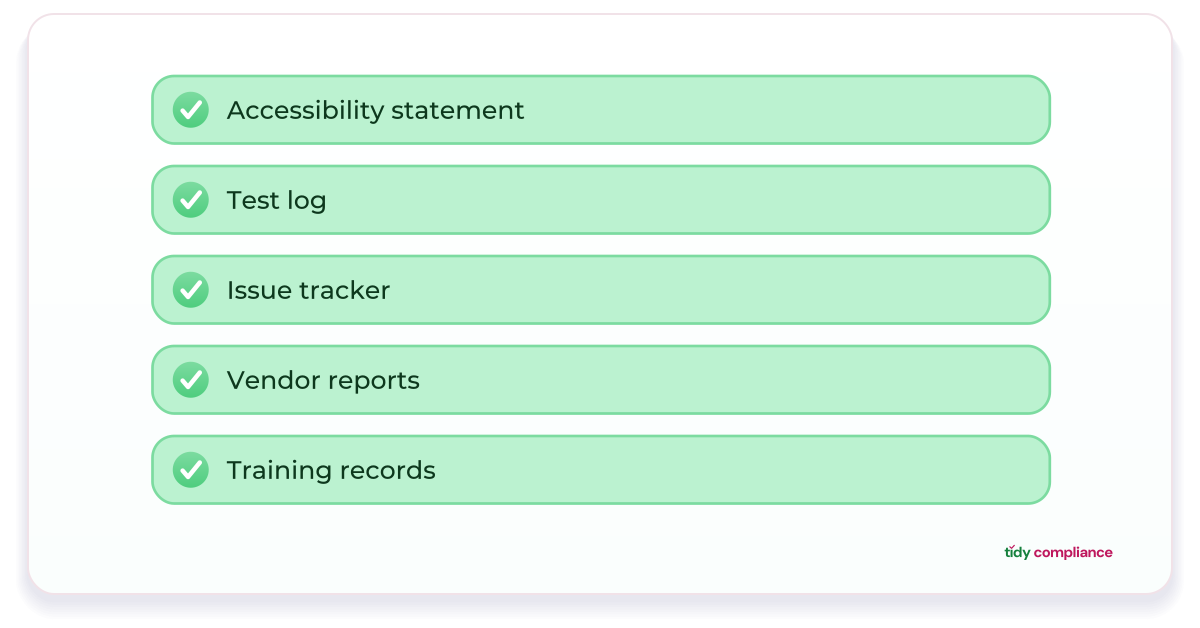
If someone asks what you have done about accessibility, can you show it? A test log, a list of fixes with dates, a public accessibility statement and a way for users to report problems are the core. A feedback channel should reach a real person, and replies should be quick and tracked.
The records help you in two ways. They show your own progress, and they give your counsel something concrete to work with if a question ever comes up.
Reading Your Total
Add the seven scores. I use bands only as a rough guide. A total of 0 to 7 suggests you are at the start: set ownership and a standard first. A total of 8 to 14 suggests you have habits that need writing down and testing, so a focused audit of key pages is the next step. A total of 15 to 21 suggests a working program, where the next gains come from monitoring and regular re-tests.
Look at the pattern as well as the total. A 3 for development and a 0 for content shows that engineers are ahead of editors, and fixing the editor process will yield more than another round of code work. For a worked example, picture a six-person clinic whose scores run 1, 0, 1, 2, 0, 0, 1. The total is 5, and the first moves are to name an owner, choose a standard and ask the booking vendor for a conformance report.
Who to Interview and What to Look At
Documents show the intended process, and people show the real one. For a thorough assessment, talk to five groups: the person who owns the website, an editor who publishes content, a designer, a developer and whoever handles customer support. Ask each one the same three questions. What do you do to make your work accessible? When did you last do it? Where is the evidence?
The answers often disagree, and the disagreement is the finding. If the web manager says editors add alt text to every image and an editor says nobody told them how, the content process scores low until a checklist and a short training exist. Take notes in plain language, and quote what people said, because it makes the report concrete.
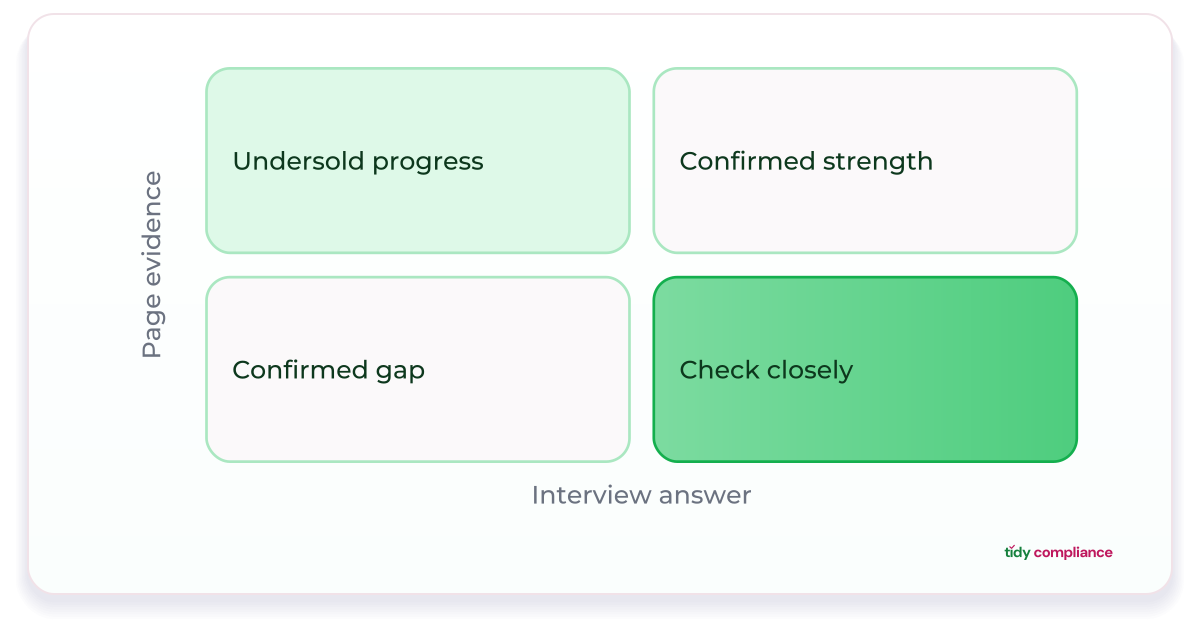
Then look at real pages. Open the home page, one service page, the contact form and the newest blog post. Tab through them. Zoom to 200 percent. Turn on a screen reader for a minute. Fifteen minutes of this gives you a feel for the site that no questionnaire can match, and it will tell you which scores to trust.
Finally, check the paper trail. Ask for the last three accessibility-related tickets, the last vendor contract renewal and the most recent training attendance list. A short stack of documents, or the lack of one, completes the picture and decides whether an area scores a 1 or a 2.
Deciding What Comes Next
The assessment points to the next action. Low scores in ownership, standard or training call for decisions and writing, and you can do that in weeks. Low scores in development or content call for process change. Questions about the state of your pages call for an ADA compliance audit, and the assessment helps you choose the scope.
Tools can speed up monitoring after you set the foundations. My ranking of the best ADA compliance tools covers free and paid options. If you are budgeting, the ADA compliance cost guide shows what drives price. A smaller team can use the lighter routine in ADA compliance for small business, and the habits in ADA compliance best practices keep results from fading.
Making the Assessment Work for a Small Team
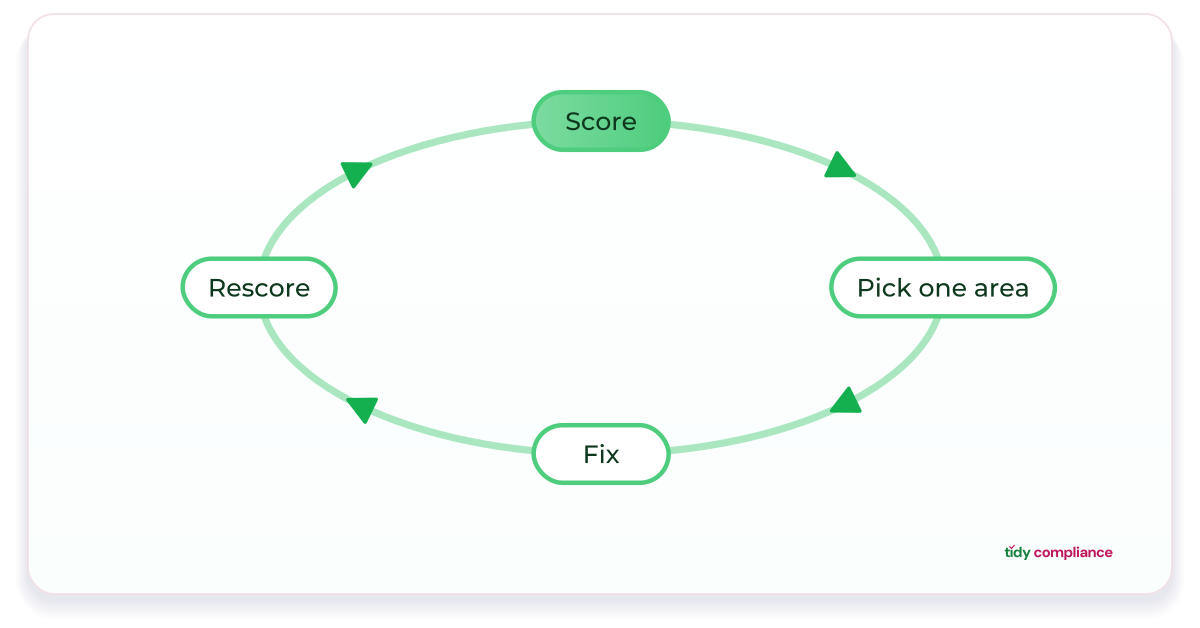
A team of five does not need seven workstreams. Pick the three lowest scores that touch customers and give each a single owner and a date within the next quarter. Typical first moves are a one-page policy that names the standard, a publishing checklist for editors and an email to each vendor that asks for a conformance report. None of them needs a budget line, and together they raise the total by several points.
Keep a simple log with the date, the area, what you changed and who did it. After six months the log becomes your evidence of progress. It also tells you which habits stuck, and which ones need a reminder or a different owner.
When a low score points to a technical problem, bring in help for that part only. A short developer review of your theme, or a manual test of the booking flow, costs far less than a full program and often clears the largest barriers first.
How to Choose Who Runs the Assessment
Run the first pass yourself if you know your site and your team, and ask a colleague from another department to challenge your scores. Bring in an outside reviewer when the result will go to leadership, a customer or your counsel. Ask for the method, the sources of evidence and a sample of the output. The reviewer should interview editors and developers, and should look at real pages, not only at documents.
- Score each area with evidence you can open.
- Fix ownership and the written standard first.
- Choose the audit scope from the lowest scores that touch customers.
- Repeat the assessment every six to twelve months.
Questions About ADA Compliance Assessments
What Is an ADA Compliance Assessment?
It is a readiness check that shows where your organization stands on digital accessibility before you commit to a full audit or a fix project. It looks at your sites and apps, your content process, your vendors and your policies, and it ends with a score and a plan.
How Is an Assessment Different from an Audit?
An assessment is broad and quick. It tells you how ready you are and where to look. An audit is deep and technical. It tests pages and flows against a standard and lists every finding. Many organizations assess first and audit second.
Can I Run an Assessment Myself?
Yes, for the first pass. The questions below need a person who knows your site, your content workflow and your vendors. An outside reviewer is useful when you need a result that others will trust.
How Long Is the Assessment?
A first pass often takes a few days of part-time work for a small organization, longer for a company with many sites. Interviews and sampling take most of the time.
What Score Counts as Ready?
There is no official passing score. Use the score to compare areas and to track progress. An area that scores low and touches customers goes first.
What Do I Do with the Results?
Turn them into a plan: what to audit, what to fix right away, what to train and what to ask vendors. Give each item an owner and a date, and repeat the assessment in six to twelve months.
Does an Assessment Give Me Legal Protection?
No. It organizes your view of the work and your records. Legal questions belong with your counsel.
Sources
Disclaimer: This article is for general information only and isn’t legal, financial or tax advice. Treat figures as estimates from typical work and confirm details with your providers before you act.
Was this guide helpful?
Thanks for your feedback.
Odessa Whitfield
Odessa leads the Tidy editorial team and works with the compliance consultants to turn real client projects into practical guides on regulations, frameworks, policies and audit preparation. Before joining Tidy, she worked in compliance and risk roles, writing and maintaining policy sets for regulated organizations. Every article goes through a consultant who has done the work in practice, and she updates guides when a rule, framework or tool changes. She works remotely from the United States.