Quick Summary
- Most small-business barriers come from a handful of fixable issues: contrast, image descriptions, form labels, link text and keyboard use.
- Start with your highest-traffic pages and your checkout, booking or contact form, then work outward.
- A website audit for a small site often costs a few thousand dollars, and your own developer can do many fixes.
- Keep a dated record of what you tested and fixed. That record helps if a complaint ever arrives.
Small business owners tend to hear about ADA website claims from a friend, an email or a demand letter, and then spend a week not knowing where to start. I get the same question in ADA compliance consulting calls: what is the smallest set of fixes that makes a real difference? The answer is shorter than most people expect.
Below you get a simple order of work, eight fixes you can usually make without a big project, a rough budget and the point where it pays to bring in a specialist. This is compliance guidance, not legal advice, so talk to your attorney about how the ADA applies to your business.
Why Small Businesses Get Caught Out
The ADA covers businesses that serve the public, and the Department of Justice states that this includes what you offer online. Its web accessibility guidance also says there is no detailed regulation for business websites, which is why people lean on the Web Content Accessibility Guidelines as a reference. That gap leaves small owners unsure what "compliant" means.
In practice, trouble tends to show up on sites built from templates, plugins and a booking tool nobody has tested with a keyboard. A site that looks clean can still trap a screen reader user in a pop-up. Owners rarely notice because they never use the site that way.
The Order I Recommend for a Small Business
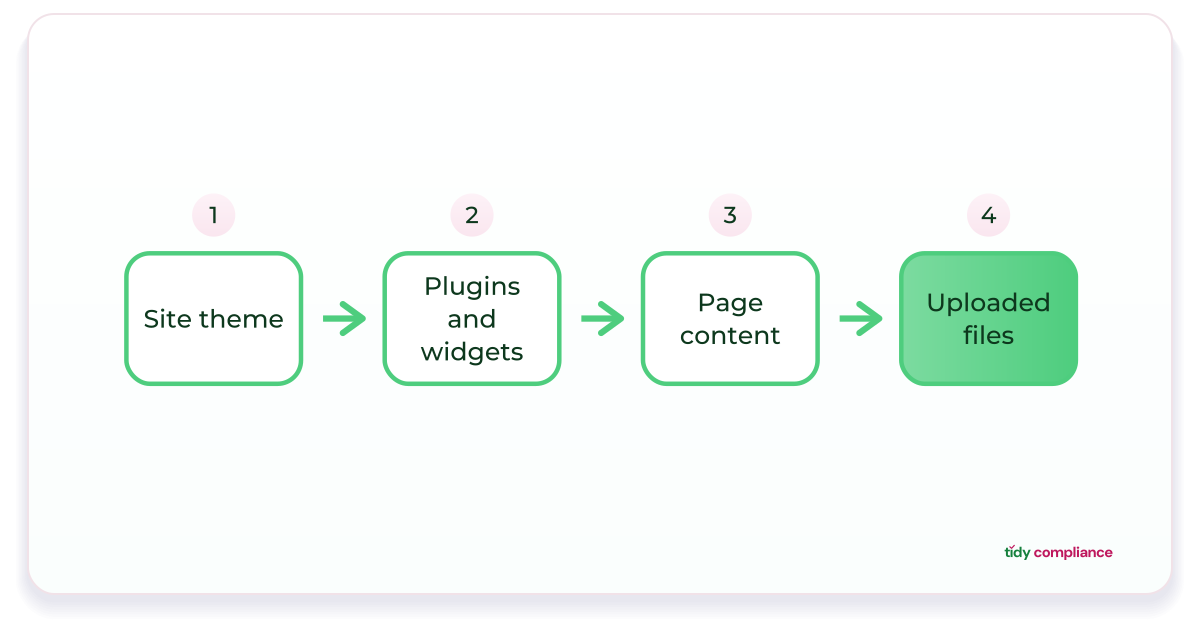
Do not start with a full site rebuild. Start with the pages that bring in money and the forms that take it. A short sequence keeps the work small and gives you something to show after each step.
| Step | What you do | Time for a small site |
|---|---|---|
| 1. List key pages | Home, top services, contact, booking and checkout | 1 hour |
| 2. Quick scan | Run a free automated checker on each page | 1 to 2 hours |
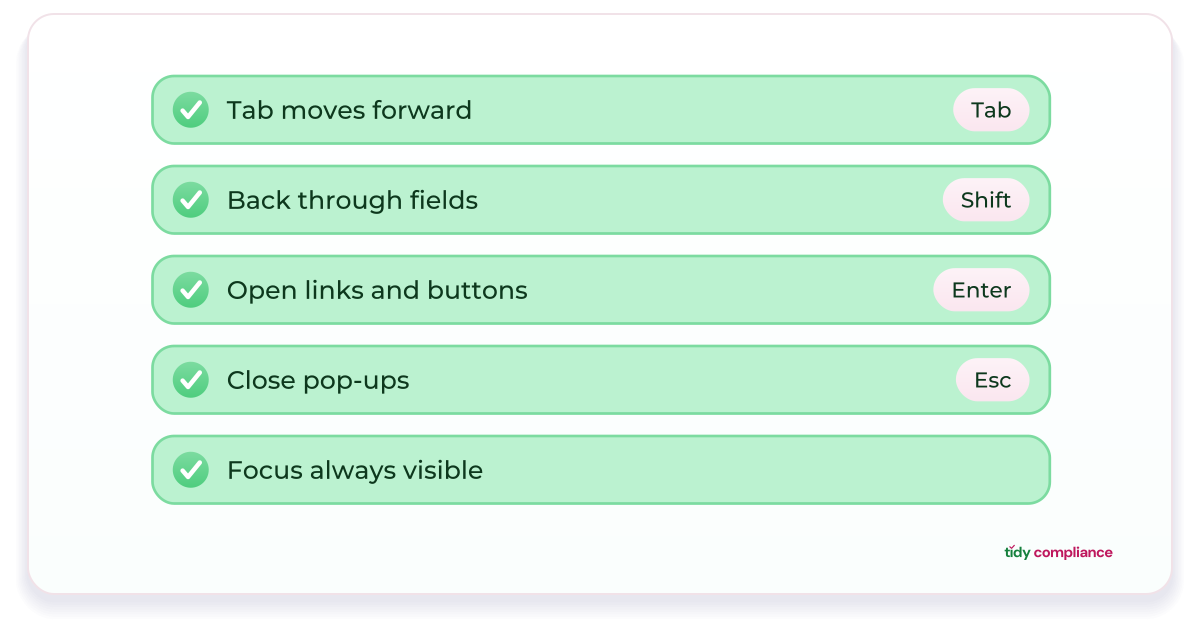
| 3. Keyboard test | Use Tab, Enter and Escape through forms and menus | 1 hour |
| 4. Fix the simple wins | Alt text, labels, link text, headings, contrast | 1 to 3 days |
| 5. Professional audit | Expert review of checkout, forms and custom features | 1 to 3 weeks |
| 6. Record and repeat | Save results, publish a contact route, retest after changes | Ongoing |
Automated checkers find only part of the problems, so the keyboard test matters. If you want the deeper review method later, my ADA compliance audit guide explains what an expert checks.
Eight Simple Wins You Can Make This Month
1. Describe Your Images
Add short alternative text to every image that carries meaning: product photos, menus, team photos, logos that link somewhere. Decorative images get empty alt text so screen readers skip them. A product photo with the text "IMG_2044" tells a blind shopper nothing.
2. Fix Low-Contrast Text
Light gray text on a white background is the most common failure on small business sites. WCAG level AA asks for a contrast ratio of at least 4.5 to 1 for normal text. A free contrast checker takes seconds, and a brand color change in your theme settings often fixes the whole site.
3. Label Every Form Field
Placeholder text that disappears when you type is not a label. Give every field a visible label, mark required fields in text and not only in red, and make error messages say what to fix. Contact and booking forms are where leads are lost, so start there.
4. Rewrite "Click Here" Links
Screen reader users often jump from link to link. A list of ten links that all say "read more" is useless. Use link text that makes sense alone, such as "view our pricing" or "book a cleaning".
5. Use Real Headings
Headings should follow a clear order: one main heading, then sections, then subsections. Do not make text bigger and bold to fake a heading. Real headings let people navigate your page by section and also help your search visibility.
6. Make Everything Work With a Keyboard
Press Tab through your home page and your checkout. You should see a visible focus outline, reach every menu, button and field, and be able to close a pop-up with Escape. If the cookie banner or chat widget traps you, tell the vendor or change the tool.
7. Add Captions to Videos
Any video with speech needs captions, and a short transcript helps too. Most video platforms generate captions automatically. Read them once and correct names and product terms, because auto captions often get those wrong.
8. Fix Your PDFs and Menus
A restaurant menu or price list saved as an image-only PDF cannot be read aloud. Export from the original document with headings and real text, or publish the same content as a page. This is a quick win for restaurants, salons, clinics and shops.
Your Physical Location Counts Too
The ADA also covers your shop, office or clinic. Walk your entrance as a customer would. Check for a step at the door, a counter that is too high, a narrow aisle, a restroom that is hard to reach and signs that are hard to read. Many fixes are small, such as a threshold ramp, rearranged displays or a bell to call for help.
If you lease your space, your lease and your landlord matter for what you can change, and your attorney can sort out who is responsible. Keep a short log of what you checked, what you changed and what you plan to change, with dates and photos. A documented plan with sensible steps beats a bare promise.
Small businesses may also qualify for federal tax help with accessibility costs. The IRS describes the Disabled Access Credit on Form 8826 for eligible small businesses. Ask your tax adviser whether you qualify, since limits and rules apply.
What a Small Business Should Budget
Published ranges give you a sense of scale. One accessibility firm puts a typical small-site project, covering the audit, fixes and a recheck, between $1,500 and $7,500, with audits of most small sites at $1,250 to $2,750 (Accessible.org). Another vendor lists audits of $2,000 to $5,000 for small sites (AudioEye). Both are vendor figures, so treat them as guides and collect your own quotes.
The biggest swing factor is who makes the fixes. If your own developer or web agency does the changes from an audit report, you pay mostly for the audit. My ADA compliance cost article shows the full formula with a worked example.
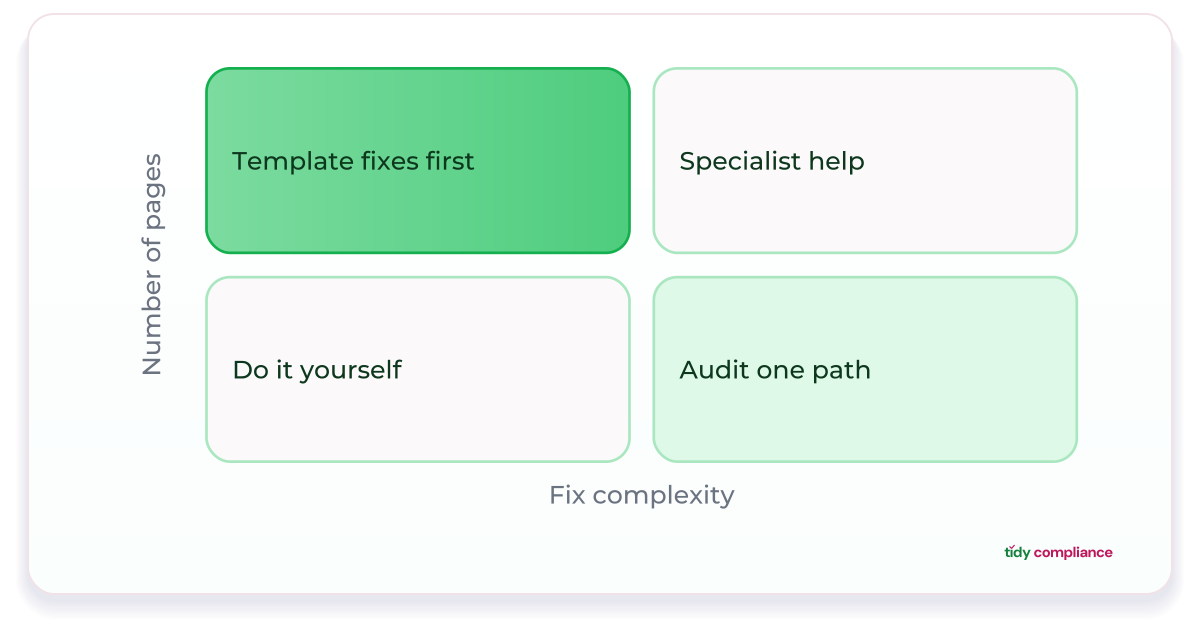
| Business type | Typical scope | Where to start |
|---|---|---|
| Local service business | 5 to 15 pages, one contact form | Self-fix simple wins, then audit the form |
| Restaurant or salon | Menu, booking, location pages | Fix menu files and booking widget first |
| Online shop | Product pages, cart, checkout | Audit the checkout path before anything else |
| Clinic or professional office | Forms, portals, documents | Audit forms and downloadable documents |
Free Tools Worth Using, and What They Miss
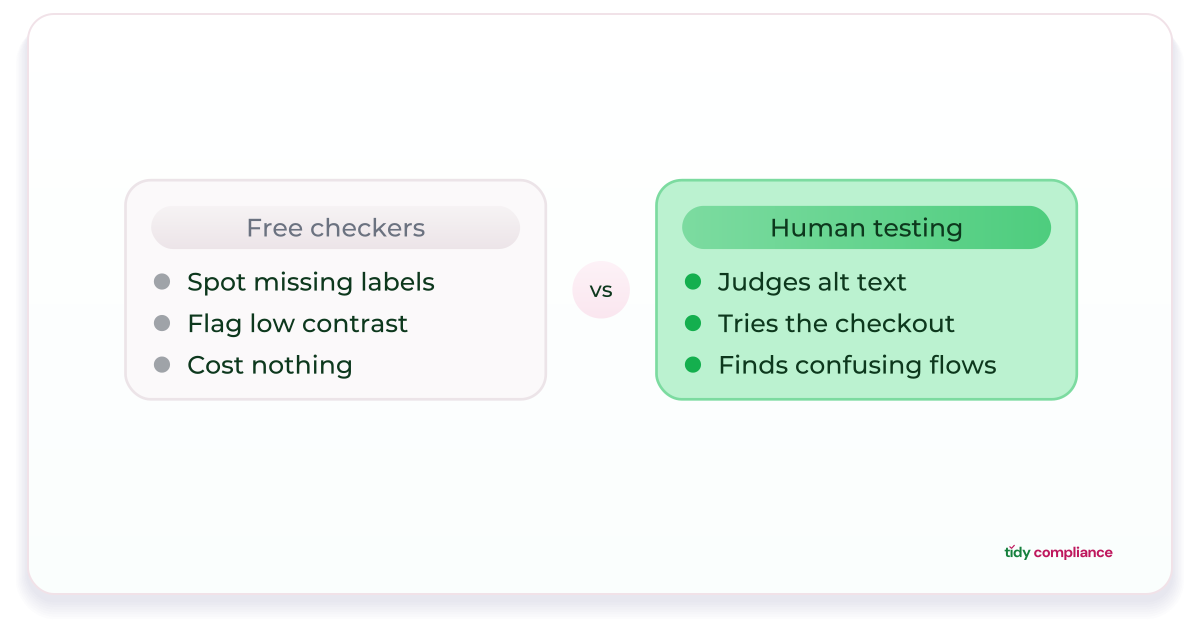
Browser extensions and free scanners are a good first pass. They flag missing alt text, low contrast and empty links. They cannot tell whether alt text is useful, whether a form makes sense to a screen reader or whether your checkout works with a keyboard. Treat a clean scan as a start, not a pass.
Paid platforms add monitoring and reports, and some small businesses like the reminders. The ranking in ADA compliance tools compares them, and I advise buying a tool only after you have fixed the simple wins, because a dashboard full of red alerts is discouraging.
When to Call in a Specialist
Call a specialist when you take payments, run bookings, host member logins or have received a complaint. These flows use custom scripts that automated tools handle poorly, and a mistake there blocks revenue. An expert review with screen reader testing gives you a prioritized list your developer can follow.
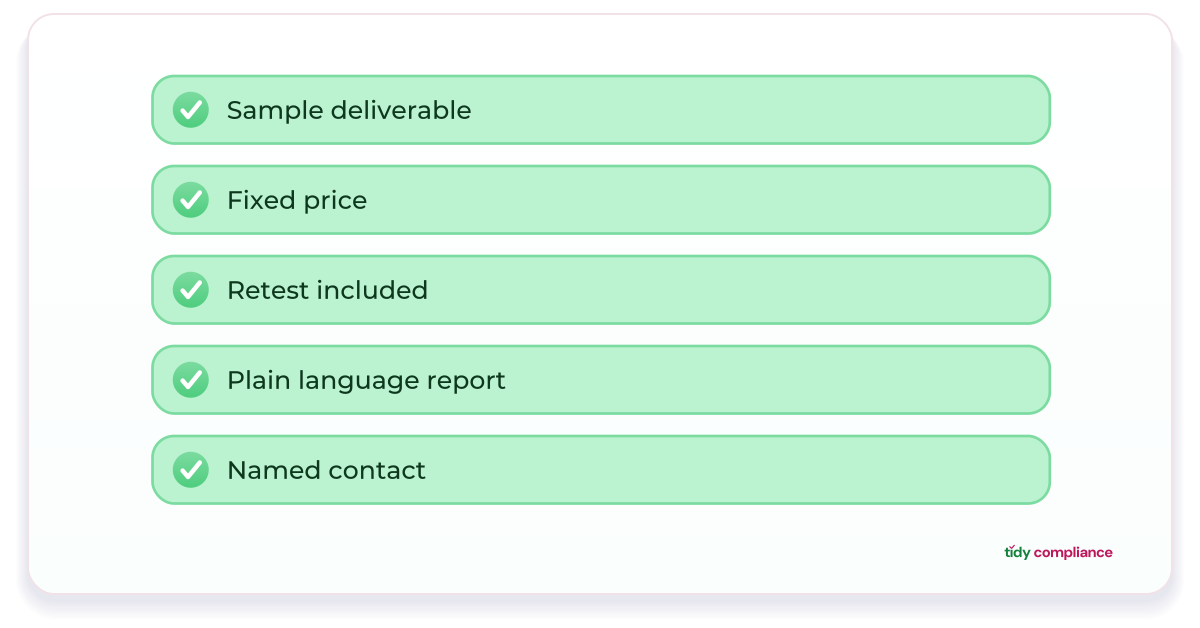
Before you hire, check your readiness with the questions in the ADA compliance assessment guide, then ask for sample deliverables, a fixed price and a retest after the fixes. Avoid anyone who promises a guarantee against claims, since nobody controls that.
Once the work is done, keep it done. Add a line to your website process: new pages get checked before they publish. My ADA compliance best practices post covers the habits that keep a site accessible after the first project.
How to Decide What to Do First
If you only have one afternoon, run the keyboard test on your checkout or contact form and fix what blocks you. If you have a week, work through the eight wins. If you have a budget, add an audit of your highest-value pages. Add a short accessibility statement with an email address or phone number so visitors can report problems, and answer those reports quickly.
- A list of your key pages and flows
- Dated notes from your scan and keyboard test
- A log of fixes with who made them
- A contact route for accessibility problems
- A quote or plan for an expert audit of your key flows
Sources
ADA.gov: Guidance on Web Accessibility and the ADA, W3C: WCAG overview, Accessible.org: cost guide, IRS: About Form 8826.
Questions About ADA Compliance for Small Business
Does the ADA Apply to My Small Business Website?
The Department of Justice says the ADA's requirements apply to the goods, services and activities that businesses open to the public, and it treats online offerings as part of that. It has not published a detailed technical rule for private business websites, so most consultants use WCAG as the working benchmark. Ask your attorney how it applies to your situation.
Which WCAG Level Should a Small Business Aim For?
Most accessibility consultants use WCAG 2.1 or 2.2 at level AA as the working target. It covers contrast, keyboard use, form labels, captions and clear structure. Level AA is a practical goal for a small site, and it gives you a clear standard to test against.
Is an Accessibility Overlay or Widget Enough?
Widgets that add a toolbar on top of your site fix a few surface issues, but they do not repair the underlying code, and many accessibility specialists advise against relying on them. Fix the page templates themselves and treat a widget, if you use one, as an extra.
How Much Should a Small Business Budget?
Published ranges for a typical small site run from about $1,500 to $7,500 for an audit, fixes and a recheck, with the low end applying when your own developer does the fixing. The cost article in this series breaks the number down by site type.
Do I Need to Make My PDFs and Menus Accessible Too?
Yes, if customers use them. A PDF menu, price list or form that a screen reader cannot read blocks a customer just like an inaccessible page. Fix the source file, add real text and headings, and consider publishing the same content as a web page.
What Should I Do If I Get a Demand Letter?
Contact an attorney first, since the response is a legal matter. Gather your site's current state, any earlier audit and a list of the fixes you have made, because a documented program helps your lawyer. A compliance consultant can prepare that evidence and the remediation plan.
Can I Do ADA Compliance Work Myself?
You can handle the simple wins yourself: image descriptions, link text, headings, contrast and form labels. A professional audit still adds value for checkout flows, custom code and screen reader testing, where non-experts miss problems.
Disclaimer: This article is for general information only and isn’t legal, financial or tax advice. Treat figures as estimates from typical work and confirm details with your providers before you act.
Was this guide helpful?
Thanks for your feedback.
Odessa Whitfield
Odessa leads the Tidy editorial team and works with the compliance consultants to turn real client projects into practical guides on regulations, frameworks, policies and audit preparation. Before joining Tidy, she worked in compliance and risk roles, writing and maintaining policy sets for regulated organizations. Every article goes through a consultant who has done the work in practice, and she updates guides when a rule, framework or tool changes. She works remotely from the United States.