Quick Summary
- Choose one standard, usually WCAG level AA, and test against it every time.
- Build accessibility into design and content work. Retrofitting costs far more.
- Combine automated scans with keyboard and screen reader checks, since scans miss many problems.
- Name an owner and keep dated records, because the habit matters more than any single fix.
Accessibility programs that last look dull from the outside. The teams that keep their sites usable for everyone follow a few repeatable habits, and they apply them to every release. I teach the same seven in ADA compliance consulting work, whether the client is a clinic with a booking page or a retailer with thousands of products.
Each practice below has a short explanation, a do list and an avoid list. Nothing here is legal advice. Your attorney decides how the ADA applies to you, and this article covers the operational work behind the decision.
The 7 Practices at a Glance
| Practice | Owner | Main benefit |
|---|---|---|
| 1. Pick a standard | Compliance lead | One target for everyone |
| 2. Design it in | Design and development | Fewer expensive fixes |
| 3. Test in layers | QA or web owner | Real barriers found |
| 4. Write accessible content | Content editors | Pages stay accessible after launch |
| 5. Hold vendors to it | Procurement or ops | Third-party tools do not undo your work |
| 6. Fix by impact | Web owner | Biggest barriers go first |
| 7. Record and review | Compliance lead | Proof of steady progress |
If you want a cost view, see ADA compliance cost. If you run a small team, ADA compliance for small business shows a lean order of work.
1. Pick One Standard and Write It Down
Teams argue about accessibility when nobody has defined success. The Web Content Accessibility Guidelines from the W3C give you a testable list, and level AA is the usual working target. The Department of Justice has said that technical standards such as WCAG are helpful, even though it has not written a detailed rule for private business sites, so check with your attorney on your obligations.
Do this: Write one sentence in your web policy, for example "We build and test to WCAG 2.2 level AA," and name the version.
Avoid this: Writing "fully compliant" anywhere on your site. You cannot prove it, and the claim creates risk.
2. Build Accessibility Into Design and Development
A color palette with weak contrast costs nothing to fix on day one and a lot to fix across a finished site. Put accessibility into design reviews, component libraries and definitions of done. Reusable components with built-in labels and focus states carry the fix to every page.
Do this: Add contrast, focus order and label checks to the design handoff and the pull request template.
Avoid this: Scheduling an accessibility cleanup for "after launch." It rarely happens and costs more when it does.
3. Test in Three Layers
Automated scans catch missing alt text, low contrast and empty buttons quickly, but cannot judge whether a form makes sense or a menu can be used. Add a keyboard pass, where you use only Tab, Enter, Space and Escape, and a screen reader pass on your key flows. Run all three on checkout, booking, login and contact paths.
Do this: Schedule scans every month, keyboard checks on every template change and a screen reader check on critical flows each quarter.
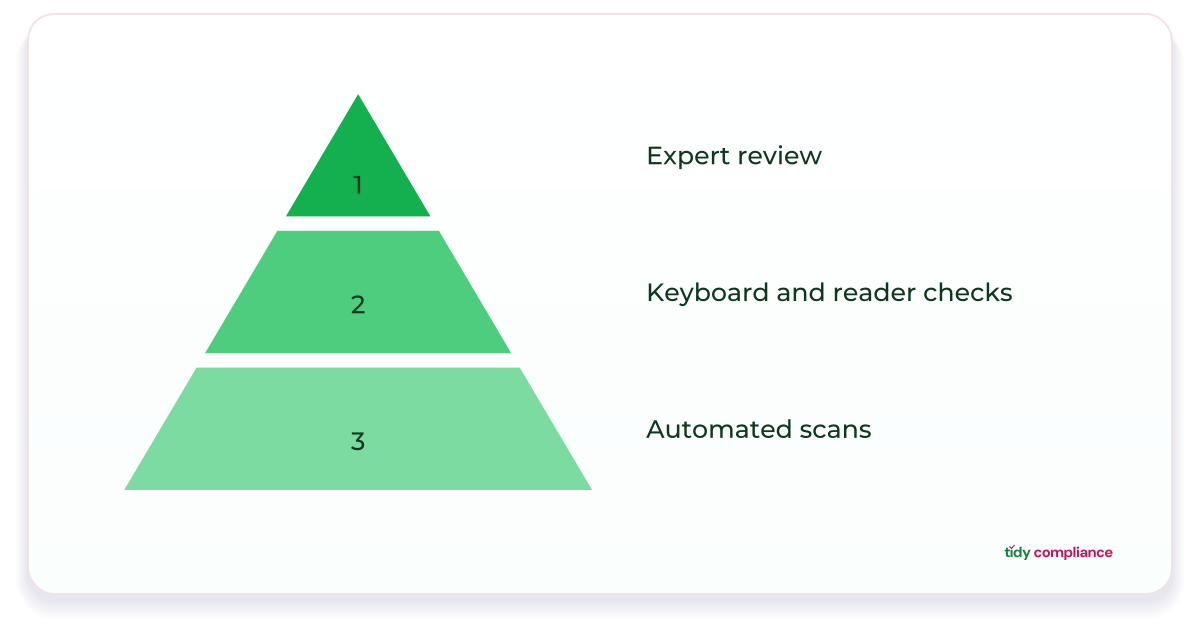
Avoid this: Treating a clean scan score as a pass. A scan only tests what software can detect.
4. Train Content Editors Before They Publish
Most new barriers arrive through content: an image without a description, a table used for layout, a PDF made from a scan. A one-page editor checklist and a short training session prevent most of them. Add the checklist to your publishing workflow so it is hard to skip.
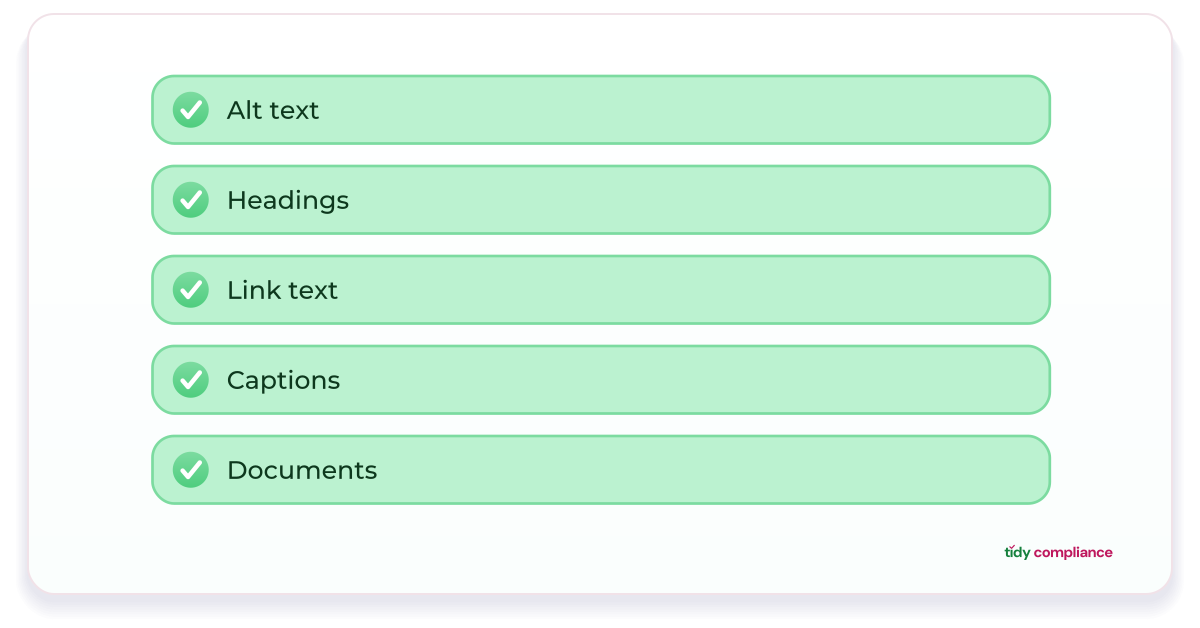
Do this: Give editors rules for alt text, headings, link text, captions and document exports.
Avoid this: Relying on developers to catch content mistakes after the page is live.
5. Hold Third-Party Tools to the Same Bar
Your customer does not know that the booking form comes from a vendor. If it fails, your site fails. Ask vendors for an accessibility conformance report, test the widget with a keyboard and screen reader and write the result in your vendor file. Add an accessibility clause to new contracts where you can.
Do this: Keep a list of every embedded tool with its owner, report date and last test date.
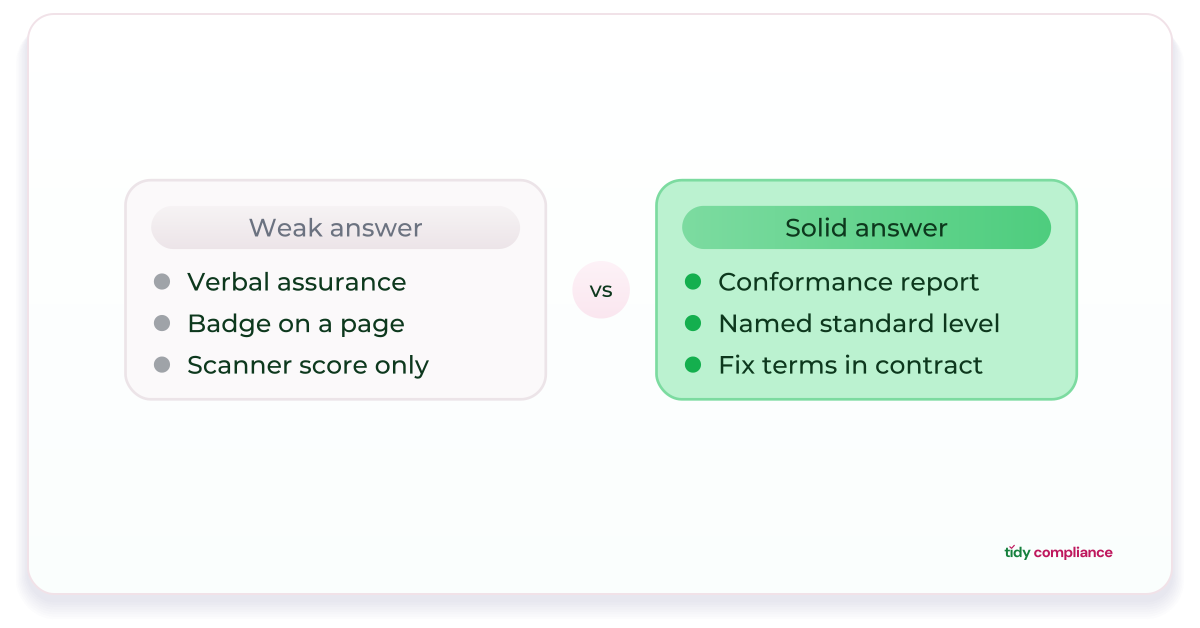
Avoid this: Accepting "we are ADA compliant" from a sales rep without evidence.
6. Fix by Impact, Not by Count
An audit may list hundreds of issues, and most of them repeat across templates. Rank by what blocks a task: a checkout button that cannot be reached by keyboard beats a missing description on a decorative image. Fix the template once and the issue disappears across the site.
Do this: Sort findings by task blockage, traffic and effort, and set owners and dates in a tracker.
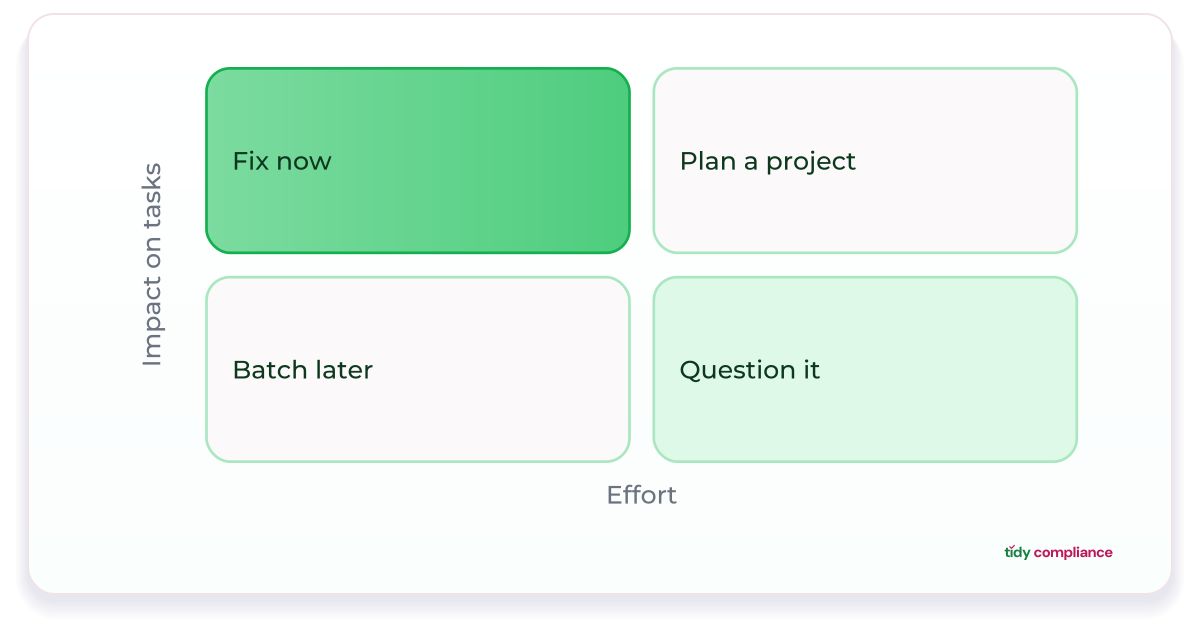
Avoid this: Chasing the lowest issue count in a scanner while a payment form stays unusable.
7. Keep Records and Review Them on a Schedule
A dated log shows what you tested, what you found and what you fixed. It also lets a new employee pick up where the last one stopped. Review the log each quarter, update your accessibility statement and add new pages and tools to the test list.
Do this: Store audit reports, fix tickets, retest results and the statement in one folder with dates.
Avoid this: Letting the program live in one person's head or inbox.
How to Roll the Practices Out in Order
Begin with the first and last practices: a standard and a record. Then add testing and the fix-by-impact process, because they create a visible backlog. Content training and vendor review follow, and design integration comes last since it needs the most team effort.
| Phase | Practices | Typical duration |
|---|---|---|
| 1. Set the base | 1, 7 | 1 to 2 weeks |
| 2. Find and fix | 3, 6 | 4 to 8 weeks |
| 3. Stop new problems | 4, 5 | 3 to 5 weeks |
| 4. Build it in | 2 | Ongoing |
The start of any program is an honest picture of where you stand. My ADA compliance assessment guide shows how to build that picture, and the ADA compliance audit article explains what an expert review adds.
Why Good Programs Drift
Accessibility work fades when the owner leaves, when a redesign resets templates or when the team gets busy. I see it most often twelve to eighteen months after a big cleanup. The site passes an audit in spring and by winter has new banners, new plugins and new PDFs nobody checked.
The cure is calendar and ownership. Put scans, quarterly checks and yearly reviews on a shared calendar with a named owner and a backup. Add a question to every launch checklist: did anyone test this with a keyboard? Short rituals keep the program alive better than big projects.
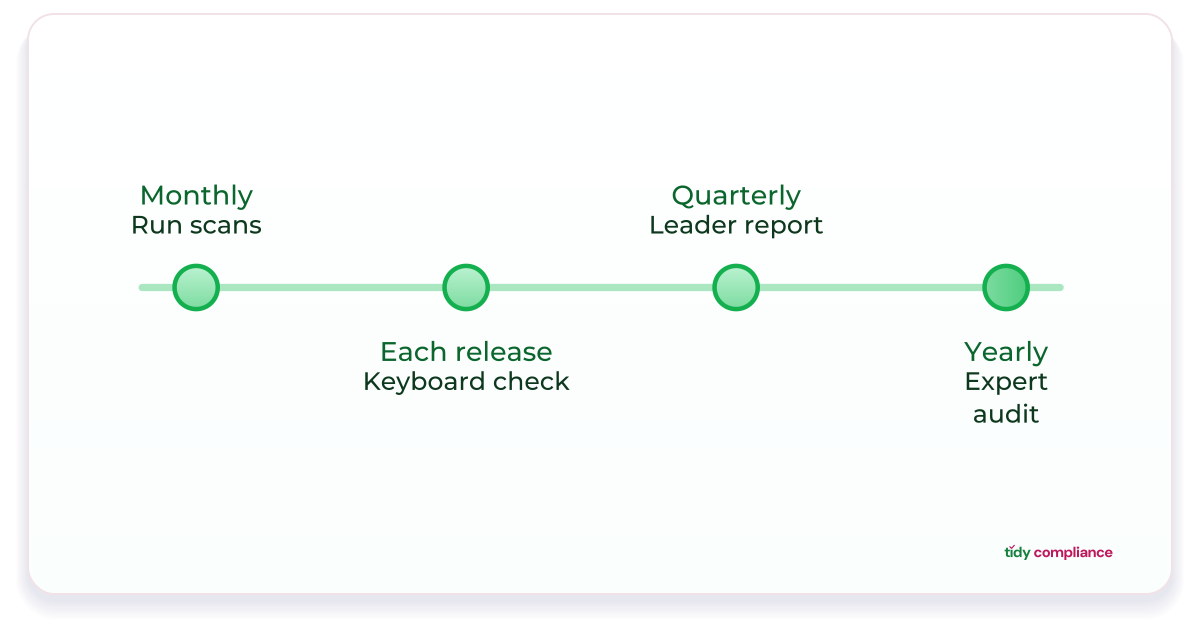
Leadership attention helps as well. A quarterly half-page report with open issues, closed issues and what changed gives decision makers something to fund. Programs that report steadily hold their budget when other projects compete for it.
Who Does What Across a Small Team
Practices stick when each role knows its part. Designers own contrast, spacing and focus states in the design system. Developers own semantic markup, keyboard behavior and form labels in code. Content editors own alt text, headings, link text, captions and document exports. The web owner or operations lead runs scans, tracks issues and talks to vendors, and the compliance lead owns the standard, the records and the quarterly report.
In a team of five, one person may hold three of these hats. That is fine as long as the tasks are written down and nobody assumes someone else is checking. I ask clients to put a single line next to each recurring task: who does it, how often and where the evidence is saved.
Training does not need to be long. A forty-minute session for editors, a one-page rules sheet for designers and a short code checklist for developers cover most new defects. Add a refresher when a new template, plugin or booking tool arrives, and ask new hires to complete the same material in their first month. Over a year, these small sessions prevent more problems than a large cleanup project, and they build a shared habit that outlasts any single employee.
One more habit is worth adding to your calendar: listen to the people who use your site. Put an accessibility contact on your footer and your statement page, and answer every message within a few business days. A customer who tells you a form is unusable has given you a free, specific test result. Log the report, fix the issue, reply with the outcome and record the date. These replies turn a frustrated visitor into evidence that your program responds, and they often point to problems no scanner would find, such as a confusing checkout step or a video without captions.
Where Tools Help
Scanners, browser extensions and monitoring platforms are good at repeating checks and tracking issues over time. They do not replace human testing. Pick a tool after you know your process, and compare the main options in my ranking of ADA compliance tools.
How to Tell Your Practices Are Working
Track a few numbers. Count open high-impact issues and how many closed this quarter. Note the share of key flows that pass a keyboard and screen reader test, how many new pages shipped with defects and how long it takes to answer an accessibility report. Falling counts and faster answers show the habits are holding.
- High-impact issues open and closed each quarter
- Key flows that pass keyboard and screen reader checks
- New pages with defects caught after launch
- Days to answer a visitor's accessibility report
- Vendors with a conformance report on file
Sources
W3C: WCAG overview, ADA.gov: Web Accessibility Guidance.
Questions About ADA Compliance Best Practices
What Are the Most Important ADA Compliance Best Practices?
Pick a clear standard such as WCAG 2.1 or 2.2 level AA, build accessibility into design and development, test with automated tools and real assistive technology, fix the highest-impact barriers first and keep dated records. A named owner keeps all of it moving.
Is WCAG Required by the ADA?
The Department of Justice has not set a detailed technical standard for private business websites, and it points to existing guidance such as WCAG as helpful. State and local governments are in a different position, since the DOJ published a specific rule for them. Ask your attorney which applies to you.
How Often Should I Test My Site?
Test whenever you ship a significant change, and run a full review on a regular schedule, often yearly. Automated scans can run weekly or monthly to catch regressions. Add a quick keyboard check to every release of a template or checkout change.
Who Should Own Accessibility in a Small Company?
Give it to one named person with time and authority, often the person who owns the website or operations. Designers, developers and content editors each carry part of the work, but one owner tracks the plan and the evidence.
Should I Publish an Accessibility Statement?
Yes. A short statement that names the standard you work toward, lists known gaps and gives a way to report problems is good practice. Keep it truthful and update it, because claims you cannot support create their own problems.
Do Third-Party Tools Count?
Booking widgets, chat tools, payment forms and embedded videos are part of your customer's experience, so they matter. Ask vendors for an accessibility conformance report, test the tool yourself and keep the answers on file.
Can Overlays Replace These Practices?
No. An overlay adds a layer on top of your site and cannot fix every issue in the underlying code. Many accessibility specialists advise fixing templates and content directly, and treating any widget as optional.
Disclaimer: This article is for general information only and isn’t legal, financial or tax advice. Treat figures as estimates from typical work and confirm details with your providers before you act.
Was this guide helpful?
Thanks for your feedback.
Odessa Whitfield
Odessa leads the Tidy editorial team and works with the compliance consultants to turn real client projects into practical guides on regulations, frameworks, policies and audit preparation. Before joining Tidy, she worked in compliance and risk roles, writing and maintaining policy sets for regulated organizations. Every article goes through a consultant who has done the work in practice, and she updates guides when a rule, framework or tool changes. She works remotely from the United States.