Quick Summary
- Programs that hold up share eight habits, and the first one is a complete AI inventory.
- Tier your controls by risk, so low-risk tools stay easy and high-risk ones get real review.
- Make approval fast. Slow approval sends staff to unapproved tools.
- Report to leadership each quarter and keep one evidence file, or the program fades.
The organizations that govern AI well are rarely the ones with the longest policy. They run a few habits consistently. I see this in AI compliance consulting work, where the same eight habits separate programs that survive a customer review from programs that collapse under it.
Each habit below has a short explanation, a do list and an avoid list. Regulations such as the EU AI Act continue to be implemented and timelines have been adjusted, so confirm current duties with official sources and your counsel. This article is compliance guidance, not legal advice.
The 8 Habits at a Glance
| Habit | Area | Main benefit |
|---|---|---|
| 1. Keep a living inventory | Visibility | No hidden AI |
| 2. Assign real owners | Governance | Clear accountability |
| 3. Tier controls by risk | Risk | Effort where it matters |
| 4. Write a short policy | Governance | Rules people follow |
| 5. Control data in and out | Data | Fewer leaks |
| 6. Keep humans in the loop | Oversight | Errors caught early |
| 7. Review vendors on a cycle | Third parties | Less hidden exposure |
| 8. Keep evidence and report | Proof | Ready for any question |
If you prefer a one-page tracking list, use my AI compliance checklist beside this guide.
1. Keep a Living Inventory
High performers treat the inventory as a working document, not a project. New tools enter through an intake form, and spend, login and vendor data are checked every quarter for anything missing. Without it, every other control has gaps you cannot see.
- Do: record owner, purpose, data and vendor for each system
- Do: compare the list with spend and login records each quarter
- Avoid: a one-time survey that goes out of date in a month
2. Assign Real Owners With Time to Do the Job
An owner is a person who answers for what a system does, not a committee. Give program leads time, authority and a backup. A small decision group of compliance, IT, legal and a business lead can approve, pause or retire a use case.
- Do: write roles into a short charter with names
- Do: give the lead a seat in vendor and product decisions
- Avoid: naming IT the owner of everything the business does with AI
3. Tier Controls by Risk
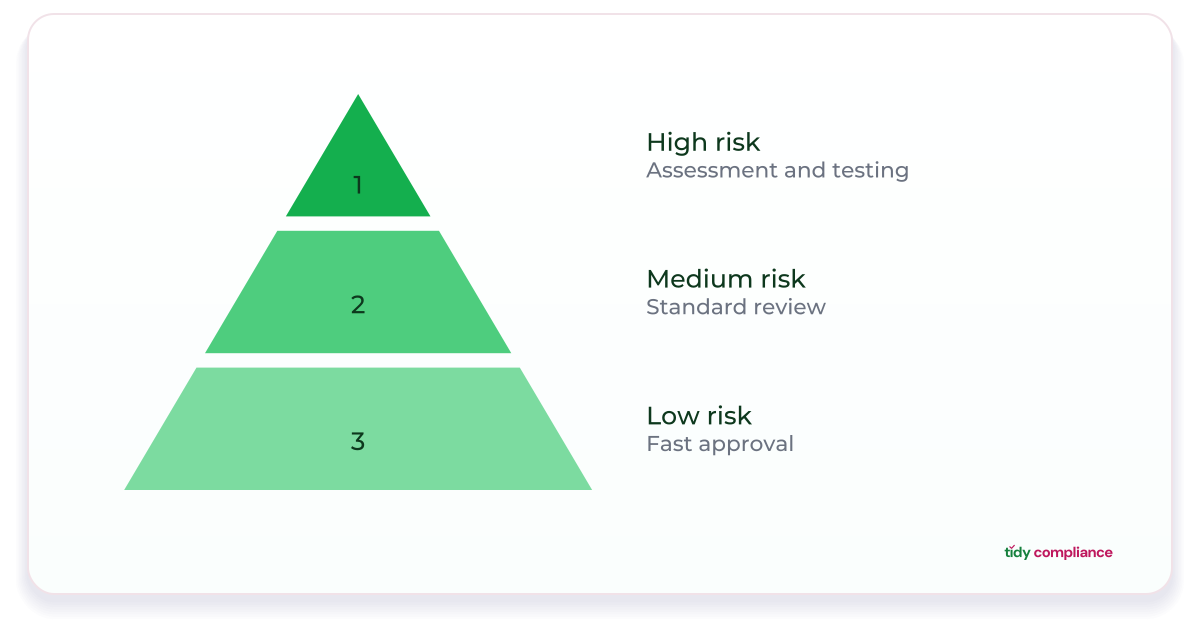
Not every AI tool deserves the same review. A grammar checker and a candidate screening system do not carry the same risk. Use two or three tiers, tie each tier to a set of required steps and let low-risk tools through quickly. The NIST AI Risk Management Framework offers a structure for mapping and managing risk, and the EU AI Act uses its own risk categories.
- Do: define criteria for each tier and record the reasoning
- Do: add impact assessments and testing for the top tier
- Avoid: giving every tool the same long review, which slows teams and invites workarounds
4. Write a Short Policy and Test It on a Real Team
Good AI policies fit on a few pages. They list approved tools, data rules, review requirements and how to ask for a new tool. Before you publish, hand the draft to one team and ask them to follow it for a week. Whatever they cannot follow, rewrite.
- Do: use plain language and examples from real work
- Do: add an owner, a version and a review date
- Avoid: copying a template with steps nobody will perform
5. Control the Data That Goes In and Out
Most AI incidents begin with data in the wrong place. Know what each system receives, whether the vendor keeps or trains on it and who can see outputs. Set clear classes: what may never go in, what needs approval and what is fine.
- Do: check vendor terms on training and retention
- Do: use enterprise accounts with admin controls over free consumer tools
- Avoid: relying on staff memory of a rule they read once
6. Keep Humans in the Loop Where It Matters
For decisions that affect people, such as hiring, credit, pricing, health or safety, decide where a person reviews or can override. Give that person time and information, and log their decisions. A review that takes three seconds and never changes anything is a signal, not a control.
- Do: define review points and train the reviewers on known limits
- Do: sample reviewed outputs for quality
- Avoid: calling an approval click "oversight"
7. Review Vendors on a Cycle
Vendors add AI to tools you already use, often by default. Review high-risk vendors yearly and lower-risk ones at renewal. Ask what models they use, how data is handled, how they test and how they report incidents, and add AI terms to new contracts.
- Do: keep a vendor list with review dates
- Do: read release notes for new AI features
- Avoid: a purchase-time review that never repeats
8. Keep Evidence in One Place and Report Each Quarter
Store inventory exports, risk ratings, policy versions, vendor reviews, training records, test results and incident logs in one folder organized by requirement. A half-page quarterly report for leadership keeps funding and attention steady and builds a record of progress.
- Do: use the same folder structure every year
- Do: report systems, risks, incidents and open actions
- Avoid: evidence scattered across inboxes and chat threads
A 30-60-90 Day Plan
Do not start all eight at once. In the first 30 days, build the base: inventory, owners and a draft policy. In the next 30, tier the systems, set data rules and start vendor reviews. In the final 30, add oversight steps, training, monitoring and the evidence file.
| Period | Habits | What you can show at the end |
|---|---|---|
| Days 1 to 30 | 1, 2, 4 | Inventory, charter, draft policy |
| Days 31 to 60 | 3, 5, 7 | Risk tiers, data rules, first vendor reviews |
| Days 61 to 90 | 6, 8 | Oversight steps, training records, evidence file |
Before you start, a readiness check shows where you are. The AI compliance assessment guide explains how, and the AI compliance audit article shows how to test the result later.
Why Good Programs Quietly Fade
AI programs fade for three reasons. The first is tool churn: new tools arrive every month, and the inventory falls behind. The second is owner turnover: the person who ran the program moves on and no one picks up the calendar. The third is attention: leaders ask about AI during a launch and then stop.
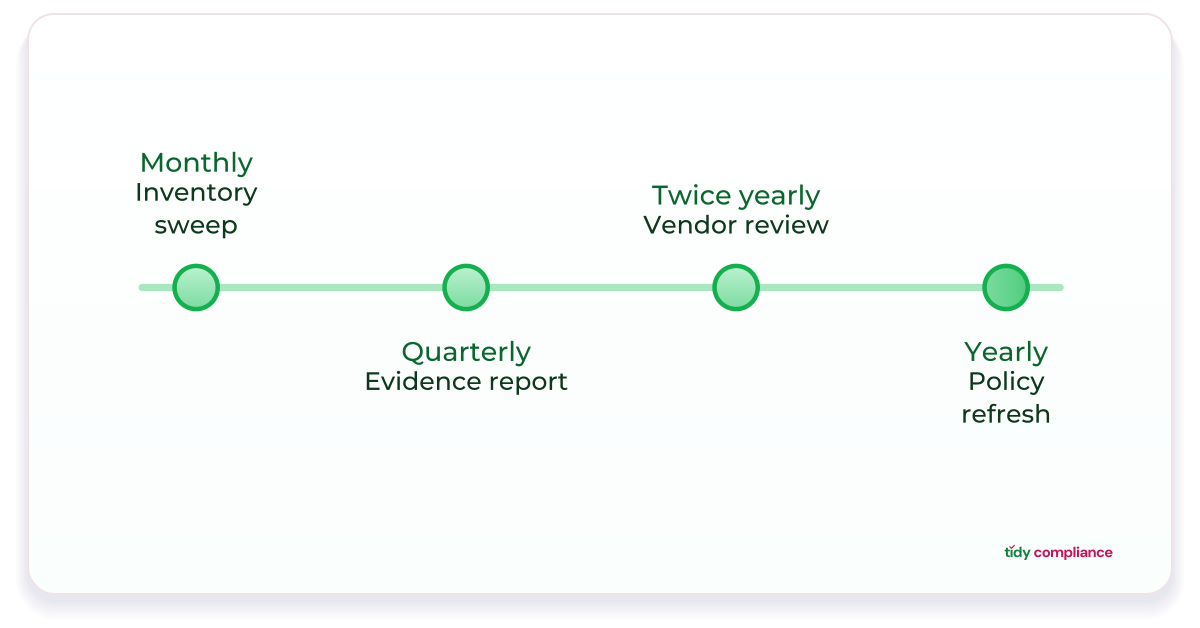
Put recurring tasks on a shared calendar with an owner and a backup: quarterly inventory checks, quarterly high-risk reviews, yearly policy and vendor reviews and yearly training. Add one question to every purchase and project kickoff: does this use AI, and does it touch data? That question catches most of the new tools.
The Habit Behind the Habits: Make the Safe Path Easy
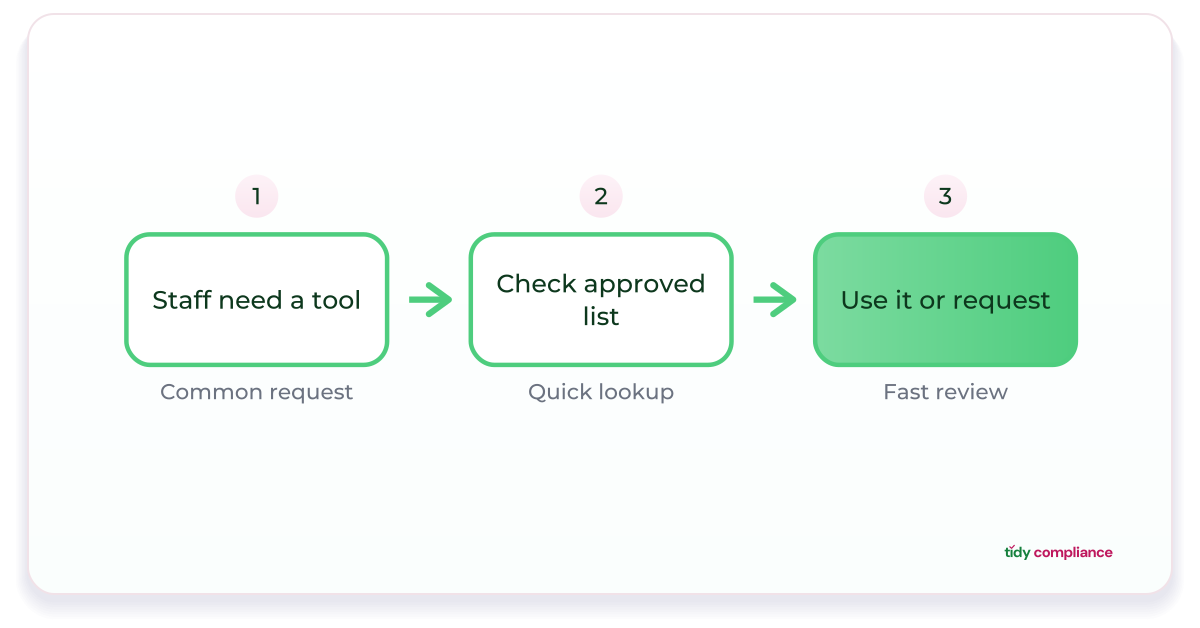
High performers design the program so that the compliant choice is the easy one. They publish an approved tool list with a short note on what each tool is good for. They offer a form that takes five minutes and a promise to answer within a day for low-risk requests. They also give teams safe defaults, such as enterprise accounts with data protections turned on.
This changes behavior more than any warning email. When staff can get a good tool quickly, they do not hunt for a free one that stores their prompts. When managers see that the review team helps them ship, they bring new ideas early instead of after launch.
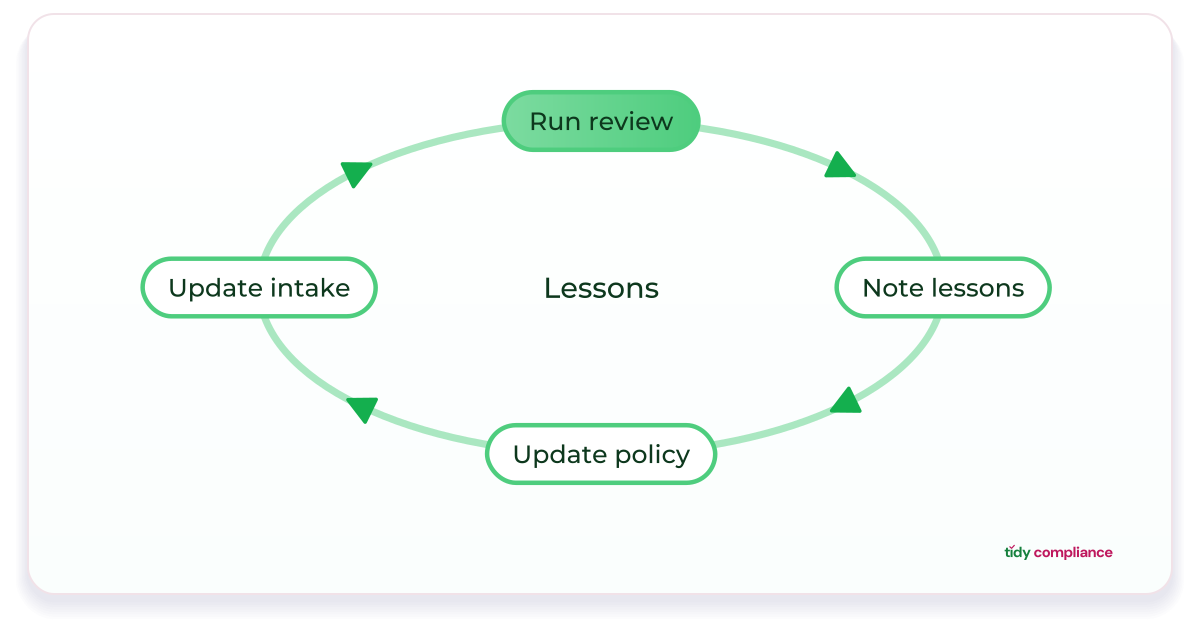
Keep a short list of what you learned from each review: which questions took longest, which tools raised the same issue twice and which rules staff misread. Update the policy and the intake form every quarter based on that list. Over a year, the program becomes simpler, not heavier, and that is the clearest sign that it works.
Finally, share good examples. When one team adds a human review step that catches a real error, write it up in two paragraphs and send it around. When a vendor review finds a risky default setting that was switched off, tell the other teams that use the same tool. Stories travel faster than policies, and they show that the program helps people do better work, which keeps them engaged when the rules grow.
Leaders can help in one more way: ask for a demonstration instead of a status report once a quarter. Have a team show how a new AI use moved from request to approval, which records were created and what was decided. Seeing the process in action tells you far more than a slide of green indicators, and it tells the team that someone is paying attention to the details.
Where Software Helps
Platforms are good at inventories, assessment workflows, reminders and evidence. They cannot decide what is risky in your business or write a policy people follow. Choose one after you have run the habits once by hand, and compare options in my ranking of AI compliance tools.
How to Tell the Habits Are Working
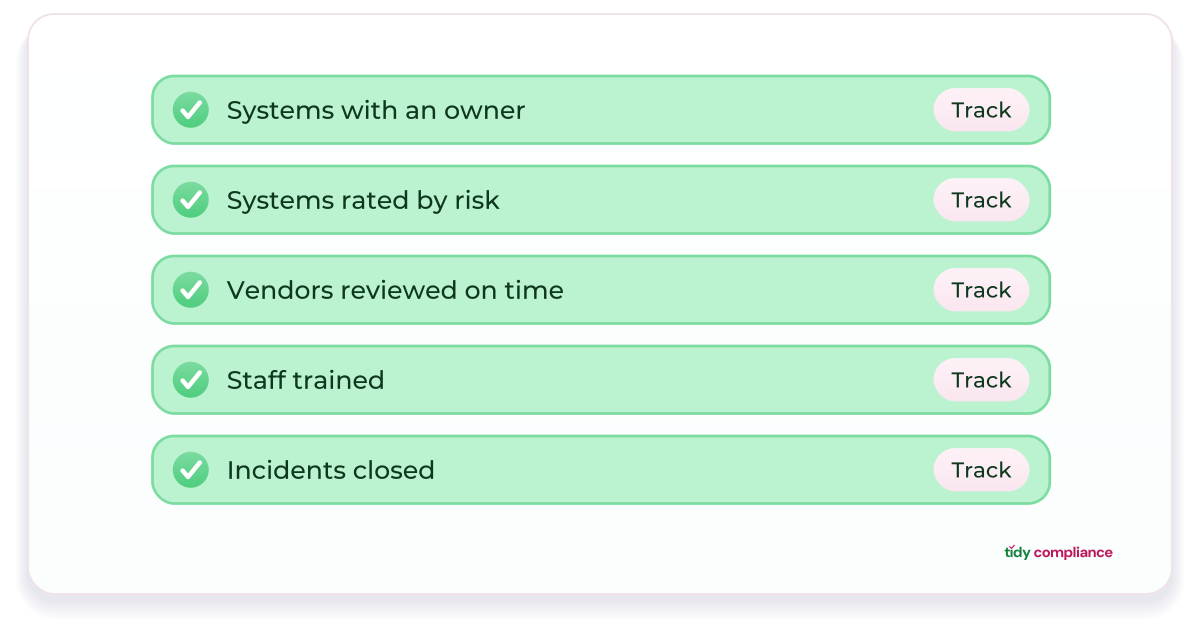
Measure a handful of numbers each quarter: systems in the inventory with an owner, share of systems with a risk tier, vendors reviewed in the last year, staff trained, average days to approve a new tool and incidents logged and closed. If approval time falls and coverage rises, the habits are taking hold. If numbers stall, look for the overloaded owner or the task with no calendar entry.
For the wider background on frameworks and rules, read the AI compliance guide.
- Systems with an owner and risk tier
- Vendors reviewed in the last twelve months
- Training completion by role
- Average days to approve a new tool
- Incidents logged and closed with dates
Sources
NIST: AI Risk Management Framework, European Commission: AI Act regulatory framework.
Questions About AI Compliance Best Practices
What Are the Most Important AI Compliance Best Practices?
Keep a complete inventory, name owners, classify systems by risk, write a short usable policy, control data, keep humans in the loop for higher-risk uses, review vendors and keep evidence. The eight habits in this article cover them in a sensible order.
Where Should a Small Company Start?
Start with a list of every AI tool in use and a one-page policy that says which tools are approved and what data may go in. Add an approval step for new tools. That covers most of the early risk for a small team.
Which Framework Should I Follow?
It depends on your situation. The NIST AI Risk Management Framework is a widely used voluntary guide, ISO/IEC 42001 is a certifiable management system standard and the EU AI Act is a regulation with duties that depend on your role and the risk of your systems. Your counsel confirms which legal duties apply.
How Do I Handle AI Tools Staff Bring in Themselves?
Make approval easy and fast, publish an approved list and explain the data rules. Strict bans push use underground. Check spend and login records for unlisted tools every quarter.
How Often Should I Review AI Systems?
Review high-risk systems on a fixed schedule, often every quarter, and lower-risk systems yearly. Review any system after a vendor change, a new use or an incident.
Do Best Practices Guarantee Compliance?
No. They lower risk and create evidence, but compliance is judged against specific rules and your circumstances. A documented program and honest follow-through are the best support in a review.
What Should Leadership See?
A short quarterly summary: systems in the inventory, risk ratings, open actions, incidents and what has changed in rules or vendors. Decision makers fund what they can see.
Disclaimer: This article is for general information only and isn’t legal, financial or tax advice. Treat figures as estimates from typical work and confirm details with your providers before you act.
Was this guide helpful?
Thanks for your feedback.
Odessa Whitfield
Odessa leads the Tidy editorial team and works with the compliance consultants to turn real client projects into practical guides on regulations, frameworks, policies and audit preparation. Before joining Tidy, she worked in compliance and risk roles, writing and maintaining policy sets for regulated organizations. Every article goes through a consultant who has done the work in practice, and she updates guides when a rule, framework or tool changes. She works remotely from the United States.