Quick Summary
- Start with an inventory. You cannot classify, control or document AI you have not found.
- Every checklist item should end with a saved record, such as a document, a log or a screenshot.
- Vendor AI features and staff-adopted tools are the most common blind spots.
- Work through the list in six weeks, then repeat the intake and review steps every quarter.
Most AI compliance checklists are a long list of requirements with no order. I prefer a short one that you can finish. When I start AI compliance consulting work with a client, these ten points shape the first six weeks, and they work for a ten-person company and a mid-sized one alike.
Each point below says what to do, what evidence to save and a common trap. It is not legal advice. Laws such as the EU AI Act are still being implemented, and timelines have been adjusted, so confirm current status with official sources and your counsel.
The Checklist at a Glance
| Point | Evidence to keep | Typical time |
|---|---|---|
| 1. Inventory | System list with owners | 1 to 2 weeks |
| 2. Owners | Named roles and a charter | 2 days |
| 3. Risk classification | Risk rating per system | 1 week |
| 4. AI policy | Approved policy, version history | 1 to 2 weeks |
| 5. Data controls | Data map and rules | 1 week |
| 6. Human oversight | Review steps and logs | 1 week |
| 7. Vendor review | Completed questionnaires | 2 to 3 weeks |
| 8. Training | Completion records | 1 to 2 weeks |
| 9. Monitoring and incidents | Test results, incident log | Ongoing |
| 10. Evidence file | Indexed folder by requirement | Ongoing |
1. Build an Inventory of Every AI System
List every model, tool and vendor feature that uses AI: chatbots, copilots, scoring tools, resume screeners, forecasting and built-in AI in software you already pay for. Ask each department, check expense reports and look at single sign-on logs. Almost every client finds tools nobody mentioned.
- Record purpose, owner, vendor, data used and users affected
- Include tools staff adopted on their own
- Note whether the system makes or supports decisions about people
Common trap: Counting only systems you built. Bought tools carry the same duties in many frameworks.
2. Name Owners and a Decision Group
Every system needs an owner, and the program needs a small group that can approve, pause or retire a use case. Include compliance, IT, legal and a business lead. Write the roles into a one-page charter.
- One accountable owner per system
- A program lead with time and a backup
- A meeting calendar with minutes
Common trap: Giving the program to IT alone. Business owners must carry decisions about use.
3. Classify Each System by Risk
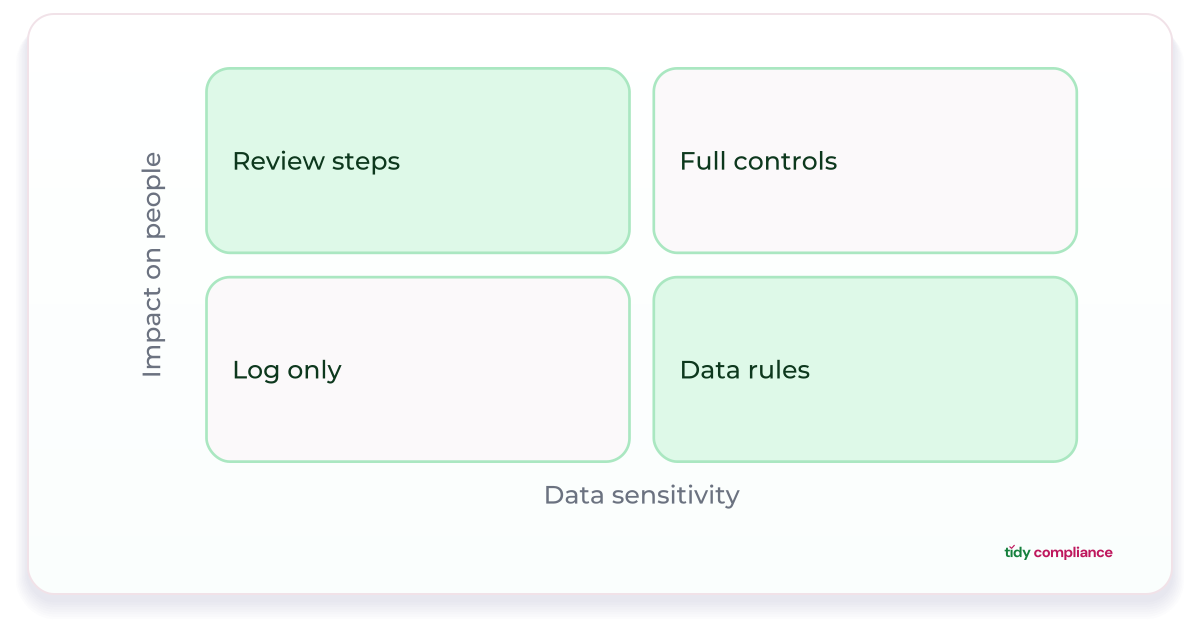
Sort systems by what they do and whom they affect. Frameworks such as the EU AI Act use risk categories, with stricter rules for systems in areas like employment, credit and health. The European Commission's overview describes the categories. Your counsel confirms how they apply to you.
- Rate impact on people, data sensitivity and autonomy
- Flag any system that affects hiring, lending, health or safety
- Record your reasoning for each rating
Common trap: Rating everything low to save work. Reviewers ask how you decided.
4. Write an AI Policy Staff Can Follow
Say which tools are approved, what data may go in, when a human must review output and how to request a new tool. Keep it to a few pages in plain language. Date it, version it and publish it where staff can find it.
- An approved tools list and an intake form
- Rules for confidential, personal and customer data
- A review date and an approver
Common trap: Banning everything. Staff then use tools in secret, and you lose visibility.
5. Control the Data That Goes In and Out
Map what data each system receives, where it is stored and whether the vendor trains on it. Set rules for personal data, trade secrets and regulated records. Check retention and deletion terms in contracts.
- Document training and retention terms for each vendor
- Block sensitive data classes where you can
- Check privacy duties for personal data used by AI
Common trap: Trusting a default setting. Some tools use inputs for training unless you switch it off.
6. Set Up Human Oversight for Higher-Risk Uses
Decide where a person must review, approve or be able to override an AI output, and give that person the time and information to do it. Record when reviewers change or reject results, since those records show the oversight is real.
- Define review points and who performs them
- Train reviewers on the system's known limits
- Log overrides and complaints
Common trap: A rubber stamp. If reviewers approve everything in seconds, the control does not work.
7. Review Vendors and Their AI Features
Send a short questionnaire to vendors that supply or add AI: what models, what data, where hosted, how they test, how they report incidents. Update contracts at renewal, and watch for AI features switched on in tools you already use.
- Ask for security reports and AI documentation
- Rank vendors by data sensitivity and use
- Add AI terms to new contracts
Common trap: A one-time review. Vendors add features every quarter, so set a renewal date for each.
8. Train Staff by Role
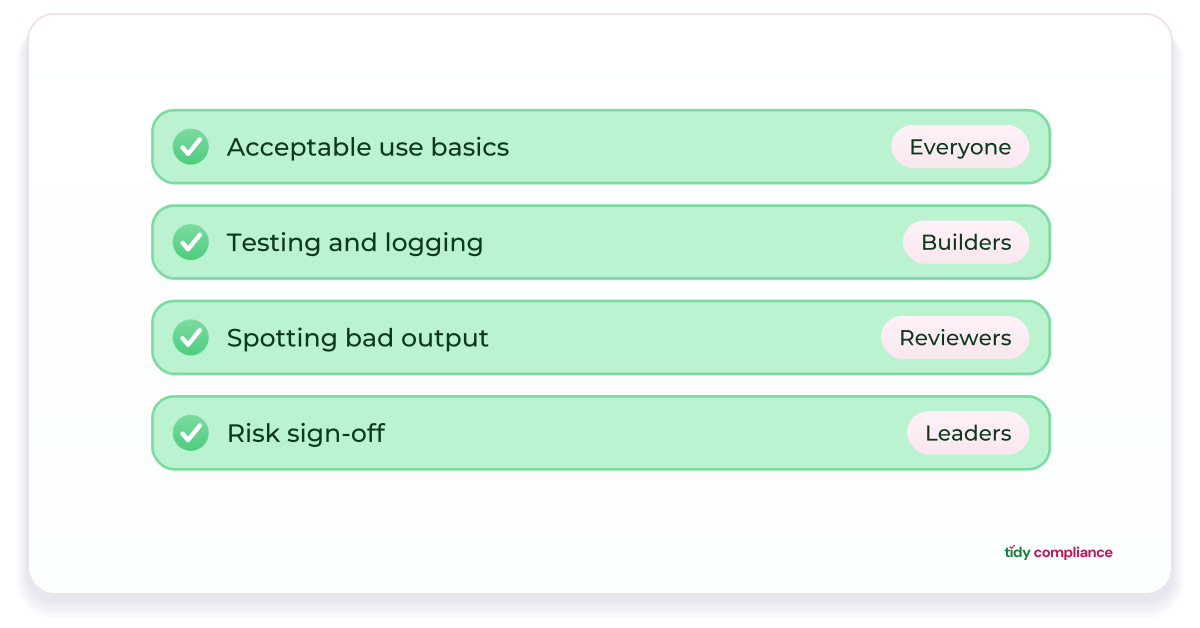
Marketing, HR, finance, support and engineering use AI differently. Give each a short module with real examples of approved use, data rules and how to report a problem. Keep completion records.
- Train at onboarding and once a year
- Add short updates when tools or rules change
- Store attestations in the evidence file
Common trap: One generic deck for everyone, forgotten in a week.
9. Monitor Performance and Log Incidents
Check high-risk systems for accuracy, drift, bias and misuse on a set schedule, and keep an incident log that includes near misses. Decide in advance who pauses a system and who tells customers or regulators. The NIST AI Risk Management Framework gives a useful structure for measuring and managing risk.
- Set test schedules and thresholds
- Log complaints, errors and near misses
- Write a short AI incident procedure
Common trap: Testing at launch only. Models and data change over time.
10. Keep One Evidence File and Review It Yearly
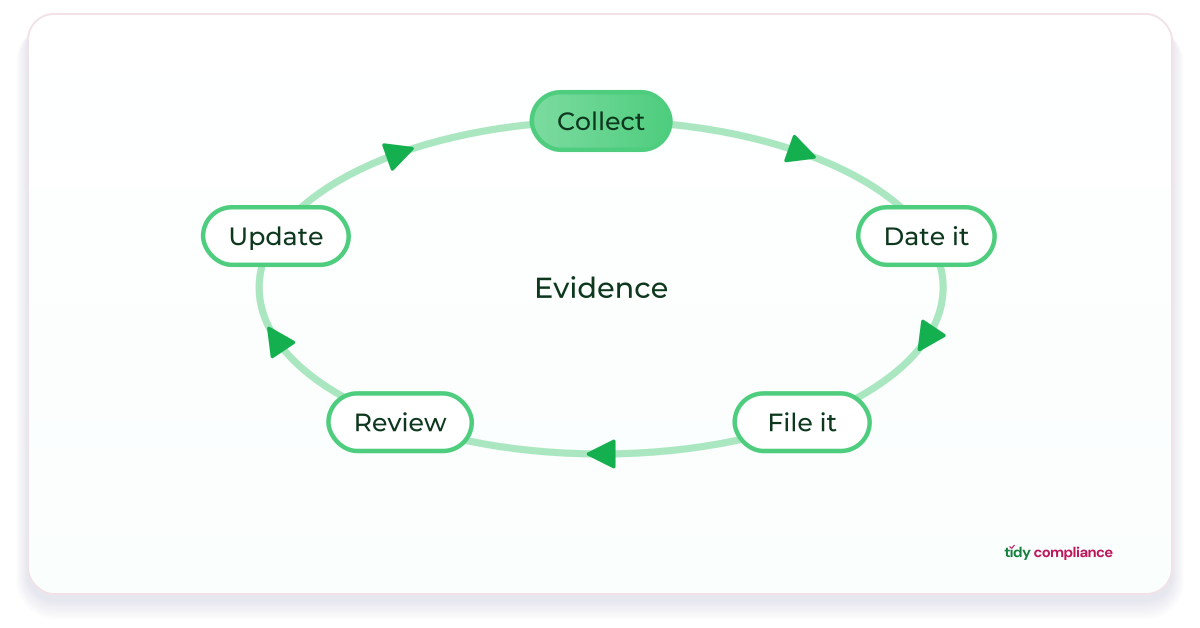
Store records in one folder organized by requirement: inventory, risk ratings, policy versions, vendor reviews, training records, test results and incident logs. Review the file once a year and whenever rules or systems change.
- Use the same folder structure every year
- Archive old versions instead of deleting
- Record open items and owners at each review
Common trap: Evidence scattered across inboxes. Reviewers wait, and you rebuild records under pressure.
Where to Start on Monday
If you only have an hour this week, send one message to every department head asking three questions: which AI tools does your team use, which of those handle customer or employee data and who approved them? The answers form your first inventory. Add the tools you find in expense reports and login records, and you have the starting point for every other point on the list.
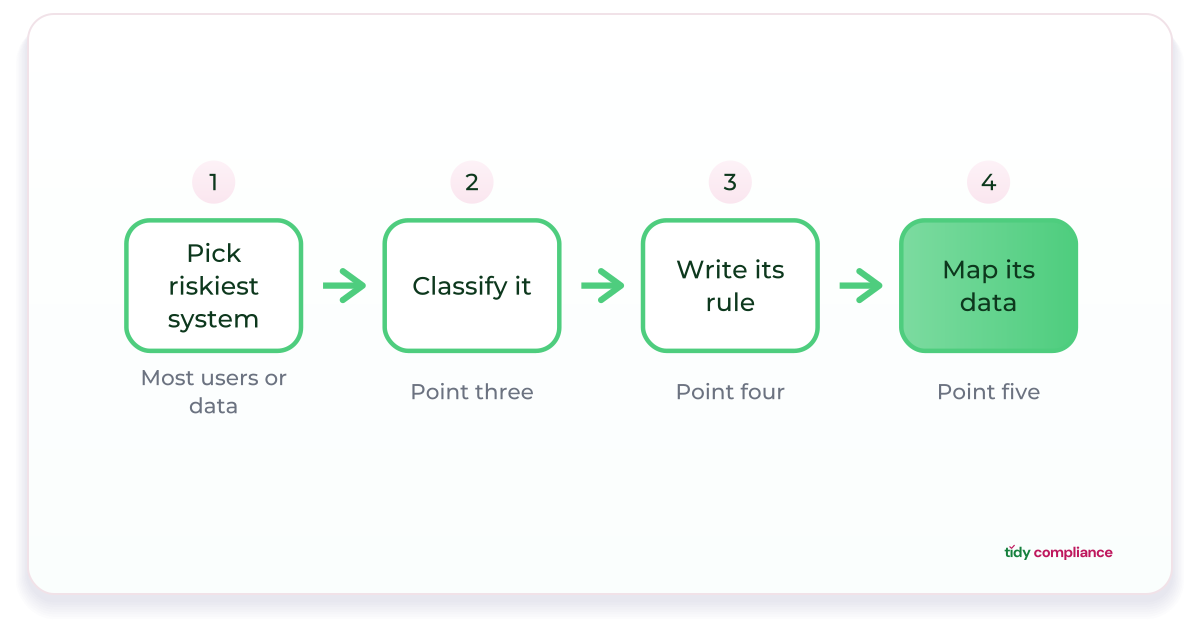
Next, pick the single riskiest system and walk it through points three to nine. That exercise teaches you more about your gaps than a month of planning, and it produces a worked example you can reuse for other systems.
A Six-Week Rollout
Do not start all ten on Monday. In weeks one and two, build the inventory and name owners. In weeks three and four, classify risks, write the policy and set data rules. In weeks five and six, review vendors, train staff, set up oversight and monitoring and start the evidence file.
| Weeks | Points | What you can show at the end |
|---|---|---|
| 1 to 2 | 1, 2 | Inventory and charter |
| 3 to 4 | 3, 4, 5 | Risk ratings, policy, data map |
| 5 to 6 | 6, 7, 8, 9, 10 | Oversight steps, vendor reviews, training records, evidence file |
If you want the habits that keep it going, read AI compliance best practices. To test your readiness first, use the AI compliance assessment guide.
How the Checklist Scales for Small and Larger Teams
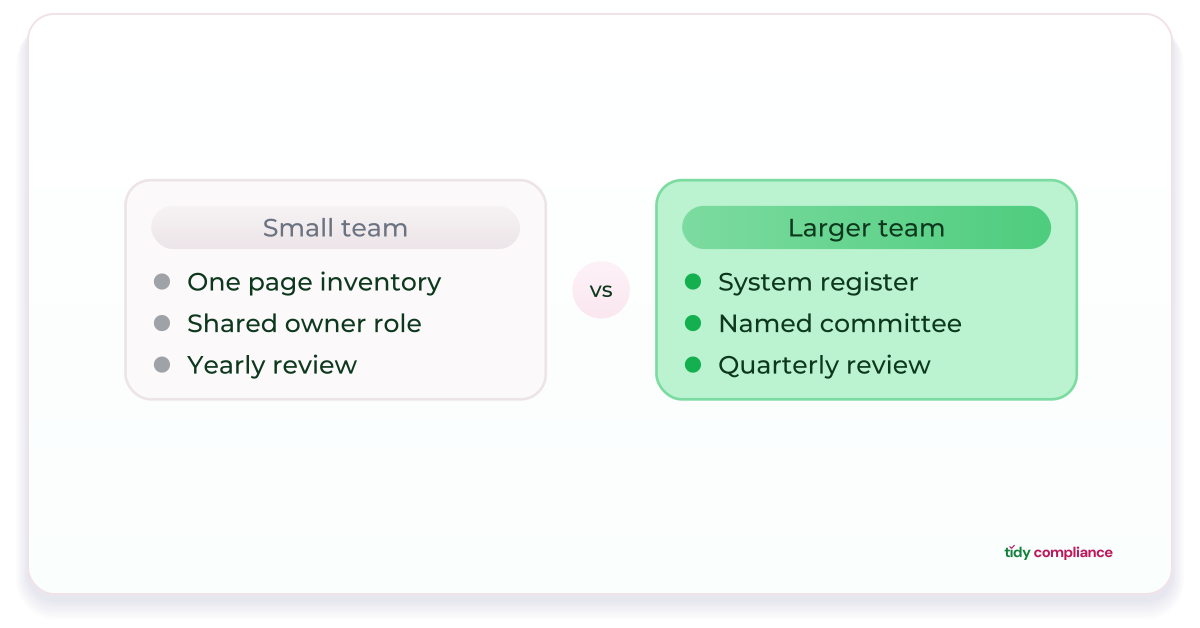
A company with twenty staff and five AI tools needs a one-page inventory, a two-page policy, a short vendor questionnaire and a folder for evidence. One person can run it in a few hours a week. A company with several business units, custom models and hundreds of vendors needs a program lead, a decision group, a tracking platform and a calendar of reviews.
The ten points stay the same, and the depth changes. In a small company, human oversight might be one manager reading a sample of outputs each week. In a larger one, it may be a formal review board with written criteria. Match the effort to the risk, and write down your reasoning so a reviewer can follow it.
Some teams ask where to cut when time runs out. Cut breadth before depth. It is better to complete all ten points for your five riskiest systems than to complete three points for fifty systems. You can extend coverage later, and the work you did on the high-risk systems already stands as evidence.
When Software Helps
Software tracks inventories, assessments and evidence well, and it sends reminders. It does not decide which systems are risky or what your policy should say. Pick one after you have run the checklist once by hand. My ranking of AI compliance tools compares the main options with G2 ratings.
How to Know the Checklist Is Working
Count a few numbers each quarter. How many systems are in the inventory, and how many have an owner and a risk rating? How many vendors have been reviewed? What share of staff completed training? How many incidents were logged, and how long did each take to close? Rising coverage and faster closure show the program is taking hold.
For a deeper check of the evidence, my AI compliance audit article explains what a reviewer looks at. For the wider background on rules and standards, see the AI compliance guide.
- Systems with an owner and a risk rating
- Vendors reviewed in the last twelve months
- Staff trained by role
- Incidents logged and closed, with dates
- Date of the last evidence file review
Sources
European Commission: AI Act regulatory framework, NIST: AI Risk Management Framework.
Questions About the AI Compliance Checklist
What Should an AI Compliance Checklist Include?
At minimum: an inventory of AI systems, named owners, risk classification, an AI policy, data controls, human oversight, vendor review, staff training, monitoring and an evidence file. The ten points in this article cover each of them in a sensible order.
Does the Checklist Cover the EU AI Act?
It covers the groundwork the Act expects, such as an inventory, risk classification, oversight, transparency and records. The Act's exact duties depend on your role and the risk level of each system, and its timelines have been adjusted, so confirm the current status with official sources and your counsel.
How Long Does It Take to Work Through the Checklist?
A small company with a few AI tools can finish the first pass in four to six weeks. Larger organizations with many teams and vendors take longer, mainly because of the inventory and vendor reviews.
Who Should Own the Checklist?
One named person, often a compliance, risk or privacy lead, with a sponsor in leadership. Product, IT, legal and HR each own their parts, but one owner tracks progress and evidence.
How Often Should I Repeat It?
Review it every quarter for new tools and vendors, and run a full pass once a year or when rules, vendors or use cases change. New AI tools arrive faster than most calendars, so the intake step matters most.
Do Small Businesses Need All Ten Points?
Small businesses need all ten in a lighter form. A short inventory, a one-page policy and a simple approval step cover most of it, and the evidence can live in one folder.
Is a Checklist Enough for an Audit?
A checklist shows what you plan to do. An audit looks for evidence that you did it, so keep dated records for each item. See the audit article in this series for what reviewers ask.
Disclaimer: This article is for general information only and isn’t legal, financial or tax advice. Treat figures as estimates from typical work and confirm details with your providers before you act.
Was this guide helpful?
Thanks for your feedback.
Odessa Whitfield
Odessa leads the Tidy editorial team and works with the compliance consultants to turn real client projects into practical guides on regulations, frameworks, policies and audit preparation. Before joining Tidy, she worked in compliance and risk roles, writing and maintaining policy sets for regulated organizations. Every article goes through a consultant who has done the work in practice, and she updates guides when a rule, framework or tool changes. She works remotely from the United States.