Quick Summary
- Start with the contract: the level, the information type and the assessment path set the whole project.
- Scope and data flow come before controls, because a smaller boundary lowers cost and effort.
- The System Security Plan must match your real environment, since assessors read it first.
- Keep dated evidence for every point, and track open gaps in a plan with owners and dates.
Contractors who ask me for a CMMC checklist usually want a list of controls. I would start earlier. Four items come before any technical setting: your level, your information, your scope and your inventory. Get those wrong and the best controls cover the wrong systems. The CMMC compliance consulting engagements I see go best are the ones that follow this order.
The 12 points below follow it. Each has two paragraphs, a set of steps and a short note on tools. The list targets Level 2, which follows NIST SP 800-171. It is a planning aid and not legal advice or a guarantee of an assessment result, and the rules are updated by the Department of Defense, so check the current text.
The 12 Points in One Table
| Point | First step |
|---|---|
| 1. Confirm Your Required CMMC Level | List every active contract and open bid that touches defense work |
| 2. Find Where Controlled Unclassified Information Lives | Ask your contract managers which documents carry CUI markings |
| 3. Draw the Scope Boundary as Small as You Safely Can | List the systems, people and locations that handle CUI |
| 4. Build an Asset Inventory | Export device lists from your management and identity tools |
| 5. Write the System Security Plan | Describe the system boundary and the data flows |
| 6. Lock Down Access Control | Export a list of all accounts and their permissions |
| 7. Enforce Strong Identification and Multifactor Authentication | Turn on multifactor authentication for remote and privileged access |
| 8. Keep Configurations and Patches Under Control | Define a secure baseline for each type of system |
| 9. Turn On Audit Logging and Review It | List the systems that must produce logs |
| 10. Prepare an Incident Response Plan and Test It | Name the incident response team and backups |
| 11. Train Staff and Secure the Physical Space | Train all staff on handling CUI and reporting incidents |
| 12. Track Gaps in a Plan of Action and Calculate Your Score | List every practice that is not fully met |
Confirm Your Required CMMC Level
Everything on this checklist depends on one answer: which level your contracts require. Federal Contract Information points to Level 1. Controlled Unclassified Information usually points to Level 2, and a few programs call for Level 3.
Read the solicitation and the flow-down clauses from your prime, and ask the contracting officer if the text is unclear. The rule is being phased in, so the requirement for your next contract may differ from the last. Confirm the current status in the official documents.
Steps to Take
- List every active contract and open bid that touches defense work.
- Find the cybersecurity clauses in each one.
- Note the information type, level and assessment path named.
- Write down open questions for the contracting officer or prime.
- Record the answers in one table with the date you asked.
Supporting Tools
A simple spreadsheet is enough here. The Department of Defense CIO site publishes the program documents you should check against.
Find Where Controlled Unclassified Information Lives
You cannot protect information you have not located. Controlled Unclassified Information often hides in email attachments, shared drives, engineering tools and laptops, and in the files of subcontractors.
Interview the people who receive, create or send contract data, and follow the information from the moment it arrives to the moment it leaves. Mark every system and every person it touches.
How to Do It
- Ask your contract managers which documents carry CUI markings.
- Search shared drives and mailboxes for those markings.
- Interview engineers and project leads about where files are stored and sent.
- Include removable media, laptops and personal devices.
- Draw the flow on one page.
What You Need
A whiteboard or a diagram tool works well. Your data loss prevention or search tools can help find marked files.
Draw the Scope Boundary as Small as You Safely Can
Scope sets the size of every other task on this list. Each system inside the boundary needs controls, evidence and testing. A smaller boundary is cheaper to build and easier to defend.
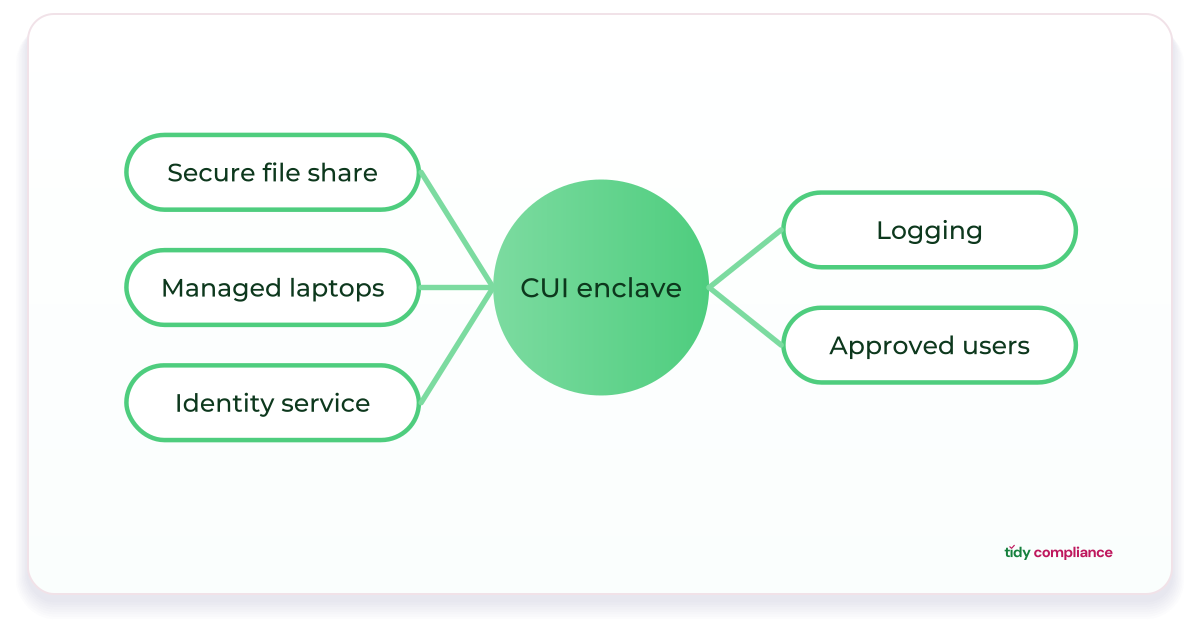
Many contractors keep CUI in a dedicated enclave and keep the rest of the company outside it. If you take that route, the separation must be real, and you need to be able to show it to an assessor.
What to Work Through
- List the systems, people and locations that handle CUI.
- Decide what can move into a smaller, dedicated environment.
- Document why each remaining system is in or out of scope.
- Mark the boundary on your data flow diagram.
- Review the boundary with your IT provider and an independent reviewer.
Where Evidence Comes From
A network diagram and a one-page scope statement are the key outputs. Ask your assessor or consultant to challenge the boundary before you build on it.
Build an Asset Inventory
An assessor will ask what is in scope, and the answer starts with a list. The inventory covers servers, laptops, mobile devices, network equipment, cloud services and the people who use them.
Include security protection assets, such as firewalls and identity systems, because they are part of the assessment too. An inventory that is current and owned by someone is worth more than a perfect one that is a year old.
Walk-Through
- Export device lists from your management and identity tools.
- Add cloud services and software that handle CUI.
- Record an owner and a location for each asset.
- Flag unmanaged devices and decide what to do with them.
- Set a review date and an owner for the list.
Useful Resources
Your endpoint management and identity platforms usually hold most of this data. A spreadsheet fills the gaps.
Write the System Security Plan
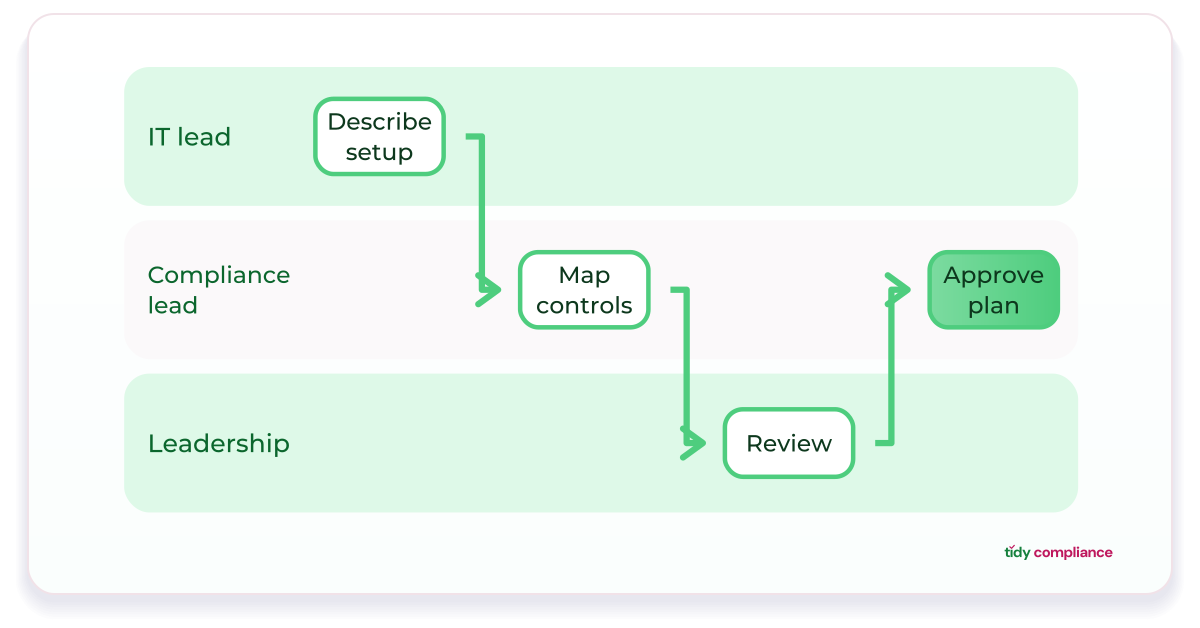
The System Security Plan describes your boundary, your environment and how you meet each practice. It is the first document an assessor reads, and it sets the tone for the review.
Write it from your real setup. A plan that says one thing while the systems do another creates findings faster than any missing control. Have the control owners read their own sections.
Actions in Order
- Describe the system boundary and the data flows.
- List each practice and how you meet it, with the owner.
- Reference the policy, setting or record that proves each one.
- Mark practices that are partly met and link them to the action plan.
- Get sign-off from leadership and set a review date.
Supporting Tools
Templates from your platform or consultant save time, but each statement must describe your own environment. Keep the plan in a controlled folder with version history.
Lock Down Access Control
Access control is a large family of practices, and it is where many gaps appear. The idea is that people get the access their job requires and nothing more, and that you can show who has what.
Review accounts for former staff, shared logins and administrators who use their admin account for daily work. Remote access and mobile devices need the same attention.
Work Plan
- Export a list of all accounts and their permissions.
- Remove accounts for people who left and accounts nobody owns.
- Apply least privilege and separate admin from daily accounts.
- Control remote access and wireless connections.
- Review access on a fixed schedule and keep the record.
What You Need
Your identity provider and directory hold the evidence. Screenshots of settings and exported reports, with dates, are typical evidence.
Enforce Strong Identification and Multifactor Authentication
Assessors look closely at how you identify users and devices. Multifactor authentication is expected for key access, such as remote access and privileged accounts, and weak passwords on shared accounts are a common finding.
Check your password rules, your account lifecycle and your device identification. Make sure the setting is enforced for everyone, and not only recommended.
Steps to Take
- Turn on multifactor authentication for remote and privileged access.
- Enforce password rules in the identity system.
- Remove shared and generic accounts or put them under control.
- Document how new accounts are requested and approved.
- Capture a dated screenshot of each enforced setting.
Where Evidence Comes From
Your identity provider and endpoint tools usually include these features. Verify that the setting applies to every account in scope.
Keep Configurations and Patches Under Control
Configuration management covers how you set up systems, track changes and keep software current. Assessors want to see baselines, a change process and a patch routine that actually runs.
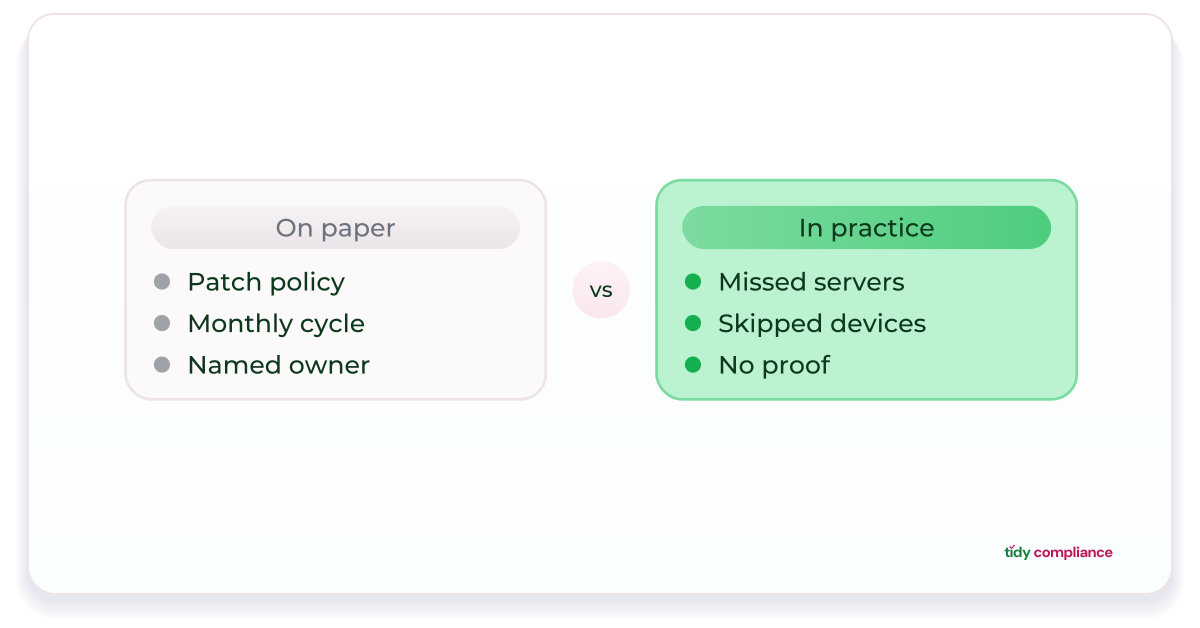
A common finding is a patch process that exists on paper and misses a group of machines. Test it by picking a few systems and checking their patch dates.
How to Do It
- Define a secure baseline for each type of system.
- Record who approves changes and how.
- Patch on a schedule and track exceptions.
- Remove software and services you do not need.
- Run a vulnerability scan and log the fixes.
Useful Resources
Endpoint management and vulnerability scanning tools provide most of the evidence. Keep the reports with dates.
Turn On Audit Logging and Review It
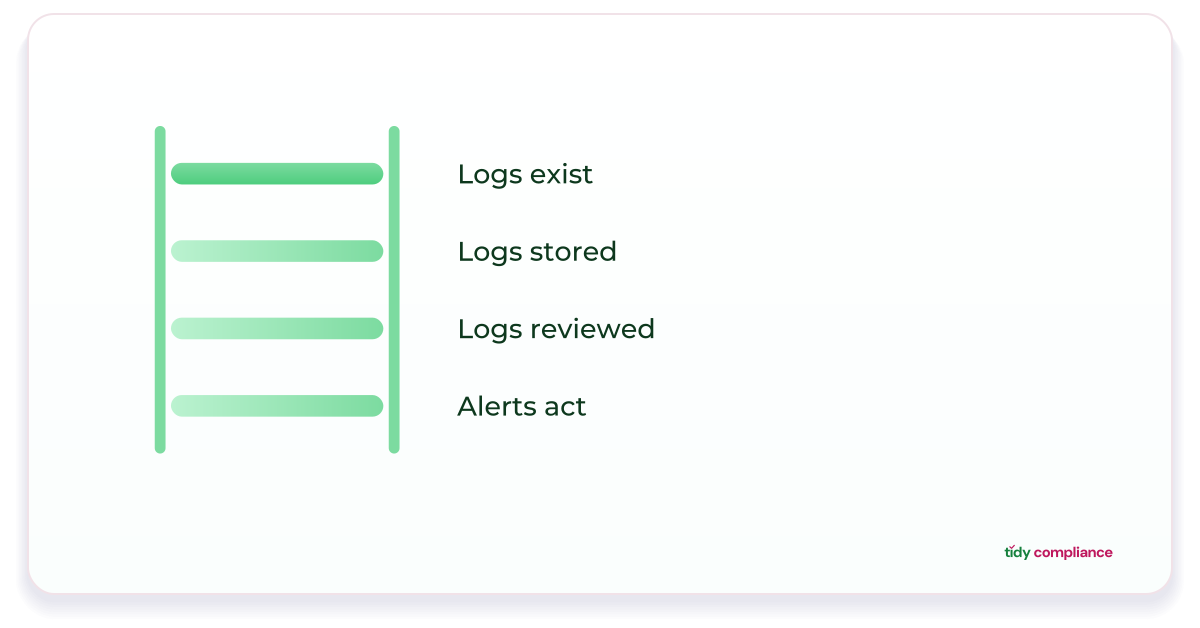
You need logs that show who did what and when, and you need to review them. Logs that nobody reads do not meet the intent of the practices.
Decide what to log, where to store it and for how long. Set alerts for events that matter, such as failed logins on privileged accounts.
What to Work Through
- List the systems that must produce logs.
- Send logs to a central place with restricted access.
- Set the retention period and protect logs from changes.
- Schedule a regular review and record it.
- Test an alert and keep the proof.
Supporting Tools
A log management or security monitoring platform does most of the work. Document the review process in a short procedure.
Prepare an Incident Response Plan and Test It
An incident response plan says who does what when something goes wrong, including how you report incidents. Defense contractors also have contractual reporting duties, so check the clauses in your contracts.
A plan only helps if people know it exists. Run a tabletop exercise once a year, write down what you learned and fix what did not work.
Walk-Through
- Name the incident response team and backups.
- Define what counts as an incident and how to escalate.
- Add the contract reporting steps and contact details.
- Run a tabletop exercise with realistic scenarios.
- Record the findings and update the plan.
What You Need
A short plan and an exercise record are the evidence. Many organizations use a template and adapt it to their own contracts.
Train Staff and Secure the Physical Space
People and places are part of the assessment. Staff need training on handling CUI and spotting threats, and the rooms where CUI is handled need physical protection.
Assessors interview staff, so training must be real. Role-based sessions beat a generic slide deck, because people can explain what applies to them.
Actions in Order
- Train all staff on handling CUI and reporting incidents.
- Give administrators and managers role-based training.
- Keep sign-in sheets or completion records.
- Control visitor access and keep a log.
- Screen personnel as your policy requires.
Where Evidence Comes From
A learning platform or simple completion tracking works. Keep the dated records.
Track Gaps in a Plan of Action and Calculate Your Score
No environment is perfect on day one. A plan of action lists open items with owners, dates and the work needed. For Level 2 self-assessments, you also record a score in the Department of Defense system the contract names.
The scoring method and the rules on open items are set by the Department of Defense, so use the current official guidance and ask your consultant or assessor to confirm yours.
Work Plan
- List every practice that is not fully met.
- Give each one an owner, a date and a task.
- Score your assessment using the official method.
- Review the plan monthly and record progress.
- Re-score after each batch of fixes.
Useful Resources
A tracker in your platform or a spreadsheet works. Keep dated versions to show progress.
How to Sequence the Work
Run points 1 to 5 in the first weeks, because they set the boundary and the documents. Points 6 to 10 are technical work and take longest, so assign owners early and start with the gaps that touch the most systems. Points 11 and 12 run alongside. Expect delays: in a typical project I see, procurement of a tool or a change window in IT pushes one or two items by a month.
When you finish a first pass, check yourself against the method in my CMMC compliance assessment article, and read how an independent review works in the CMMC compliance audit guide. If you are new to the program, the CMMC compliance guide explains the levels and terms in plain language.
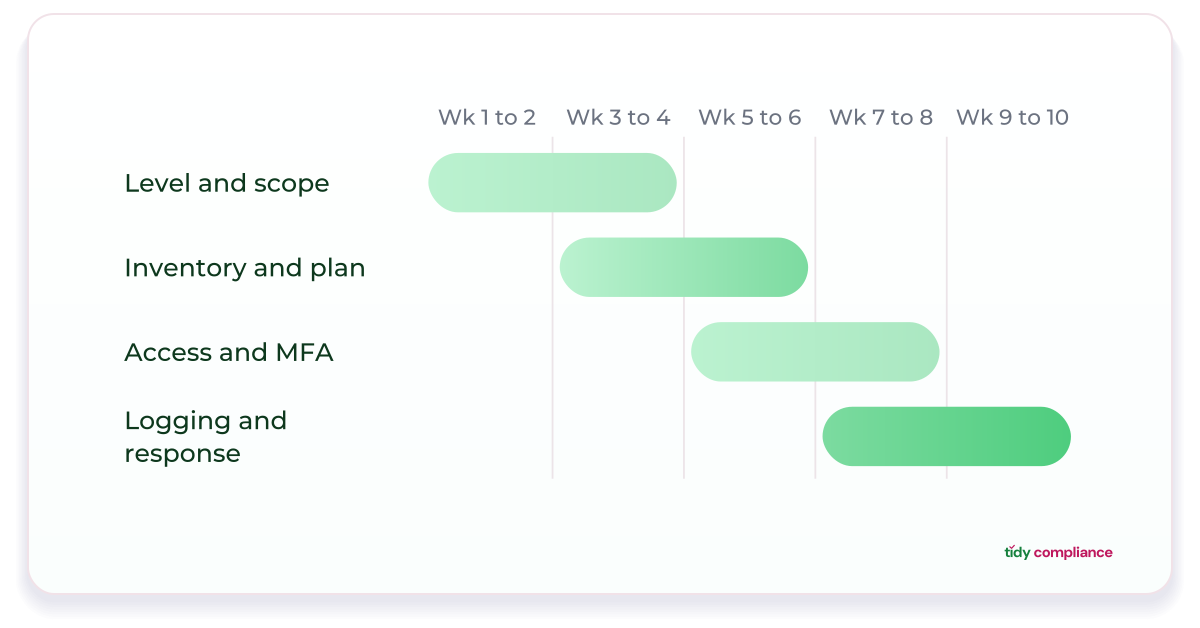
What the Checklist Costs in Time and Money
Cost follows scope and gap count. A contractor with a small enclave and a capable IT team spends mostly staff time. A contractor with a flat network and many shared accounts spends on remediation. Tools can help with tracking and evidence, and I compare the main ones in my ranking of CMMC compliance tools. For a full budget view, see the CMMC compliance cost article.
How to Decide Whether You Need Help
Work through points 1 to 4 yourself, since you know your contracts and data best. Get an independent review of scope and the System Security Plan before you invest in fixes. Those two items drive the most rework when they are wrong. A short outside review costs little compared with rebuilding controls on the wrong systems.
Questions About the CMMC Compliance Checklist
What Is the Difference Between CMMC Level 1 and Level 2?
Level 1 covers Federal Contract Information with 15 basic safeguarding requirements and is met through self-assessment. Level 2 covers Controlled Unclassified Information and follows the 110 practices of NIST SP 800-171. Your contract names the level, so check the clauses before you plan.
Where Do I Find Out Which Level My Contract Needs?
Look in the solicitation and the contract clauses, and ask your contracting officer or your prime contractor if the text is unclear. Many contractors also receive flow-down clauses from a prime. Confirm the current requirement, because the program is rolled out in phases.
Do I Need Every Item on This Checklist for Level 1?
No. This list is built around Level 2. If you only need Level 1, the 15 basic requirements are a subset, and you can use items 1 through 4 and parts of 6, 7 and 11 as your starting point. Confirm the exact requirement list in the official documents.
What Is a System Security Plan?
It is the document that describes your system boundary, how information flows through it and how you meet each practice. Assessors read it first, so it must match what they see. I suggest you write it from your real environment and keep it current.
Can I Leave Some Practices Open and Fix Them Later?
The rules allow a limited plan of action for some items under conditions, including a minimum score and a time limit, and some practices cannot be left open. Check the current rule text and ask your consultant or assessor which of your gaps qualify.
How Long Should I Keep Evidence?
Keep evidence for as long as your assessment is valid and for any period your contract or counsel requires, and review it at each annual affirmation. I would also keep a dated copy of each evidence set, so you can show what was true at the time of the assessment.
Should I Hire Help or Use This Checklist Myself?
A small, well-scoped environment with a capable IT lead can work through the list alone. Most contractors benefit from an independent review of scope and the System Security Plan, because those two items cause the most surprises.
Sources
- U.S. Department of Defense CIO, Cybersecurity Maturity Model Certification
- NIST SP 800-171 Revision 2, Protecting Controlled Unclassified Information
Disclaimer: This article is for general information only and isn’t legal, financial or tax advice. Treat figures as estimates from typical work and confirm details with your providers before you act.
Was this guide helpful?
Thanks for your feedback.
Odessa Whitfield
Odessa leads the Tidy editorial team and works with the compliance consultants to turn real client projects into practical guides on regulations, frameworks, policies and audit preparation. Before joining Tidy, she worked in compliance and risk roles, writing and maintaining policy sets for regulated organizations. Every article goes through a consultant who has done the work in practice, and she updates guides when a rule, framework or tool changes. She works remotely from the United States.