Quick Summary
- Automate tasks that repeat, follow clear rules and leave a record, such as training reminders and evidence pulls.
- Estimate savings with your own counts and minutes, and subtract setup and review time.
- Keep risk acceptance and reportability decisions with people and your counsel.
- Give every automated check an owner, a stored record and a yearly test.
Most compliance teams lose their week to small jobs: chasing evidence, sending training reminders, copying results into a report, answering the same customer questionnaire for the fourth time. None of it needs judgment, and all of it needs to happen on time. Automating those jobs is the quickest way to give a small team its hours back, and it is a regular part of the compliance management consulting projects I run.
Below I show which tasks to automate first, how to estimate the hours you will save with a simple formula and a worked example, and where automation should stop. I describe tools by type, so the advice holds whichever product you pick. It is compliance consulting guidance, not legal advice.
Which Compliance Tasks Are Worth Automating
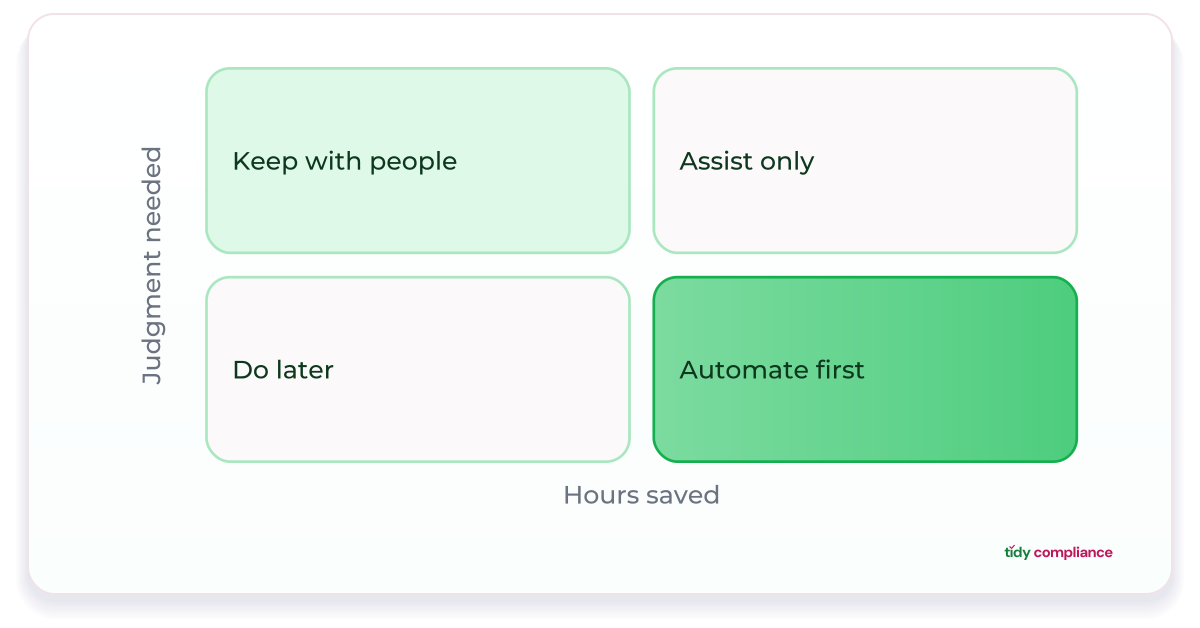
A task is a good candidate when it repeats, follows clear rules and leaves a record. Tasks that need interpretation or a decision about risk are poor candidates. The table sorts common jobs by how well they automate.
| Task | How automation helps | Fit |
|---|---|---|
| Training assignment and reminders | Assigns modules by role, nudges late people, records completion | Excellent |
| Evidence collection from systems | Pulls access lists, configuration reports and logs on a schedule | Excellent |
| Control test reminders and task routing | Creates tasks on a calendar and escalates overdue ones | Excellent |
| Policy attestation | Sends the policy, collects acknowledgments, stores records | Excellent |
| Vendor questionnaires | Sends, tracks and reminds, and reuses prior answers | Good |
| Regulatory change monitoring | Collects updates from official sources and routes them to owners | Good, with human review |
| Reporting to leadership | Builds the quarterly page from live indicators | Good |
| Risk acceptance and reportability decisions | Can organize the facts for the decision | Poor, keep with people and counsel |
The first four rows are the safest start. They produce records you needed anyway, and an error is easy to spot. Move down the list as your process matures. Before you automate a task, write down how it works by hand. Automating a confusing process only makes the confusion faster.
Estimating the Hours You Will Save
Use a simple formula for each task: hours saved per week equals the number of times the task happens, times minutes per time, times the share you can automate, divided by 60. Then multiply by 48 working weeks for a yearly figure. Use honest inputs. Take the number of times from your own records for the last quarter, and take minutes per time from the people doing the work.
| Task | Times per week | Minutes each | Share automated | Hours saved per week |
|---|---|---|---|---|
| Chasing training completions | 12 | 10 | 80% | 1.6 |
| Pulling access reports for reviews | 4 | 30 | 70% | 1.4 |
| Collecting control evidence | 10 | 15 | 60% | 1.5 |
| Vendor questionnaire follow-ups | 6 | 20 | 50% | 1.0 |
| Building the quarterly report (spread over weeks) | 1 | 60 | 50% | 0.5 |
In this illustrative example, the team saves about six hours a week, which is roughly 290 hours a year across 48 weeks. The numbers are assumptions, so replace them with your own. If a team member's time costs a known amount, multiply it to get a cash figure. Compare that with the yearly price of a tool plus the setup time.
If you want to see how the saved time fits into a plan, my guide to compliance management strategy shows how to sequence the work, and the compliance management framework article explains which parts of the program produce the most repetitive work.
The Tool Types Behind the Savings
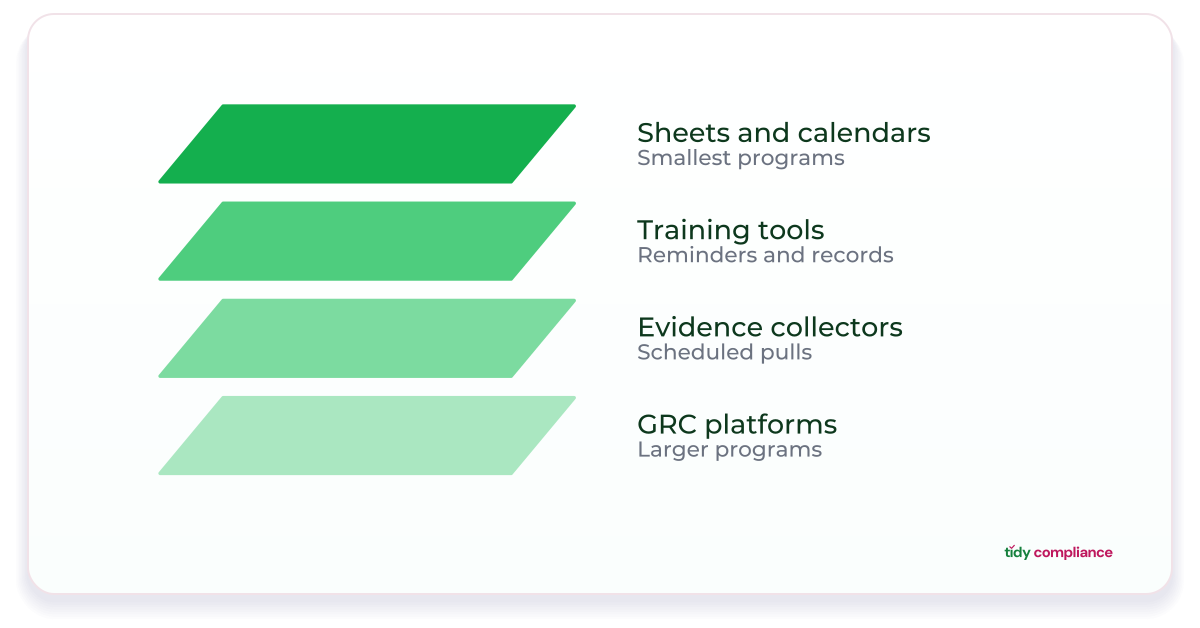
You do not need one product for everything. Four categories cover most needs, and you may already own some of them.
- Workflow and ticketing tools route tasks, set due dates and escalate. Many teams already use one for IT or HR.
- Learning management tools assign training by role and track completion automatically.
- Compliance automation platforms connect to cloud and identity systems, test controls on a schedule and collect evidence. They fit security frameworks well.
- GRC platforms hold the register, ratings, controls and audits in one place, and add workflow on top.
My ranking of compliance management software compares platforms in the last two groups with prices and review scores. A spreadsheet with calendar reminders still works for a very small program, and I recommend starting there if you have fewer than a few dozen controls.
Where AI Fits and Where It Does Not
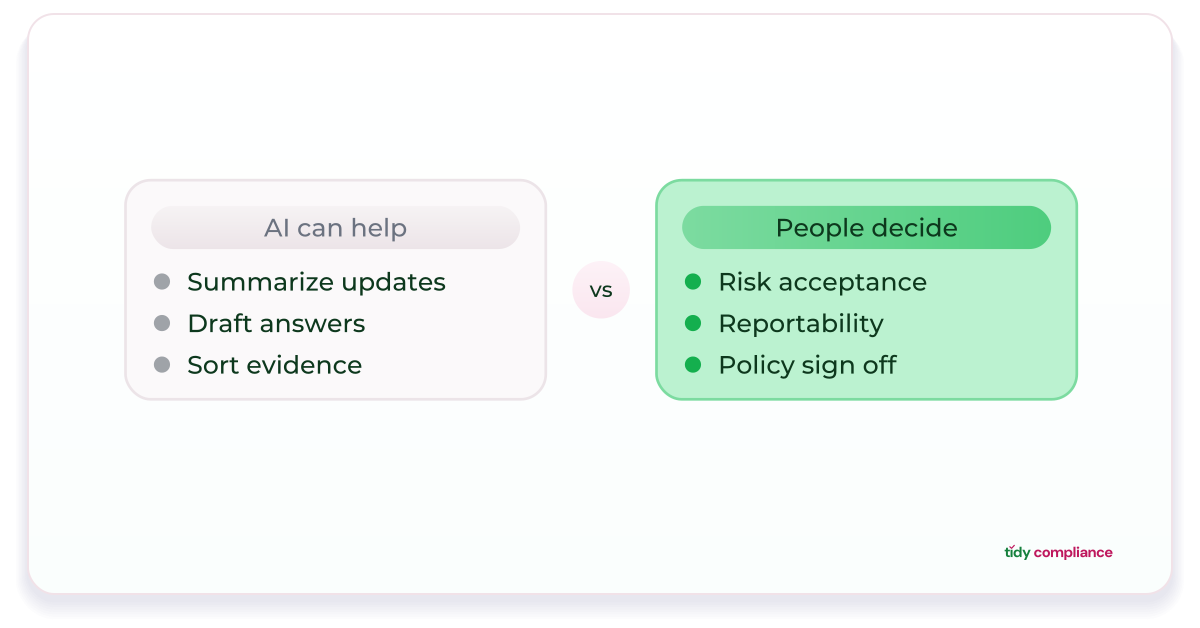
AI tools can summarize long regulatory notices, draft first versions of policy updates, sort incoming questions and suggest answers to vendor questionnaires from your earlier replies. These are drafts. A person must check every output before it reaches a customer, a regulator or a policy library, since a confident wrong answer is worse than a slow right one.
Treat AI as one more system with its own risks: what data you paste into it, who can see the results and whether the output is logged. The U.S. Department of Justice's Evaluation of Corporate Compliance Programs, updated in September 2024, discusses how organizations should manage risks from new technologies, including AI, which is a useful prompt for your own review. Write a short rule for staff about what may and may not go into an AI tool, and add it to training.
A Rollout That Works in Eight Weeks
Start small and prove the saving before you widen the scope. This sequence suits a team that cannot stop daily work.
| Weeks | Step | Result |
|---|---|---|
| 1 to 2 | Pick two tasks from the top of the fit table and write down the manual steps | Documented current process |
| 3 to 4 | Configure reminders, task routing and evidence pulls for those two tasks | Working automation in test |
| 5 to 6 | Run it live beside the manual process and compare results | List of fixes and measured hours |
| 7 to 8 | Switch off the manual version, report the saving and choose the next two tasks | First report and a plan for round two |
Expect friction in weeks five and six. Owners will find fields missing and reminders that arrive at the wrong time. That is normal. Keep a running log of fixes and thank the people who report them, because their feedback decides whether the tool is used. The cases in my post on compliance management examples show what a similar rollout looked like for different kinds of organizations.
What a Week Looks Like Before and After
Take a compliance coordinator in a mid-sized organization. Before automation, Monday goes to checking which employees have not finished training and writing individual emails. Tuesday and Wednesday go to pulling access lists from three systems for the quarterly review. Thursday is spent chasing evidence from control owners who forgot the deadline. Friday is a report in a spreadsheet that is already a week old.
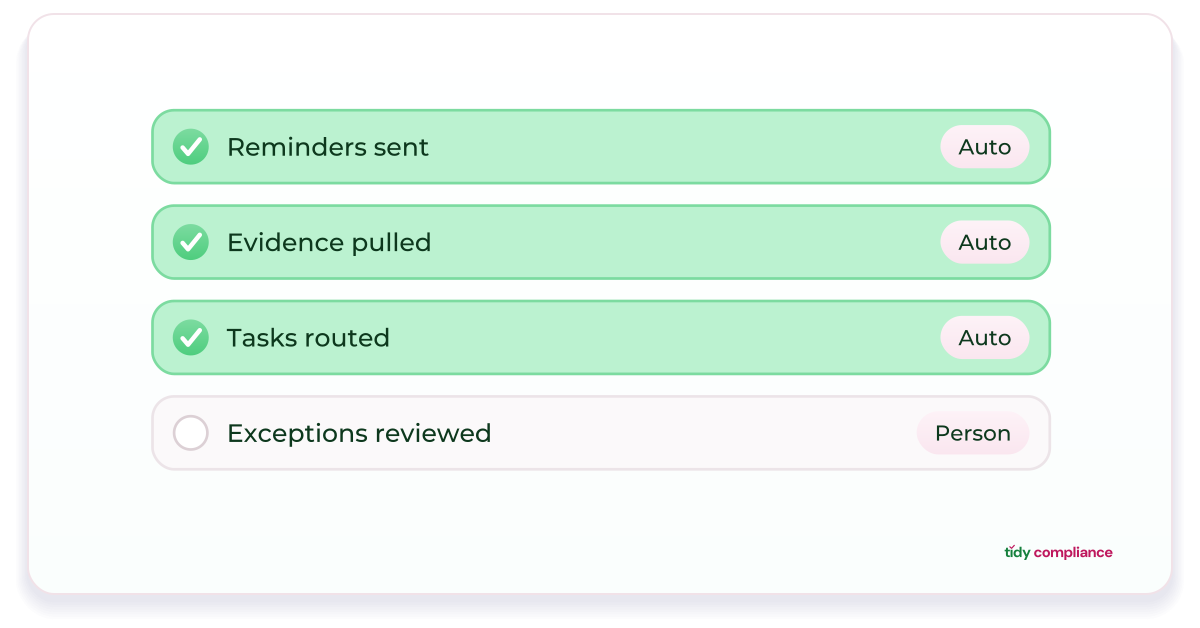
After a first round of automation, reminders go out on their own and escalate to the manager on day five. Access lists land in a shared folder on the first of each month. Control owners get a task with a due date and a link to the evidence form. The report draws from live indicators. The coordinator still reviews exceptions and talks to people, and the week shifts from chasing to checking. The saved hours go into the work only a person can do, such as helping a business unit fix a gap or preparing for an audit.
Mistakes I See When Teams Automate
The first is buying a platform before the process is written down. The tool then enforces whatever the setup team guessed, and the guess is often wrong. The second is automating reminders and nothing else. Reminders reduce late items, and they do not tell you whether a control works. The third is treating a green dashboard as proof. A dashboard shows what the tool can see, and many obligations live outside connected systems.
A fourth, quieter mistake is forgetting the leavers. When the owner of an automated check leaves, nobody receives the exceptions, and the check keeps running with no reader. Add owner changes to your offboarding checklist and review the list of automations every quarter. A short list of owners and backups, kept next to the automation descriptions, takes ten minutes to maintain and prevents most of these gaps.
Keeping Evidence Trustworthy
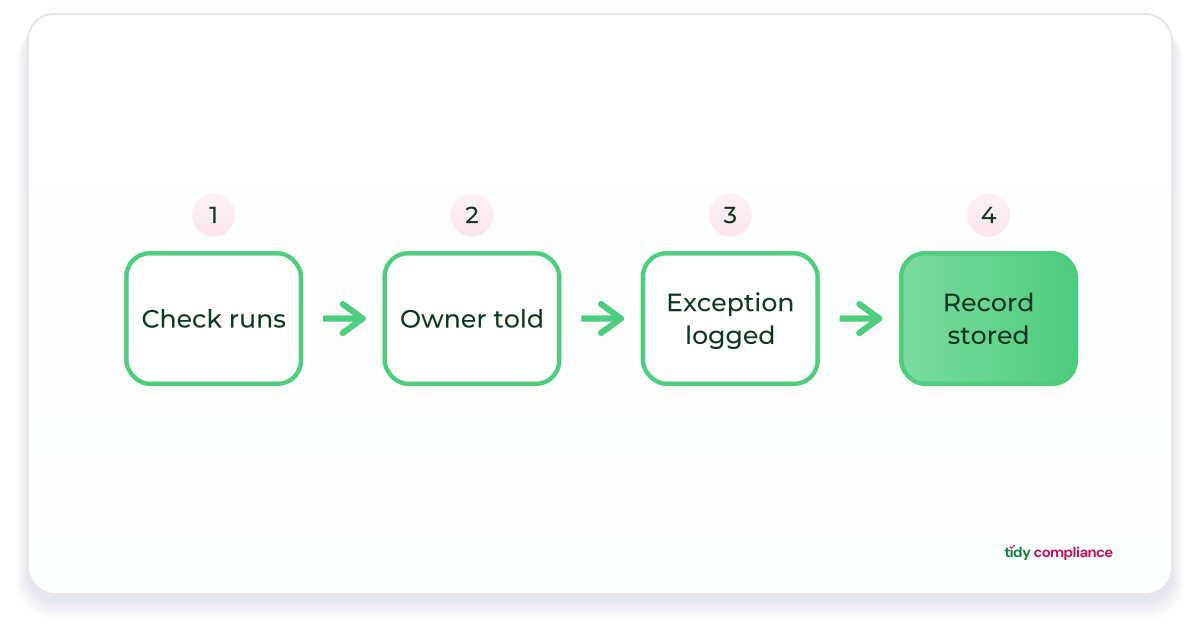
Automation creates records quickly, and that is also its risk. A scheduled report that always runs and nobody reads is not a control. Make sure each automated check has an owner who looks at exceptions, a place where results are stored and a way to show the check ran on a given date. Test the automation itself once or twice a year by feeding it a known problem and confirming that it flags it.
Keep a short description of each automation: what it does, who owns it, what systems it touches and what happens if it fails. When a reviewer asks how you know the control works, that document and a sample of results answer the question. The same description helps a new owner take over without guessing.
How to Choose What to Automate Next
Look at your repeating tasks and score each on four questions. Pick the ones that score well on all four.
- Does it happen at least weekly?
- Are the rules clear enough to write down in a few lines?
- Does it leave a record you need anyway?
- Is a mistake easy to spot and cheap to fix?
Tasks that fail the last two questions, such as risk decisions, stay with people. When you are unsure, ask what happens if the automation fails silently. If the answer is a missed deadline with legal consequences, add a second check by a person. My compliance management checklist lists the records each automated check should leave behind.
Sources
U.S. Department of Justice: Evaluation of Corporate Compliance Programs, ISO 37301: Compliance management systems.
Questions About Compliance Management Automation
What Is Compliance Management Automation?
It is the use of software to handle repeating compliance tasks such as training assignment, evidence collection, reminders, attestations, vendor follow-ups and reporting. People still own decisions about risk and reporting.
Which Compliance Tasks Should I Automate First?
Start with tasks that repeat, follow clear rules and leave a record: training reminders, evidence pulls, control test reminders and policy attestations. They are easy to check and save time quickly.
How Many Hours Can Automation Save?
It depends on your volume. Use the formula in this article with your own counts and minutes. A small team with a few repeating tasks may save a few hours a week, and larger programs save more.
Do I Need a Platform or Can I Use What I Have?
Many teams start with existing workflow, learning and calendar tools. A compliance automation or GRC platform makes sense when you have many controls, several owners and recurring evidence requests.
Can AI Write My Policies?
AI can draft a first version, but a person must edit it to match your real processes and approve it. A generic draft that describes tools you do not use causes problems in reviews.
What Are the Risks of Automating Compliance?
Silent failures, unread reports and over-trust in outputs. Give each automation an owner, check exceptions, store results and test the automation itself once or twice a year.
Is This Legal Advice?
No. It is compliance consulting guidance. Your attorney decides what a specific law requires and advises on reporting and disputes.
Disclaimer: This article is for general information only and isn’t legal, financial or tax advice. Treat figures as estimates from typical work and confirm details with your providers before you act.
Was this guide helpful?
Thanks for your feedback.
Odessa Whitfield
Odessa leads the Tidy editorial team and works with the compliance consultants to turn real client projects into practical guides on regulations, frameworks, policies and audit preparation. Before joining Tidy, she worked in compliance and risk roles, writing and maintaining policy sets for regulated organizations. Every article goes through a consultant who has done the work in practice, and she updates guides when a rule, framework or tool changes. She works remotely from the United States.