Quick Summary
- Eight checks cover most of what customers and auditors ask: scope, policies, access, data, patching, response, vendors and backups.
- Each check needs proof you can export, such as a log, a ticket, a signed review or a restore result.
- Access control and backups are usually the fastest high-value fixes.
- Score each check as complete, partly done or open, then fix the high-risk, low-effort items first.
Every cybersecurity framework has dozens of controls, and most teams drown in them. A checklist helps when it is short enough to finish and specific enough to test. This one has eight points that cover what auditors, customers and insurers ask about most often, so you can use it as a first pass before a full review.
I use a version of this list at the start of every cybersecurity compliance consulting engagement. It does not replace a framework such as SOC 2 or ISO 27001. It tells you quickly whether you are close enough to start formal work, or whether a few basics need fixing first.
The Eight Checks at a Glance
Each check has a question you can answer in a meeting, and a record that proves the answer. If you cannot name the record, treat the check as open.
| Check | Question to answer | Proof to keep |
|---|---|---|
| 1. Scope and inventory | Do you know what systems and data you must protect? | Asset and data list with owners |
| 2. Policies and training | Are the rules written, approved and taught? | Approved policies and training records |
| 3. Access control | Does only the right person have access? | Access review log and MFA report |
| 4. Data protection | Is sensitive data protected at rest and in transit? | Encryption settings and key records |
| 5. Patching | Are known weaknesses fixed in time? | Scan results and patch tickets |
| 6. Monitoring and response | Would you notice and handle an incident? | Alert logs and an incident plan with a test |
| 7. Vendors | Do you know which suppliers touch your data? | Vendor list with review records |
| 8. Backups and recovery | Can you restore what matters? | Restore test results |
1. Know What You Are Protecting
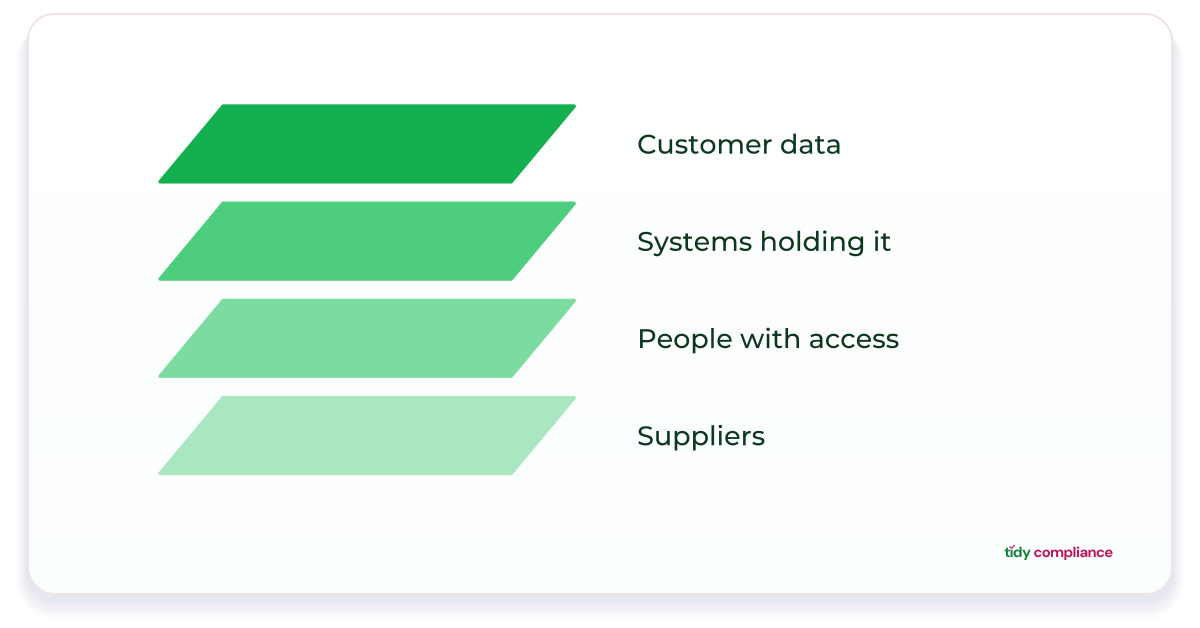
You cannot protect what you have not listed. Start with the systems that hold customer data, financial records and credentials, then add laptops, cloud accounts, code repositories and the vendors that connect to them. A spreadsheet is fine, as long as each line has an owner and a note on what data it holds.
Scope also decides how much work follows. If you promised a customer that you protect their data, every system that touches it is in scope. A short list kept current beats a long list nobody trusts, and it makes every later check simpler.
Verify This
- Every system with sensitive data has a named owner
- Cloud accounts, endpoints and SaaS apps are on the list
- The list was reviewed in the last twelve months
Avoid This
Do not copy an old asset list from a past audit. Systems change quickly, and an outdated list hides the shadow tools people adopted since.
2. Write the Rules and Teach Them
Policies tell people what to do, and training makes sure they know it. A usable set covers acceptable use, access control, incident response, vendor management and data handling. Each policy needs an owner, an approval date and a review date, so an auditor can see it is alive.
The part most teams skip is proof of training. Keep completion records for every employee, including new hires within a set period after they start. If you need help writing a set from scratch, a policy review is one of the quickest wins.
Proof to Pull
- Each policy has an owner, approval date and next review date
- New hires complete security training within a set time
- Completion records are stored where you can export them
A Common Slip
Do not paste a template and leave the placeholders in. An auditor will read a policy that mentions a tool you do not use.
3. Control Who Can Get In
Access control is the check I see fail most often, because people change roles and leave. Use multi-factor authentication for every administrator and every remote or cloud login, give people only the access their role needs and remove access when they leave.
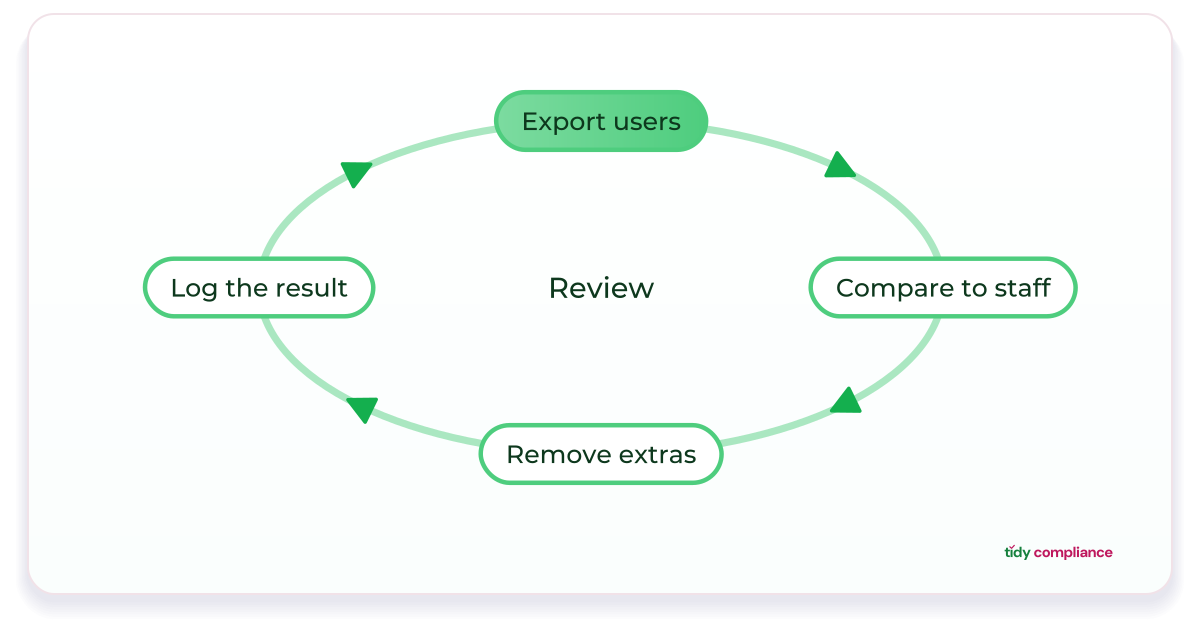
Run a review at least twice a year. Export the user list for each critical system, have the system owner confirm each person and record the result. Shared accounts and old contractor logins show up here almost every time.
Check These Records
- MFA is on for administrators and remote access
- Leavers lose access within a defined time, with a record
- An access review was completed and signed in the last six months
Where Teams Go Wrong
Do not rely on the HR exit checklist alone. Compare the actual user lists with the current employee and contractor lists.
4. Protect the Data Itself
Encrypt sensitive data in transit and at rest, and know where the keys live. Check that databases, backups and laptops are encrypted, and that connections between systems use current protocols. Classify your data into a few levels, such as public, internal and restricted, so people know what handling each level needs.
Pay attention to where data copies end up: exports in email, files in personal drives and test databases filled with production records. These copies sit outside your controls and often outside your scope list.
What to Confirm
- Databases, laptops and backups are encrypted
- You have a data classification with handling rules
- Production data is not used in test environments without protection
Skip This Shortcut
Do not stop at encrypting the main database. The export on a shared drive carries the same data without the protection.
5. Fix Known Weaknesses on a Schedule
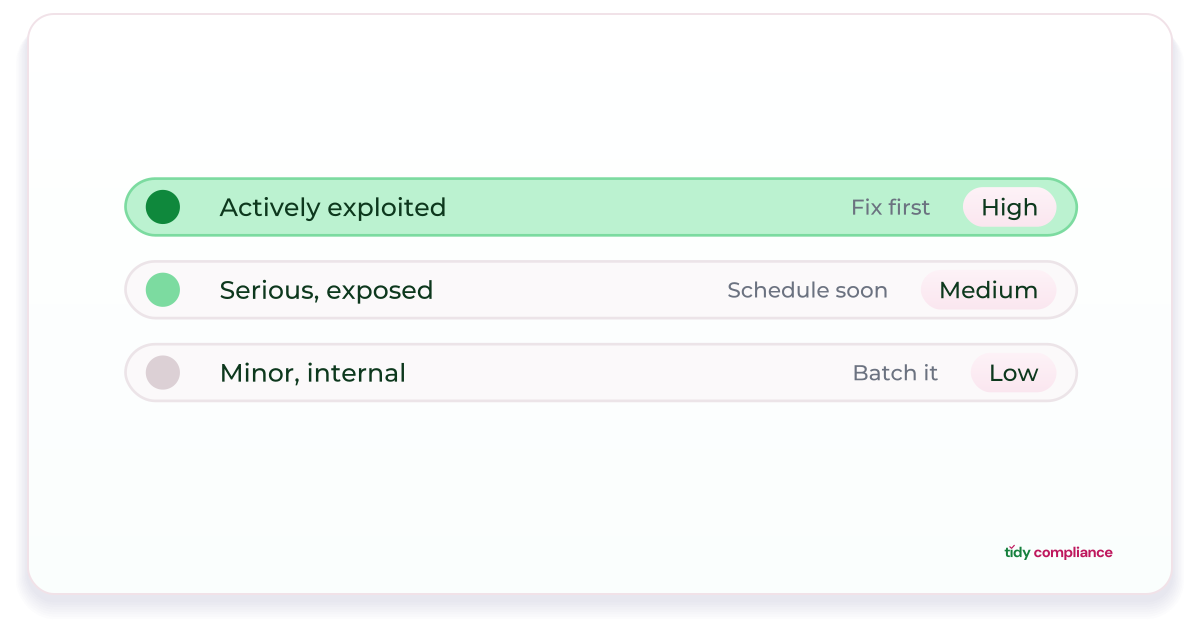
Run vulnerability scans on a regular schedule, rate the findings and fix them within times you set by severity. Critical findings need the shortest window, and you should write the windows down in a policy so you can show you met them.
Include more than servers. Laptops, network devices, containers and third-party libraries in your own code all belong in the cycle. When a fix cannot happen on time, record an exception with a reason, a compensating control and an end date.
Evidence to Collect
- Scans run on a defined schedule and results are kept
- Fix times by severity are written and met in a sample
- Exceptions have an owner, a reason and an end date
The Trap Here
Do not treat scan output as the deliverable. The proof is the ticket that shows the fix and the date.
6. Notice an Incident and Know What to Do
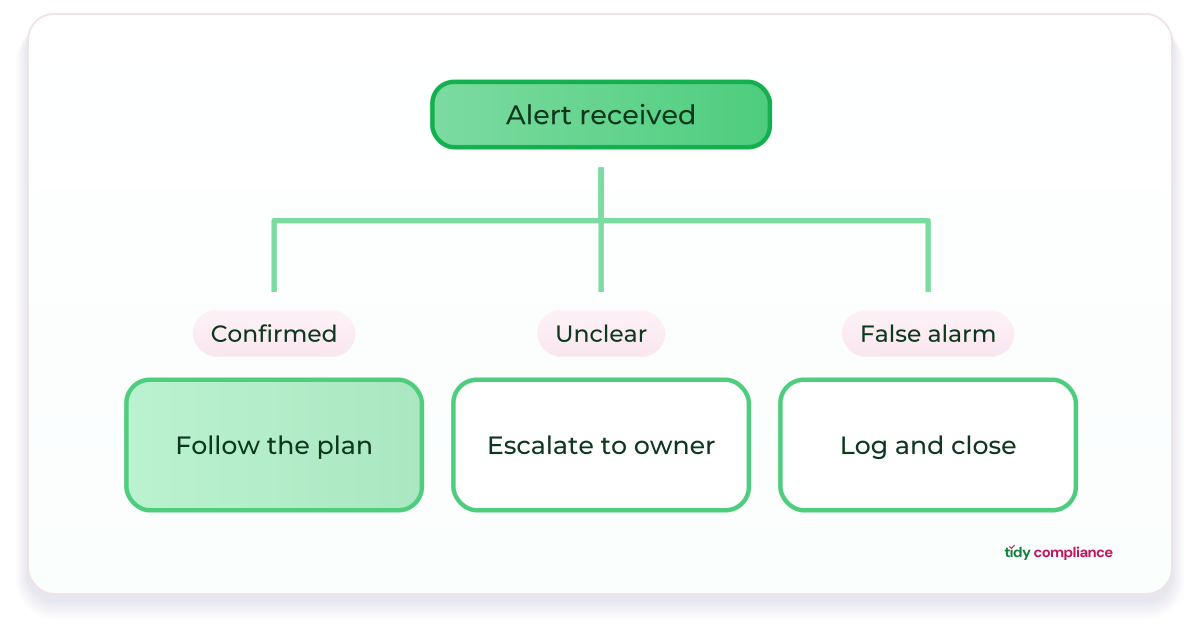
Turn on logging for your key systems, send logs to one place and decide who looks at the alerts. Write an incident response plan with roles, contact details and a simple order of steps, then test it with a tabletop exercise at least once a year.
The plan matters less than the practice. A one-hour session where the team walks through a scenario, such as a stolen laptop or a phished admin account, exposes missing phone numbers and unclear decisions. Record the session and the changes you made afterwards.
Questions to Settle
- Logs from key systems go to one searchable place
- Someone is named to review alerts, with a defined response time
- An incident response test was held in the last twelve months
Do Not Rely On This
Do not leave the plan in a folder nobody has opened. If the phone numbers in it are wrong, the plan fails at the worst moment.
7. Know Which Suppliers Touch Your Data
Your controls are only as good as the vendors that hold your data. List every vendor with access to sensitive data, rank them by risk and review the high-risk ones, for example by reading their security report or sending a questionnaire. Keep the results with a review date.
Add security terms to contracts where you can, such as breach notification and the right to review. When a vendor cannot show you anything, decide whether you accept the risk, and record that decision with a name next to it.
Review Before You Move On
- Vendors with data access are listed and risk-ranked
- High-risk vendors were reviewed in the last twelve months
- Contracts include security and notification terms
Mistake to Dodge
Do not review vendors only at onboarding. A vendor that was fine three years ago may have changed owners or systems since.
8. Prove You Can Restore
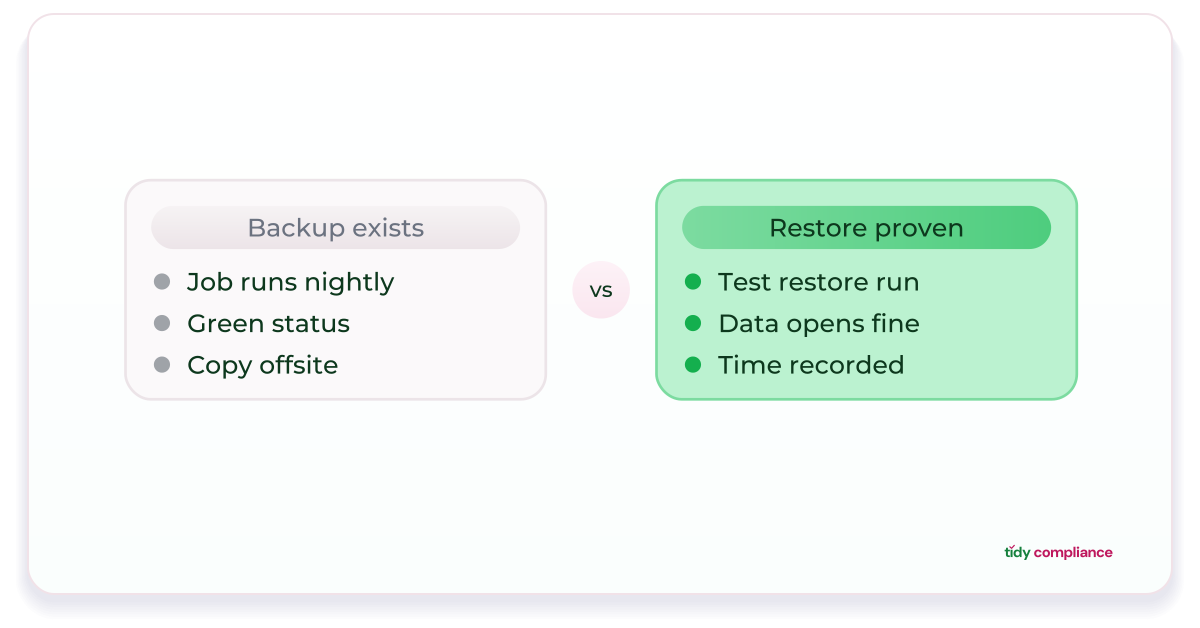
A backup is only useful if you can restore from it. Back up key systems on a schedule, keep copies away from the production environment and test a restore at least once a year. Record how long the restore took, and compare it with how long the business can wait.
Add recovery targets to your plan: how much data you can lose and how long you can be down for each key system. Those numbers tell you whether your backup design fits the business, and they are the first thing a customer asks for after an outage.
Test Results to Keep
- Backups run on a schedule and alerts fire on failure
- A restore test was run and logged in the last twelve months
- Recovery targets exist for key systems and were approved
False Comfort
Do not count successful backup jobs as proof. The restore test is the proof.
Scoring Your Results and Planning What Comes Next
Score each of the eight checks as complete, partly done or open. Complete means you have the proof in hand. Partly done means the control exists but proof is missing or outdated. Open means it does not exist yet.
If you have five or more checks open, start with a plan for the basics before you buy tools or book an auditor. The structured version of this exercise is a cybersecurity compliance assessment, which scores every control against a framework. When you are ready for the formal step, my guide to a cybersecurity compliance audit shows how to find gaps before the auditor does.
For a first pass, a spreadsheet and a standing meeting are enough. If tracking evidence by hand becomes a burden, compare platforms in my ranking of cybersecurity compliance tools, and read the cybersecurity compliance guide to see how the checklist maps to the common frameworks.
How to Choose Which Checks to Fix First
Fix the checks that combine high risk and low effort first. Access control and backups usually top the list, because MFA and a restore test are cheap compared with the harm they prevent.
- Start with any check that is open and tied to a customer promise.
- Next fix checks that need a decision, not money, such as ownership and review dates.
- Schedule the long projects, such as vendor reviews, with named owners.
- Re-run the checklist every quarter and keep the results.
Questions About the Cybersecurity Compliance Checklist
What Is a Cybersecurity Compliance Checklist?
It is a short list of controls and proofs you can use to check whether your security program meets a standard or a customer requirement. It is a first-pass tool, and a full framework review goes deeper.
Does This Checklist Make Me Compliant with SOC 2 or ISO 27001?
No. It covers the basics that most frameworks share, and it helps you see where you stand. Each framework has its own control list and your auditor decides whether you meet it.
How Long Does It Take to Work Through the Checklist?
A small team can answer the eight questions in a few hours and spend a few days collecting proof. Fixing the gaps takes longer, depending on how many are open.
Who Should Own the Checklist?
One person, usually in security, IT or compliance, should hold the list and chase the control owners. Each check then has its own owner for the proof.
How Often Should I Repeat the Checklist?
Quarterly for most teams, and after any large change such as a new system, a new office or a merger. Keep each round so you can show progress.
What Proof Do Auditors Accept?
Dated records from the system where the control runs, such as exports, tickets, logs and signed approvals. Screenshots help when they show a date and a source. Ask your auditor which formats they prefer.
When Should I Get Outside Help?
When many checks are open, when a big contract depends on the result or when nobody on your team owns compliance. An adviser ranks the gaps and sets the order of work.
Sources
Disclaimer: This article is for general information only and isn’t legal, financial or tax advice. Treat figures as estimates from typical work and confirm details with your providers before you act.
Was this guide helpful?
Thanks for your feedback.
Odessa Whitfield
Odessa leads the Tidy editorial team and works with the compliance consultants to turn real client projects into practical guides on regulations, frameworks, policies and audit preparation. Before joining Tidy, she worked in compliance and risk roles, writing and maintaining policy sets for regulated organizations. Every article goes through a consultant who has done the work in practice, and she updates guides when a rule, framework or tool changes. She works remotely from the United States.