Quick Summary
- A GDPR audit runs in seven phases, from scope to a ranked action list.
- The data map is the backbone, because every later check depends on it.
- Test one real rights request and one breach drill instead of reading policies.
- Rank findings by likelihood times impact divided by effort, then fix the cheap, high-impact ones first.
A GDPR audit answers one question: if a regulator, a customer or a data subject asked you to show how you handle personal data, could you? Most small and mid-sized companies I meet can answer half of it. The privacy notice exists, the cookie banner is live, and then the trail goes cold at vendors, retention and old systems.
This guide walks you through the review in seven phases, with a scoring formula to rank what you find. If you want a second pair of eyes along the way, my GDPR compliance consulting work follows the same sequence. The audit checks your practices against the regulation as published, and it is not a legal opinion, so take legal questions to your counsel.
The Seven Phases at a Glance
Run the phases in order, because each one feeds the next. The data map in phase two decides what you test in phases three to six, and phase seven turns all of it into a ranked list you can act on.
| Phase | What you check | What you end up with |
|---|---|---|
| 1. Scope | Entities, countries, processes and systems in the review | A written scope and a list of owners |
| 2. Data map | What personal data you hold, where it sits and who sees it | A record of processing activities |
| 3. Lawful basis | The reason behind each use of personal data | A basis per activity, with consent records where needed |
| 4. Rights | How you handle access, deletion and objection requests | A tested request process with response times |
| 5. Vendors | Processors, contracts and transfers outside the EU | A vendor register with agreements on file |
| 6. Security and breaches | Access, encryption, retention and incident response | A control check and a breach drill result |
| 7. Scoring | Every gap rated by risk and effort | A ranked action list with owners and dates |
Phase 1: Fix the Scope Before You Look at Anything
Audits go wrong first on scope. Someone reviews the website and the newsletter, and the payroll system, the support inbox and the old CRM never get opened. Write down every legal entity, every country where you have staff or customers and every function that touches personal data: marketing, sales, HR, finance, support and IT.
Then name one owner per function. In my client work, the owner is rarely the person who set the system up, and that is the point. The owner answers for what data is collected and why. If nobody in a function will own it, that is your first finding.
Phase 2: Build the Data Map
The data map is a table with one row per processing activity: what data, whose data, why, where it is stored, who has access, how long you keep it and who receives it. GDPR Article 30 asks controllers and processors to keep records like this. Organizations with fewer than 250 employees get an exemption, but it does not apply if the processing is not occasional, may risk people's rights or involves special categories of data, as the text of Article 30 says. Regular HR and customer processing is rarely occasional, so most small companies still need the record.
Start with systems, not with people. List your CRM, email platform, accounting software, HR tools, support desk, analytics, backups and shared drives. For each one, ask what personal data it holds and who can export it. Spreadsheets on laptops count, and so do exported mailing lists that someone saved to a personal folder.
A practical shortcut is to follow one person through your business: a customer from first click to last invoice, and an employee from offer letter to exit. Every system they touch goes on the map. Two journeys usually expose 80 percent of the systems, a rough figure from my own reviews.
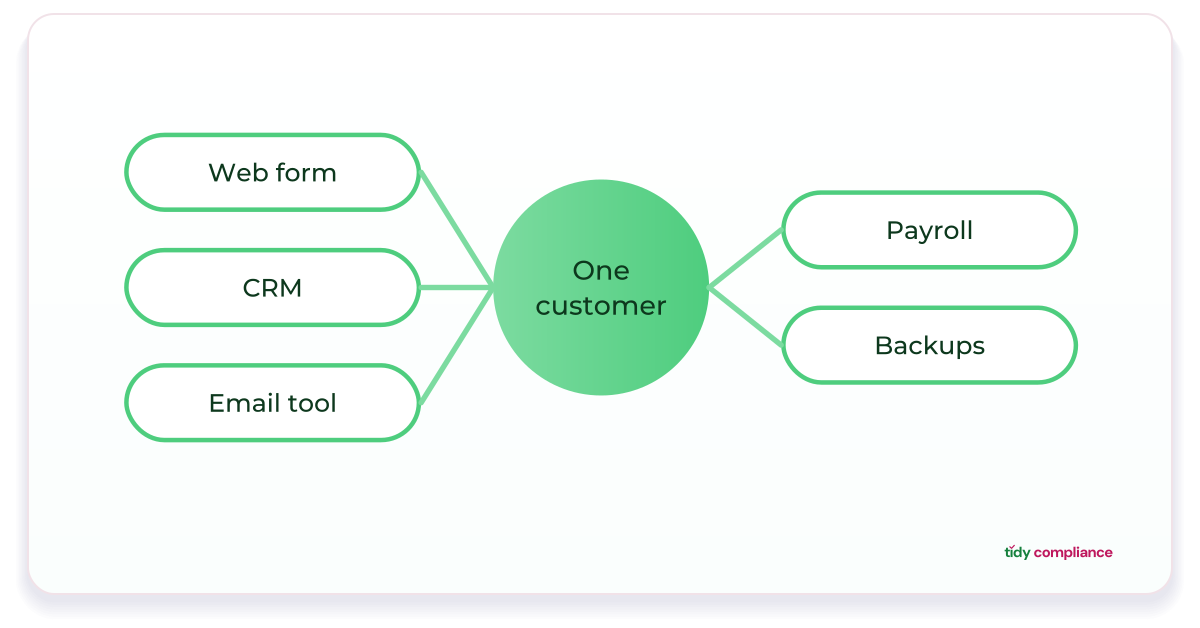
Phase 3: Test Every Lawful Basis
Each activity on your map needs a lawful basis under Article 6: consent, contract, legal obligation, vital interests, public task or legitimate interests. The audit question is simple. Can you say which basis applies, and does the evidence match it?
Consent gets the most scrutiny. If you rely on it for marketing emails or non-essential cookies, check that people opted in with a clear action, that you stored when and how they did it and that withdrawing is as easy as giving it. Pre-ticked boxes and a banner that only offers "Accept" fail this check on sight.
Legitimate interests is the basis companies reach for when nothing else fits. It needs a short written balancing test: your interest, the effect on the person and why the balance holds. In practice the weakest finding I see is a legitimate interests claim with no document behind it. Write one page per activity and the finding disappears.
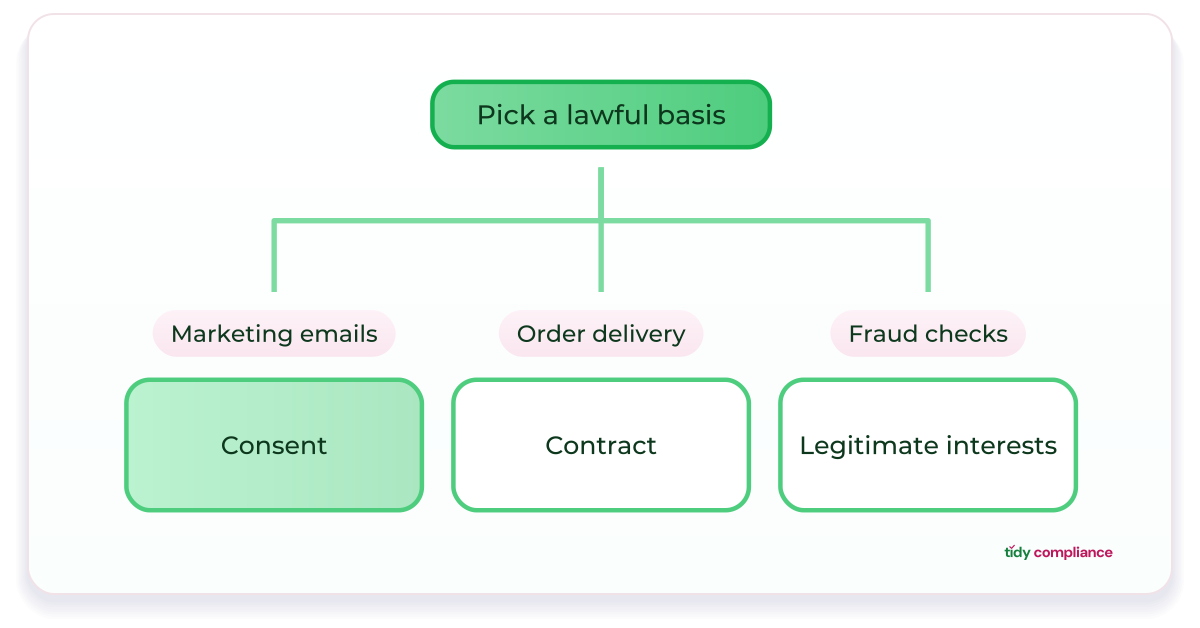
- Marketing email: consent or a documented soft opt-in route, with proof of the opt-in
- Order fulfillment: contract, with a retention period set after the warranty ends
- Payroll: legal obligation, with access limited to HR and finance
- Website analytics: consent where required, and a check that tags do not fire before choice
Phase 4: Run a Real Rights Request
People can ask to see their data, correct it, delete it, restrict it, move it or object to its use. You must answer without undue delay and within one month of receiving the request, with a possible extension of two further months for complex cases, as Article 12 sets out.
Do not audit this with a document review. Run a test. Ask a colleague to send an access request from a private address and time how long it takes to reach the right person, to find every system with that person's data and to send a complete answer. The first test usually takes far longer than a month, mostly because nobody knows who owns the inbox that receives the request.
Check three further things: whether you verify identity before you hand over data, whether deletion reaches backups and processors, and whether your team knows that a request in a chat message or a phone call counts. Fix the intake route first, and the rest of the process follows.
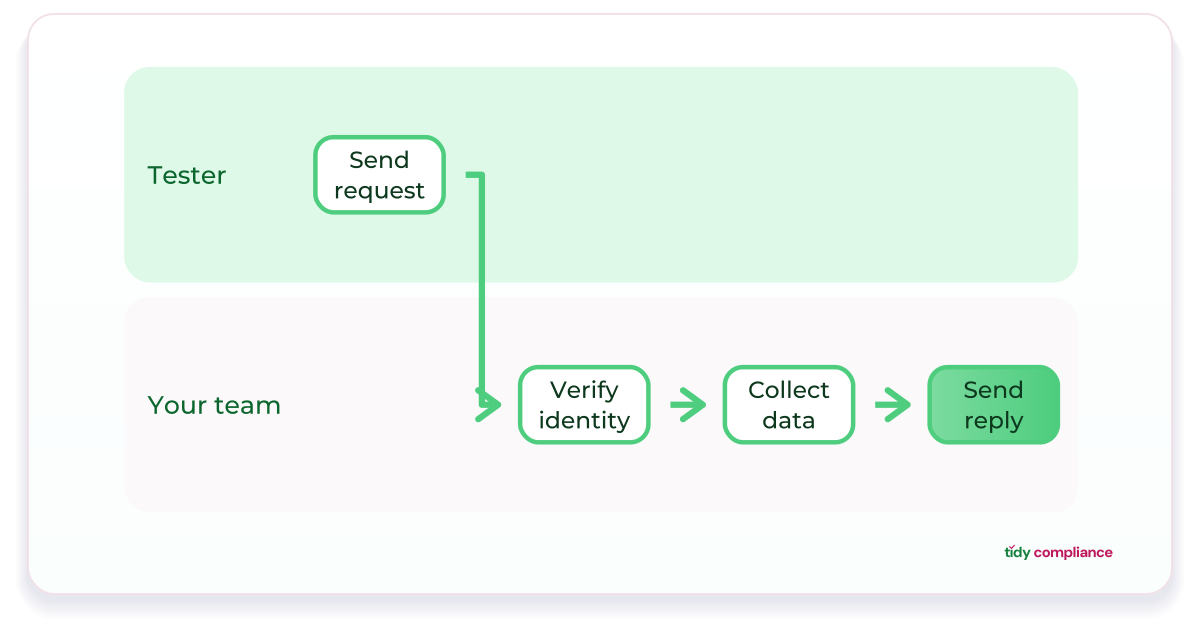
Phase 5: Review Vendors and Transfers
Every vendor that handles personal data on your behalf is a processor, and Article 28 requires a contract that sets out what they may do with it. Pull your vendor list from accounts payable, because the finance system shows tools that the privacy team never heard of.
For each vendor, record what data they get, whether a data processing agreement is signed, where the data is stored and which subprocessors they use. Where data leaves the European Economic Area, note the transfer mechanism, such as an adequacy decision or standard contractual clauses, and check the current status with your counsel because these mechanisms change over time.
| Vendor type | Typical data | What to verify |
|---|---|---|
| Email and CRM | Names, emails, deal history | Signed agreement, storage region, subprocessor list |
| Payroll and HR | Salaries, ID numbers, bank details | Agreement, access roles, retention after exit |
| Analytics and ads | Online identifiers, behavior | Consent link, data sharing settings, transfer basis |
| Cloud and backups | Everything | Encryption, deletion on termination, audit reports |
| Support desk | Messages, attachments | Retention rules, agent access, export options |
Phase 6: Check Security, Retention and Breach Readiness
Article 32 asks for security that fits the risk. An audit does not need a penetration test to check the basics: multi-factor sign-in on email and admin tools, encryption on laptops and phones, role-based access, a joiner and leaver routine and tested backups. Ask for proof of each, such as a screenshot of the setting or a ticket from the last offboarding.
Retention is the quiet gap. Ask how long you keep customer records, job applications and support tickets, then check whether anything deletes them. A policy that says two years while the system holds ten is a finding, and so is a system with no deletion function at all.
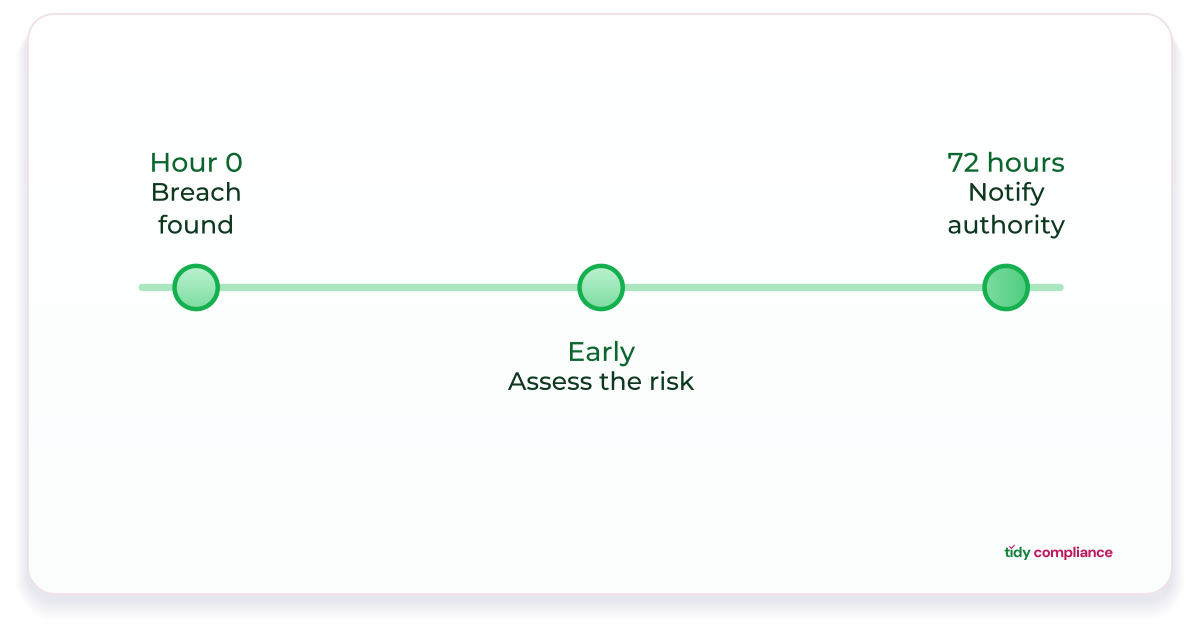
For breaches, the regulation sets a clock: notify the supervisory authority without undue delay and, where feasible, within 72 hours of becoming aware, unless the breach is unlikely to risk people's rights, per Article 33. Run a short tabletop drill. Hand your team a made-up lost laptop scenario and see who decides, who calls the authority and where the log is kept. The first drill nearly always shows that the decision-maker is on holiday and has no deputy.
Phase 7: Score and Rank What You Found
A list of forty findings helps nobody. The formula I use ranks each one by risk and effort, so you know where to start on Monday.
Priority = (likelihood x impact) / effort, with each factor scored from 1 to 3.
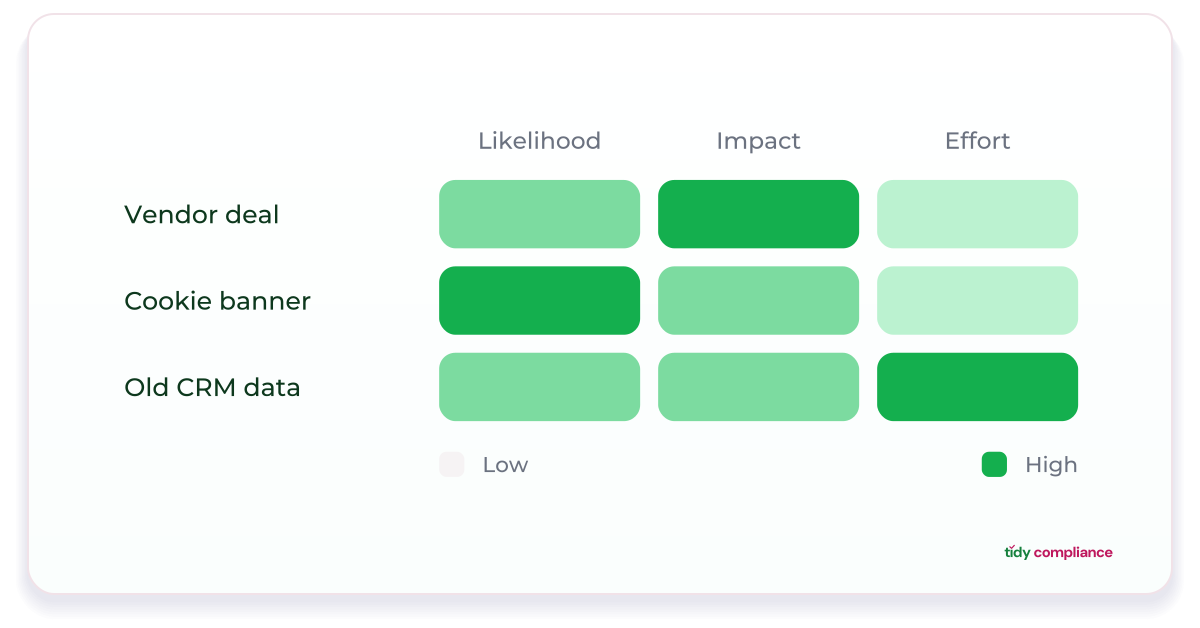
Likelihood asks how probable it is that the gap causes a problem within a year. Impact asks how bad it is for the people whose data it is, and for you. Effort asks how many days of work the fix takes. A missing processing agreement with your payroll vendor scores high on impact and low on effort, so it goes first. A full rebuild of an old archive scores high on effort, so it goes onto the plan with a date.
| Finding | Likelihood | Impact | Effort | Priority |
|---|---|---|---|---|
| No signed agreement with payroll vendor | 2 | 3 | 1 | 6.0 |
| Cookie banner sets analytics tags before consent | 3 | 2 | 1 | 6.0 |
| No owner for access requests | 3 | 2 | 1 | 6.0 |
| Ten-year retention in old CRM | 2 | 2 | 3 | 1.3 |
The numbers are an illustration of the method and not benchmarks. Ties go to the finding that affects the most people. Keep the scoring sheet, the data map and the evidence folder together, because together they are your audit file.
Who Should Run the Audit
You can run phases one to three yourself if one person has the time and the authority to ask questions across functions. Bring in an outside reviewer for the vendor check and the scoring, mainly for fresh eyes. People who built a process rarely see its gaps.
An outside review also carries a clear limit. A consultant can map, test and rank. Deciding what the law requires in a disputed case is a job for your counsel, and the report should say so. If your audit is part of a wider program, my notes on GDPR compliance cost show what each stage tends to run, and GDPR compliance for small business covers the lean version.
Using the Results
Turn the top ten findings into tickets with an owner and a date, and fix the quick ones within two weeks. Record what you fixed and when, because a dated trail of corrections shows good faith far better than a perfect report. Repeat the audit each year, and run a shorter check whenever you add a vendor, launch a product or enter a new country.
Most findings repeat the same mistakes, so read my list of common GDPR compliance mistakes before you close the file. If your audit shows that a tool would save time on cookie consent or request handling, compare options in my ranking of GDPR compliance tools.
- Scope, owners and systems written down
- Data map covering every system and spreadsheet
- Lawful basis and evidence for each activity
- One real rights request tested end to end
- Vendor register with agreements and transfer notes
- Security, retention and breach drill results
- Ranked action list with dates
Sources
GDPR Article 30: Records of processing activities, GDPR Article 12: Transparent information and requests, GDPR Article 33: Notification of a breach.
Questions About GDPR Compliance Audits
How Long Does a GDPR Compliance Audit Take?
For a company with a few dozen staff and ten to twenty systems, plan for two to four weeks of part-time effort. Scope and the data map take the longest. Larger organizations with several entities take longer, so ask for a timeline after scoping.
Is a GDPR Audit Legally Required?
The regulation does not use the word audit for most companies. It does expect you to show that you comply, which in practice means records, evidence and regular checks. An audit is the way to produce them. Ask your counsel whether any specific duty applies to you.
Can I Run a GDPR Audit Myself?
Yes, for the first phases. A careful owner can scope, map data and test a rights request. An outside reviewer adds value on vendors, scoring and fresh eyes. Keep legal interpretation with your lawyer.
What Documents Will an Auditor Ask For?
Expect the record of processing activities, privacy notices, consent records, vendor agreements, a rights request log, security policies, retention rules, a breach log and training records. Have them in one folder before the review starts.
What Is the Difference Between a GDPR Audit and a Gap Assessment?
The two overlap a lot. A gap assessment compares you with the requirements and lists what is missing. An audit tests whether your practices work and whether the evidence holds up. Most projects do both in one pass.
How Often Should I Repeat the Audit?
Once a year as a full review, and a short check after major changes such as a new vendor, a new product or expansion to a new country. Keep the data map current in between.
What Do I Do First If the Audit Finds Many Gaps?
Rank them with likelihood, impact and effort. Fix cheap, high-impact items first, such as missing vendor agreements, consent settings and ownership of rights requests, then schedule the larger projects with dates.
Disclaimer: This article is for general information only and isn’t legal, financial or tax advice. Treat figures as estimates from typical work and confirm details with your providers before you act.
Was this guide helpful?
Thanks for your feedback.
Odessa Whitfield
Odessa leads the Tidy editorial team and works with the compliance consultants to turn real client projects into practical guides on regulations, frameworks, policies and audit preparation. Before joining Tidy, she worked in compliance and risk roles, writing and maintaining policy sets for regulated organizations. Every article goes through a consultant who has done the work in practice, and she updates guides when a rule, framework or tool changes. She works remotely from the United States.