Quick Summary
- Start with a list of the personal data you hold and where it sits.
- Steps one to four are cheap and visible, so do them in your first month.
- Vendor agreements and a breach plan close the most common gaps for small teams.
- Free tools help, and a generated text still needs checking against your real setup.
Small businesses often assume GDPR is built for big tech, and then discover that a customer, a bank or an enterprise buyer wants proof anyway. The rules apply when you handle personal data of people in the EU, and size changes how much you must document, not whether the duties exist. Whether they apply to you in detail is a question for your counsel.
I picked the ten steps below because they give a small team the most protection for the least work. If you want help sequencing them, my GDPR compliance consulting service starts from the same list. A full review is covered in my guide to a GDPR compliance audit.
| Step | Effort | Why it comes early |
|---|---|---|
| 1. Data list | Half a day | Everything else depends on it |
| 2. Collect less | One hour | Shrinks every later job |
| 3. Privacy notice | Half a day | Visible to customers and regulators |
| 4. Cookie consent | One hour with a tool | Easy to test and often checked first |
| 5. Vendor agreements | One to three days | Closes the most common contract gap |
| 6. Requests process | Two hours | Prevents missed deadlines |
| 7. Access and devices | One day | Biggest security gain per hour |
| 8. Breach plan | Two hours | Needed before the 72-hour clock starts |
| 9. Retention | Half a day | Reduces what you must protect |
| 10. Training | Thirty minutes | Changes daily habits |
1. Write Down What Personal Data You Hold
Every other step depends on knowing what you have. Open a spreadsheet and list each system with personal data: your email tool, accounting software, shop platform, payroll, support inbox and backups. Add what data it holds, why you collect it and who can see it.
A small company can finish a first version in an afternoon. The record is a legal expectation for many controllers, and the exemption for organizations under 250 people has limits, as the text of Article 30 shows: it does not apply when processing is not occasional or involves special categories of data. Most businesses process customer and employee data regularly, so keep the list.
- Do this: one row per system, with an owner next to it.
- Avoid this: starting with a polished template before you know what you hold.
2. Collect Less Data in the First Place
The cheapest personal data to protect is data you never collected. Look at your forms and ask what each field is for. A contact form rarely needs a phone number and a company size, and a newsletter signup rarely needs a birthday.
Each removed field shortens the data map, shrinks what a breach could expose and makes your privacy notice easier to write. In my client work, a ten-minute form review removes a third of the fields on a typical site, a rough figure from my own projects.
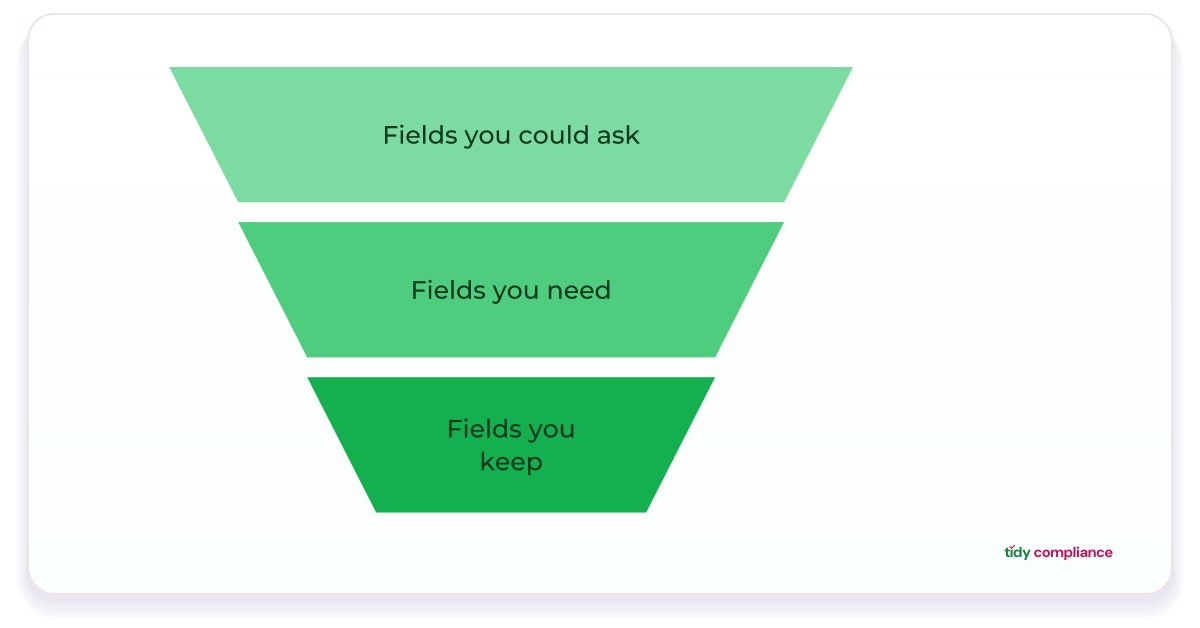
- Do this: delete fields nobody uses, then document the ones you keep.
- Avoid this: keeping fields just in case someone wants them later.
3. Fix Your Privacy Notice So It Matches Reality
A privacy notice that describes processes you do not run is a liability. Compare the notice with your data list: does it name the data you collect, the reasons, the vendors who receive it, how long you keep it and how people can reach you?
Write in plain sentences and keep one version per audience, such as customers, website visitors and staff. Date it, and update it when you add a tool. A short accurate notice beats a long copied one every time.
- Do this: update the notice whenever you add a tool or vendor.
- Avoid this: pasting a generator's text without checking it against your setup.
4. Get Cookie Consent Right
If your site uses analytics, advertising or other non-essential cookies, you need a banner that offers a real choice. Accept and reject should sit side by side, tags should not fire before a choice and withdrawing should be as easy as agreeing.
Free and low-cost tools handle most of this. CookieYes, Termly and Enzuzo all list a free plan, and my ranking of GDPR compliance tools compares them on price and reviews. After setup, test your site in a private window with the network panel open, because a banner that looks right can still load trackers in the background.
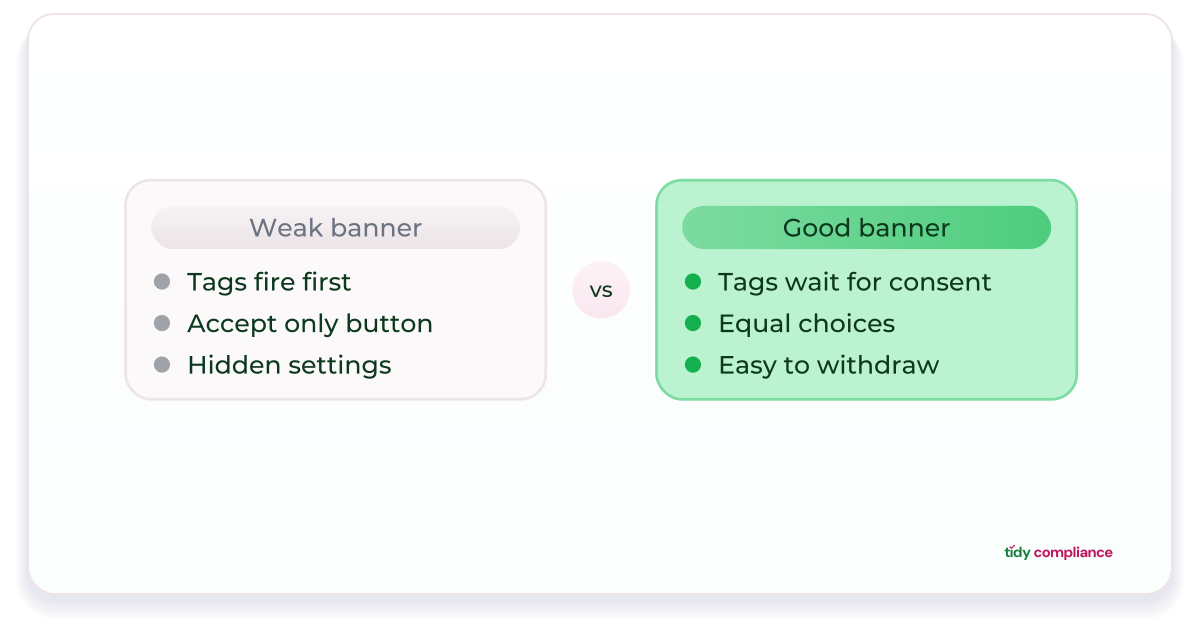
- Do this: test the banner yourself in a private window.
- Avoid this: trusting the green tick in a dashboard without checking the site.
5. Sign Agreements With Vendors That Touch Personal Data
When a vendor processes personal data for you, you need a written agreement that limits what they can do with it. Many large vendors publish a standard agreement you can accept online or sign with a few clicks.
Pull the vendor list from your accounting system, since every paid tool appears there, then add the free ones. For each, save the signed agreement and note where the data is stored. Where data leaves the European Economic Area, record the transfer mechanism and check its current status with your counsel.
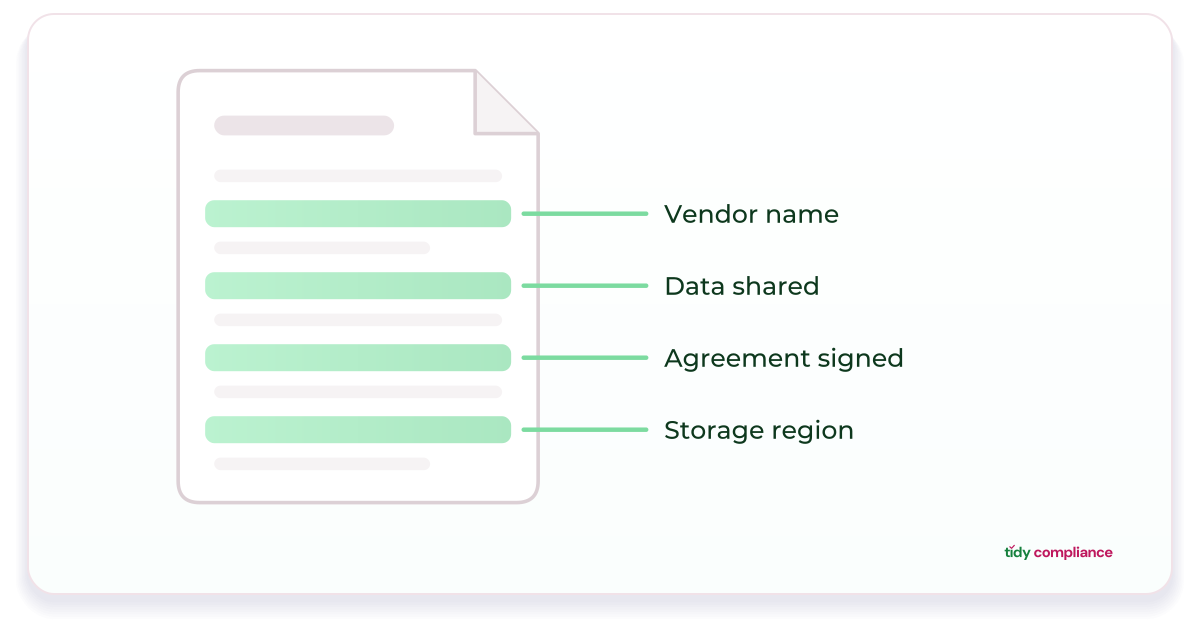
- Do this: keep a vendor sheet with the agreement link for each tool.
- Avoid this: assuming a free tool processes no personal data.
6. Decide Who Handles Requests and How
People may ask to see, correct or delete their data. You must respond without undue delay and within one month, which can be extended by two months for complex cases, as Article 12 sets out.
For a small team, the whole process can fit on one page: a shared mailbox such as privacy@yourcompany, one named person, a list of systems to search, an identity check and a template reply. Run one test with a colleague to see how long it takes. The first test is almost always slower than people expect.
- Do this: name one person and one deputy for requests.
- Avoid this: letting requests sit in a general inbox with no owner.
7. Lock Down Access and Devices
Security is where a small business gets the most protection for the least effort. Turn on multi-factor sign-in for email and admin tools, encrypt laptops and phones, remove access for people who left and give each person only what the role needs.
Check your leaver routine in particular. Old accounts of former staff are the quietest risk I find, and a simple checklist with a ticket per departure closes it. Keep a short record of each change, because you may need it as evidence later.
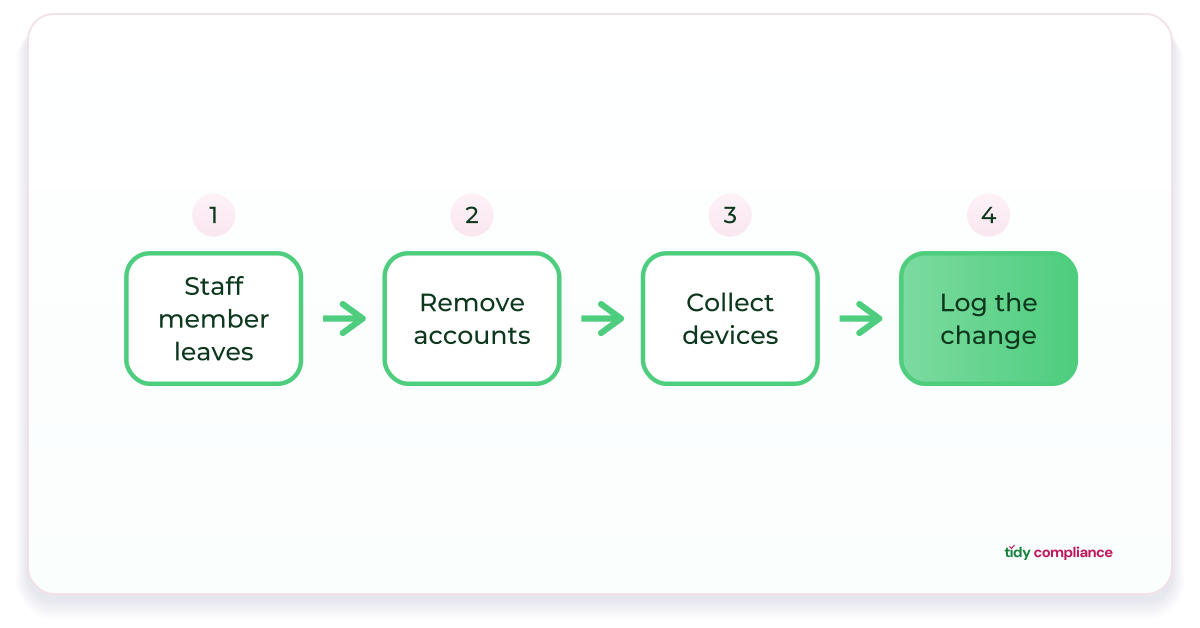
- Do this: turn on multi-factor sign-in everywhere it is offered.
- Avoid this: sharing one login across a team.
8. Prepare a One-Page Breach Plan
If personal data is lost or exposed, the clock starts when you become aware. You must notify the supervisory authority without undue delay and, where feasible, within 72 hours, unless the breach is unlikely to risk people's rights, as Article 33 states.
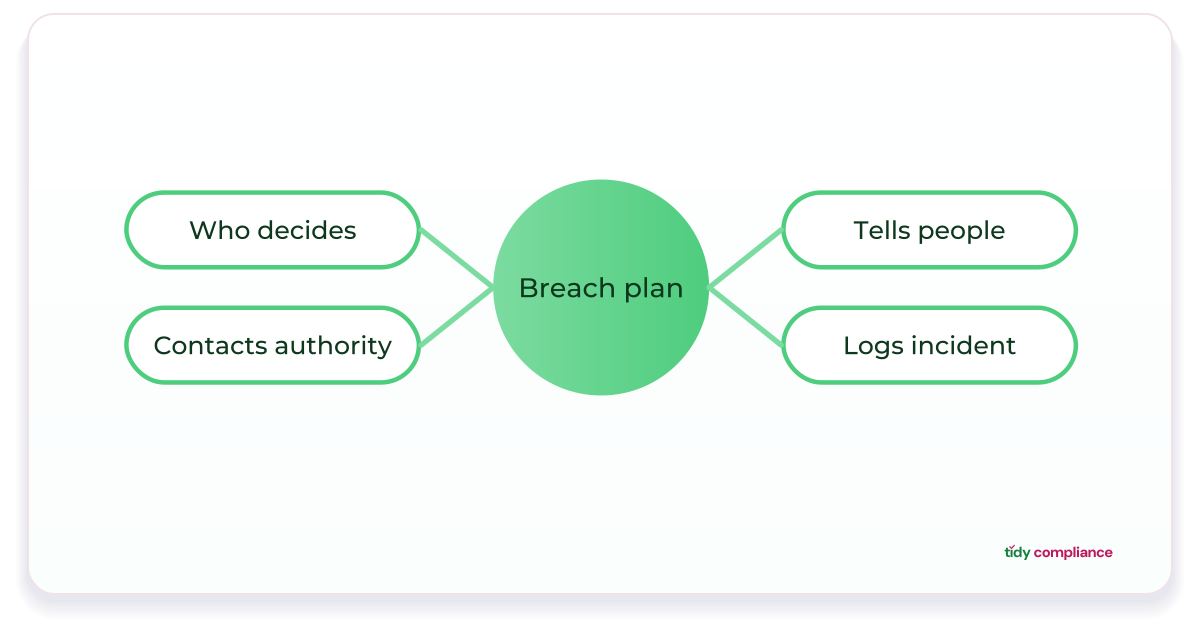
Your plan needs four things: who decides, who contacts the authority, who talks to affected people and where you log the incident. Put names and phone numbers on one page, and give it to the people who will actually be reached at 2 a.m. A plan nobody has read fails on the first day.
- Do this: print the plan and name a deputy for every role.
- Avoid this: storing the plan inside the system that might be down.
9. Set Retention Rules and Delete on Schedule
Keep data only as long as you need it. Pick a period for each category, such as order records, job applications, support tickets and marketing contacts, and write it in one table.
Then make something delete the data. A calendar reminder every quarter is enough for a small company: export, check and remove anything past its period. Old applicant data and dormant mailing lists are the usual leftovers.
- Do this: set a period per category and a quarterly cleanup date.
- Avoid this: keeping everything forever because storage is cheap.
10. Train Your People in Thirty Minutes
Most incidents start with a person: a mis-sent email, a shared file link or a customer export left on a laptop. A short session covering what personal data is, how to spot a request, what to do after a mistake and who to tell changes behavior more than a long policy.
Record who attended and when. Repeat it for new hires within their first month and again each year. When something goes wrong, a trained team reports it in the hour and does not hide it for a week.
- Do this: make reporting mistakes easy and blame-free.
- Avoid this: a once-only slide deck that nobody revisits.
What This Costs a Small Team
Most of the work is internal time. A company with ten to thirty people can complete the ten steps in four to eight weeks of part-time effort. Cash costs come from tools and from outside help on the vendor review or the notice, and my breakdown of GDPR compliance cost shows ranges for each item.
Free plans from consent tools cover many small sites, and paid plans start around ten dollars a month per domain on the pages I read. Check current plans before you commit, because they change.
Mistakes That Waste a Small Team's Time
Small companies lose time in the same places: buying a large platform before they know what they hold, copying a competitor's notice, and treating the project as finished after the banner goes live. Read my list of GDPR compliance mistakes before you start, and you will skip the ones that cost the most.
When to Bring in Outside Help
You can handle steps one to four and nine to ten yourself. Bring in a consultant for vendor agreements and transfers, for a special category of data such as health information, or when a customer sends a long security questionnaire. A consultant maps, tests and drafts. Legal interpretation of a disputed point goes to your lawyer.
- You process health, children's or other sensitive data
- You sell to enterprise customers that send questionnaires
- You use many vendors outside the EU
- You had an incident or a complaint already
Sources
GDPR Article 30: Records of processing activities, GDPR Article 12: Transparent information and requests, GDPR Article 33: Notification of a breach.
Questions About GDPR Compliance for Small Business
Does GDPR Apply to a Small Business?
It applies when you process personal data of people in the EU, whatever your size. Some record-keeping duties are lighter for organizations under 250 people, with limits. Ask your counsel how the rules apply to your case.
What Is the First Thing a Small Business Should Do?
List the personal data you hold and where it sits. Every other step, from the privacy notice to vendor agreements, depends on that list.
Do I Need a Data Protection Officer?
Only some organizations must appoint one, depending on core activities such as large-scale monitoring or special categories of data. Check Article 37 with your counsel before you decide.
Do I Need a Cookie Banner?
If your site uses analytics, advertising or other non-essential cookies for visitors in the EU, you generally need a consent mechanism that offers a real choice. A strictly necessary cookie set does not need consent.
How Long Do I Have to Answer a Request for Someone's Data?
One month from receipt, with a possible extension of two months for complex cases, as long as you tell the person within the first month. Set up an owner and a test.
How Much Does GDPR Compliance Cost a Small Company?
Most of the work is your own time. Outside help and tools often run from a few thousand to the low five figures in the first year, depending on systems and vendors.
Can I Use a Free Template for My Privacy Notice?
A template is a fine start. Check it line by line against your real data, vendors and retention, and update it when you change tools. Have a professional review it if you handle sensitive data.
Disclaimer: This article is for general information only and isn’t legal, financial or tax advice. Treat figures as estimates from typical work and confirm details with your providers before you act.
Was this guide helpful?
Thanks for your feedback.
Odessa Whitfield
Odessa leads the Tidy editorial team and works with the compliance consultants to turn real client projects into practical guides on regulations, frameworks, policies and audit preparation. Before joining Tidy, she worked in compliance and risk roles, writing and maintaining policy sets for regulated organizations. Every article goes through a consultant who has done the work in practice, and she updates guides when a rule, framework or tool changes. She works remotely from the United States.