Quick Summary
- Build the base first: risk analysis, named owners and one evidence folder.
- Encryption, multi-factor login and tested backups close the most common technical gaps.
- Train by role and keep records, because proof matters as much as the training.
- Roll the practices out in three waves instead of starting everything at once.
Compliance programs that work look boring from the outside. The same twelve habits show up in organizations that pass reviews calmly, and they are mostly small and repeatable. I teach them in every HIPAA compliance consulting project, and they work whether you have five staff or five hundred.
Read them in order, since the first few create the base for the rest. The table below shows the whole list, and each section gives the practice, why it matters and three moves you can start this month.
The 12 Practices at a Glance
| Practice | Area | Main benefit |
|---|---|---|
| 1. Risk analysis as backbone | Governance | Controls match real risks |
| 2. Named owners | Governance | Clear accountability |
| 3. Minimum necessary | Access | Smaller damage from errors |
| 4. Encryption | Technical | Lost devices are not breaches |
| 5. Multi-factor login | Technical | Stops most takeovers |
| 6. Vendor management | Third parties | Less hidden exposure |
| 7. Role-based training | People | Fewer avoidable mistakes |
| 8. Tested backups | Resilience | Faster recovery |
| 9. Plain policies | Governance | Policies people follow |
| 10. Incident readiness | Response | Quicker, calmer response |
| 11. Patient access process | Privacy | On-time responses |
| 12. Evidence and review | Governance | Audit-ready all year |
If you prefer a one-page tracking list, use my HIPAA compliance checklist next to this guide. For the failures these habits prevent, see HIPAA compliance risks.
1. Make the Risk Analysis the Backbone
Every other control should trace back to a risk you wrote down. Start there, date the report and keep a risk register that shows status. Reviewers read the analysis first, and a good one answers many follow-up questions before they are asked.
- Scope every system, device and vendor that touches patient data
- Rate likelihood and impact for each risk
- Refresh yearly and after major changes
2. Name Owners for Privacy and Security
HIPAA expects named responsibility. In a small team one person can wear both hats, and in a larger one you may separate them. What matters is that the person has time, authority and a calendar, and that staff know who to ask.
- Write the roles into a policy with names and backups
- Give the officer a seat at vendor and system decisions
- Schedule a monthly check-in with leadership
3. Apply the Minimum Necessary Rule in Daily Work
Staff should see what they need for their job and nothing more. Role-based access, screen privacy and careful sharing keep curiosity and mistakes small. The rule is also the easiest way to limit damage when an account is compromised.
- Define access by role, not by person
- Review access lists every quarter
- Check logs for unusual lookups
4. Encrypt Everything That Moves or Travels
Laptops, phones, backups and email that carries patient data should be encrypted. The Security Rule treats encryption as addressable, but in practice there is rarely a good reason to skip it, and properly encrypted data is generally treated as secured under the breach rule.
- Enforce full-disk encryption through device management
- Use secure email or a portal for sensitive messages
- Encrypt backup media and cloud storage
5. Turn On Multi-Factor Authentication Everywhere It Is Offered
Passwords leak. A second factor stops most account takeovers that start with a phished password. Start with email and the record system, then extend to remote access and admin accounts.
- Enable it for email first, then the EHR
- Prefer authenticator apps over text messages
- Keep recovery codes in a controlled place
6. Treat Vendors as Part of Your Program
Business associates carry your patient data, so they carry part of your risk. Agreements are the minimum. A short review and a yearly check tell you whether the vendor still protects data the way you expect.
- Keep a vendor list with agreement dates
- Ask where data is stored and how incidents are reported
- Review high-risk vendors every year
7. Train by Role, Not by Slide Deck
A front desk employee, a nurse and an IT administrator meet different situations. Short role-based modules with real examples are remembered better than a long generic deck. Include a quiz and keep completion records.
- Train at hire and once a year
- Add short refreshers after any incident
- Store signed attestations with your evidence
8. Back Up and Practice the Restore
A backup you have never restored is a guess. Keep one copy separate from the main network, test a restore every quarter and write a short contingency plan that says who does what during an outage.
- Follow a simple rule of multiple copies, one offline
- Time your restore tests and record the result
- Keep paper downtime procedures for critical tasks
9. Write Policies You Actually Follow
Policies should describe real behavior in plain language. Shorter documents with clear owners beat long ones that nobody reads. Update them when systems change and record each version.
- Cut any step you will never perform
- Add an approver and review date to every policy
- Publish them where staff can find them in one click
10. Prepare for Incidents Before They Happen
A written response plan with named roles saves hours when something goes wrong. Decide how staff report issues, who investigates, who decides on notification and who talks to patients, counsel and your insurer.
- Run a tabletop exercise each year
- Keep contact lists current and offline
- Log every incident, including near misses
11. Respond to Patient Requests on Time
Patients have a right to access their records, and HHS expects organizations to respond within 30 days, with a limited extension in some cases. Treat requests as a process with an owner, not as an interruption.
- Log the date of every request
- Verify identity in a consistent way
- Set a reminder at day 10 and day 20
12. Keep Evidence in One Place and Review It Yearly
Required documentation must be kept for six years. A single folder organized by requirement, plus a yearly review meeting with minutes, makes audits and partner questionnaires routine instead of urgent.
- Use the same folder structure every year
- Record decisions and open items in the review
- Archive old versions instead of deleting them
How to Roll Out 12 Practices Without Overload
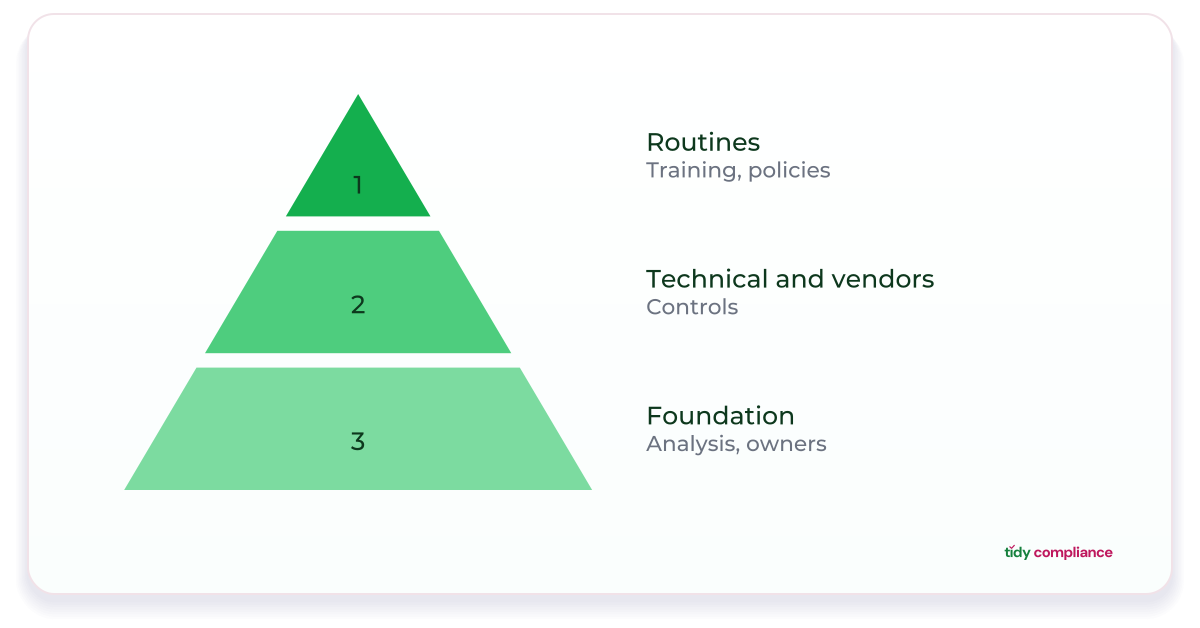
Do not start all twelve on Monday. Group them into three waves. In wave one, set the base: risk analysis, owners and a document folder. In wave two, close the technical gaps: encryption, multi-factor login, backups and vendor agreements. In wave three, build the routines: training, policies, incident drills, patient request handling and yearly reviews.
| Wave | Practices | Typical duration |
|---|---|---|
| 1. Foundation | 1, 2, 12 | 2 to 4 weeks |
| 2. Technical and vendors | 3, 4, 5, 6, 8 | 4 to 8 weeks |
| 3. Routines | 7, 9, 10, 11 | 4 to 6 weeks |
Small teams can compress the plan, and larger ones stretch it across sites. What matters is that each wave ends with something you can show. The costs of each wave are laid out in HIPAA compliance cost, and if you are a small business, HIPAA compliance for small business gives a leaner path through the same practices.
Where Good Practices Quietly Fall Apart
Practices rarely fail on day one. They fade. Training is run once and never repeated. The vendor list is accurate in January and out of date by June. The restore test slips because the person who ran it left. I see the same drift in most programs after the first year, and it is the reason I push for a calendar.
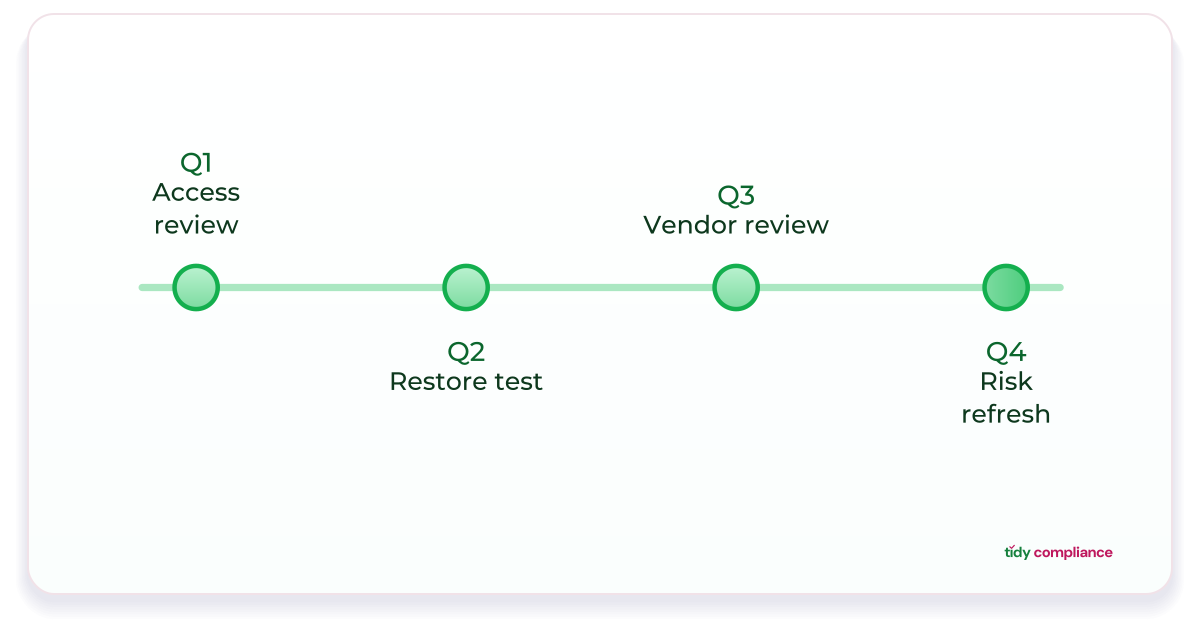
Put every recurring task on a shared calendar with an owner and a backup owner: quarterly access reviews, quarterly restore tests, yearly risk analysis, yearly training, yearly policy review and yearly vendor review. Assign each one a short note on what evidence to save. When someone leaves, their tasks move to a named person on the same day.
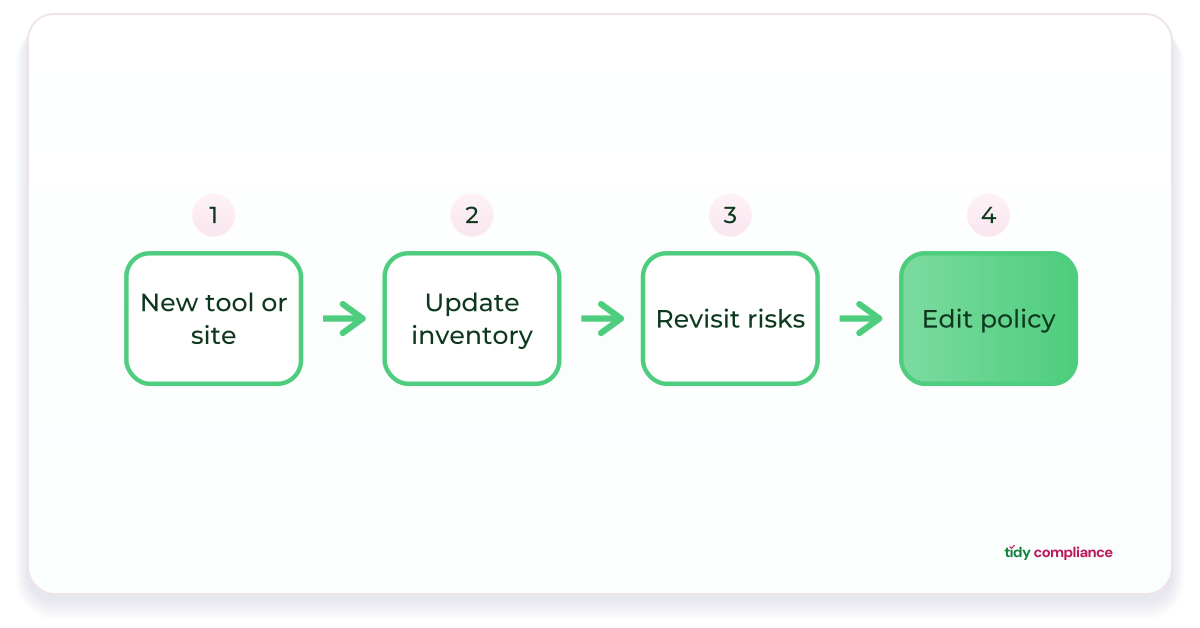
The second cause of drift is change. A new software tool, a new location or a new service line changes your risks, and the program does not notice unless someone asks. Add a short question to your purchasing and onboarding steps: will this touch patient data? If the answer is yes, the officer gets a say before work starts.
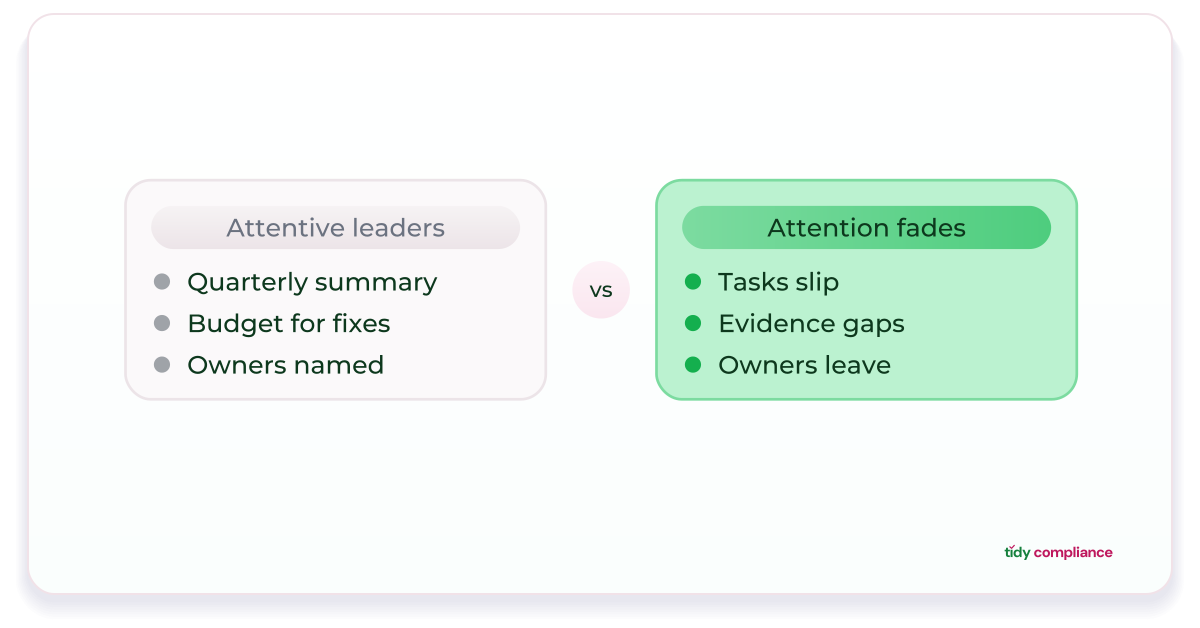
The third cause is leadership attention. Programs hold up when a leader asks about them every quarter. Give your owner ten minutes in a regular meeting to report open items, closed items and anything that has changed. That small ritual keeps funding, time and priority where they need to be.
Where Software Helps and Where It Does Not
Software is good at reminders, training records, policy storage and evidence tracking. It cannot decide what is risky in your clinic or fix an unencrypted laptop. Choose a tool after you know your process, and use its templates as a starting point. My ranking of HIPAA compliance software compares the main options with review scores and published prices.
How to Know the Practices Are Working
Measure a few things. Count the open items in your risk plan and how many closed this quarter. Track training completion, days to answer patient requests, time to remove a leaver and the result of your last restore test. If the numbers improve, the habits are taking hold. If they stall, look for the owner who is overloaded or the task that has no calendar entry, and fix that first.
Share the numbers with leadership each quarter in a half-page summary. Show what improved, what slipped and what you need. Decision makers fund what they can see, and a short, steady report builds more support than a thick binder delivered once a year. It also gives you a record of progress that you can hand to an auditor, a payer or an insurer when they ask how your program is managed over time.
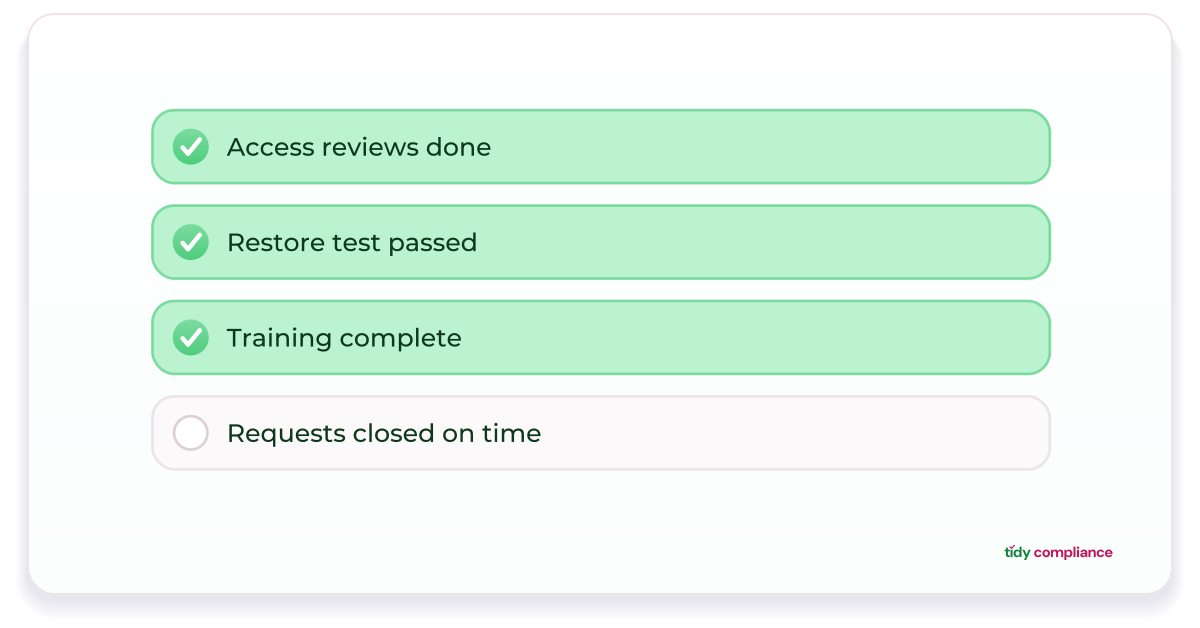
- Risk plan items closed each quarter
- Training completion rate by role
- Average days to answer patient access requests
- Days between an employee leaving and account removal
- Date and result of the last backup restore
Sources
HHS: The HIPAA Security Rule, HHS: Individuals' Right to Access Health Information.
Questions About HIPAA Compliance Best Practices
What Are the Most Important HIPAA Best Practices?
A current risk analysis, named owners, encryption, multi-factor login, vendor agreements, role-based training and a tested incident plan carry most of the weight. Evidence and a yearly review keep them alive.
How Often Should HIPAA Training Happen?
Train new staff early in their employment, then refresh on a regular schedule and when policies or systems change. Many organizations run it yearly, with short updates after incidents.
Do Best Practices Guarantee Compliance?
No. They reduce risk and create evidence, but compliance is judged against the rules and your circumstances. A documented program and honest follow-through are the best protection in a review.
What Should I Do First?
Name your officers, make a systems and vendor list and run the risk analysis. Those three steps show you where the other practices matter most.
Are Policy Templates Good Practice?
They are a fine starting point. Edit them to match your setup and delete steps you will not perform, because a policy that does not match reality becomes a finding.
How Long Should I Keep HIPAA Records?
Required documentation, such as policies, assessments and records of actions, must be kept for six years from the date of creation or last effective date. Medical record retention rules differ by state, so check with your counsel.
Is HIPAA Compliance Software a Best Practice?
It can be, when it supports a process you already have. It is a tool for tracking and reminders, and it does not replace an honest risk analysis or fixing your systems.
Disclaimer: This article is for general information only and isn’t legal, financial or tax advice. Treat figures as estimates from typical work and confirm details with your providers before you act.
Was this guide helpful?
Thanks for your feedback.
Odessa Whitfield
Odessa leads the Tidy editorial team and works with the compliance consultants to turn real client projects into practical guides on regulations, frameworks, policies and audit preparation. Before joining Tidy, she worked in compliance and risk roles, writing and maintaining policy sets for regulated organizations. Every article goes through a consultant who has done the work in practice, and she updates guides when a rule, framework or tool changes. She works remotely from the United States.